Zip code tax relationships
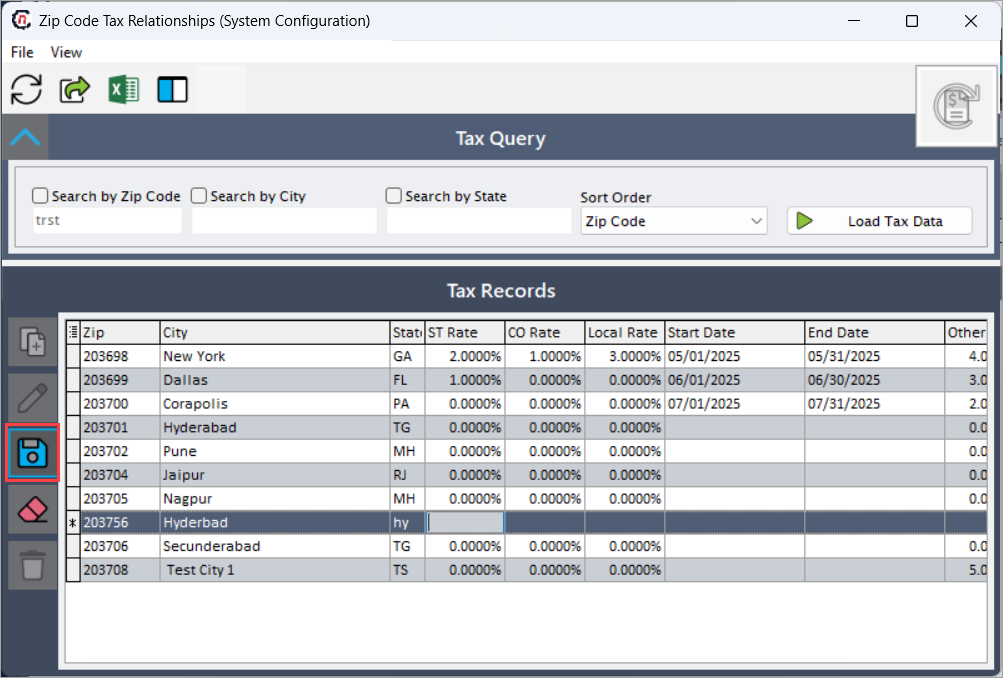
Zip code tax relationships in nGenue define the association between a geographic location (ZIP code, city, and state) and the applicable tax rates. These relationships ensure the system automatically applies the correct tax percentages during billing, invoicing, and order processing based on location. By configuring zip code tax relationships, organizations maintain accurate tax calculations and comply with regional tax regulations.
The Zip code tax relationships screen provides the following action icons for managing Zip code tax relationships records:
| Icons | Description |
|---|---|
 |
Add a tax zip record. |
 |
Edit current tax zip. |
 |
Save changes to current tax zip. |
 |
Cancel changes to tax zip record. |
 |
Delete current tax zip record. |
Prerequisites
Before working on the Zip code tax relationaships screen, ensure the following prerequisites are met:
- Ensure the nGenue application is installed and use valid login credentials to log into the application.
- User permissions: Must configure the security settings including User type, Security user, Security group, Security assign user, and Security assign permissions in their respective screens to ensure the required access and permissions for Zip code tax relationaships screen actions.
Procedure to configure Zip code tax relationaships
Step 1: Navigate to Zip code tax relationaships screen
- Log in to the nGenue application.
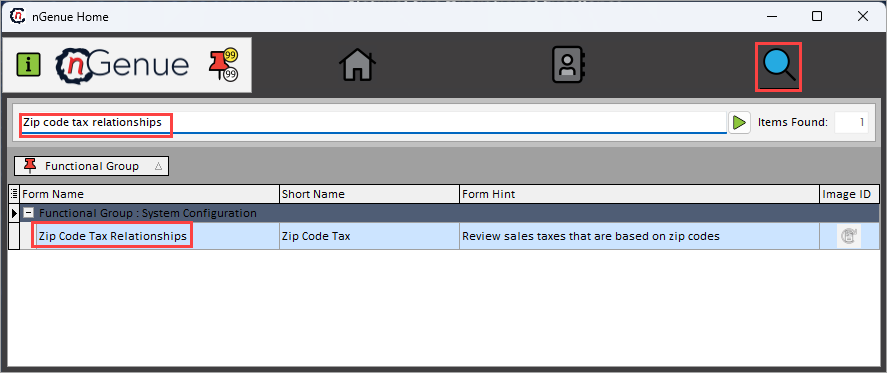
- Click the Search icon and enter zip code tax relationaships in the search bar.
-
Double-click the Zip code tax relationaships from the search results to open respective screen.
-
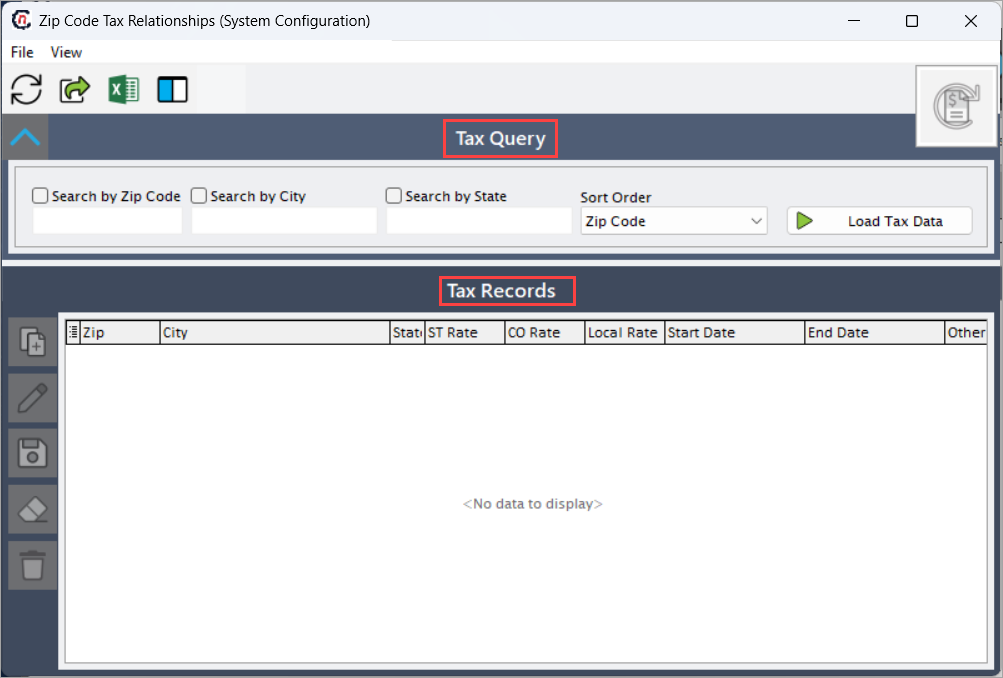
The Zip code tax relationships screen contains two main sections:
- Tax query: Allows you to search for tax records by ZIP code, city, state, and order.
-
Tax records: Allows you to create, edit, save, and delete tax relationship records.
Step 2: Excute A tax query
-
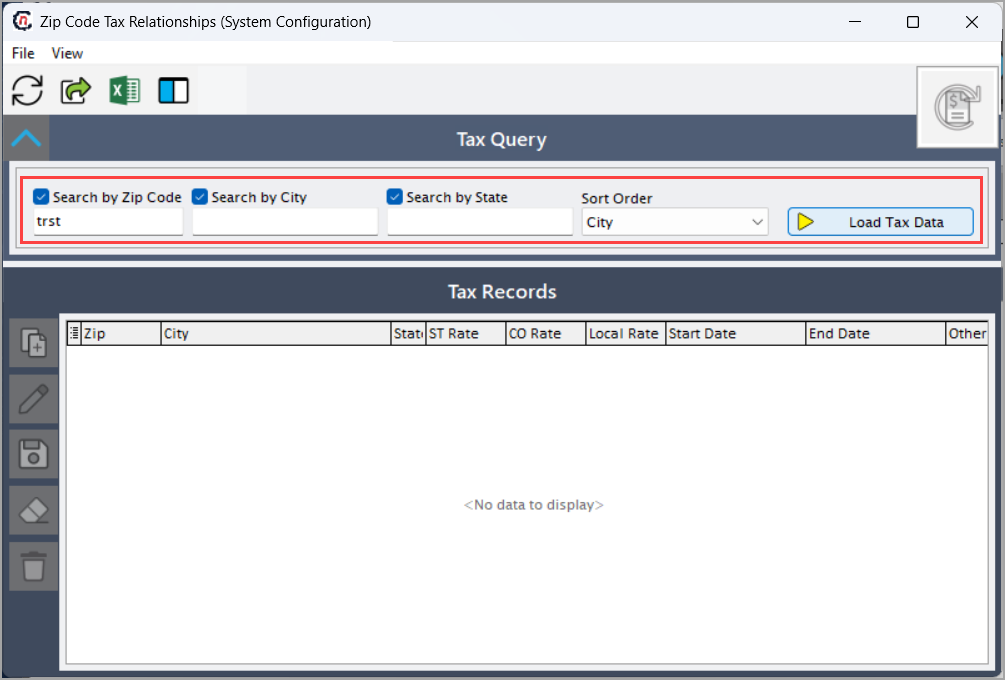
In the tax query section, select one or more of the following filters:
- ZIP code
- City
- State
- Order
-
Click Load tax data to display the existing tax records that match the selected criteria.
Step 3: Create the tax records
-
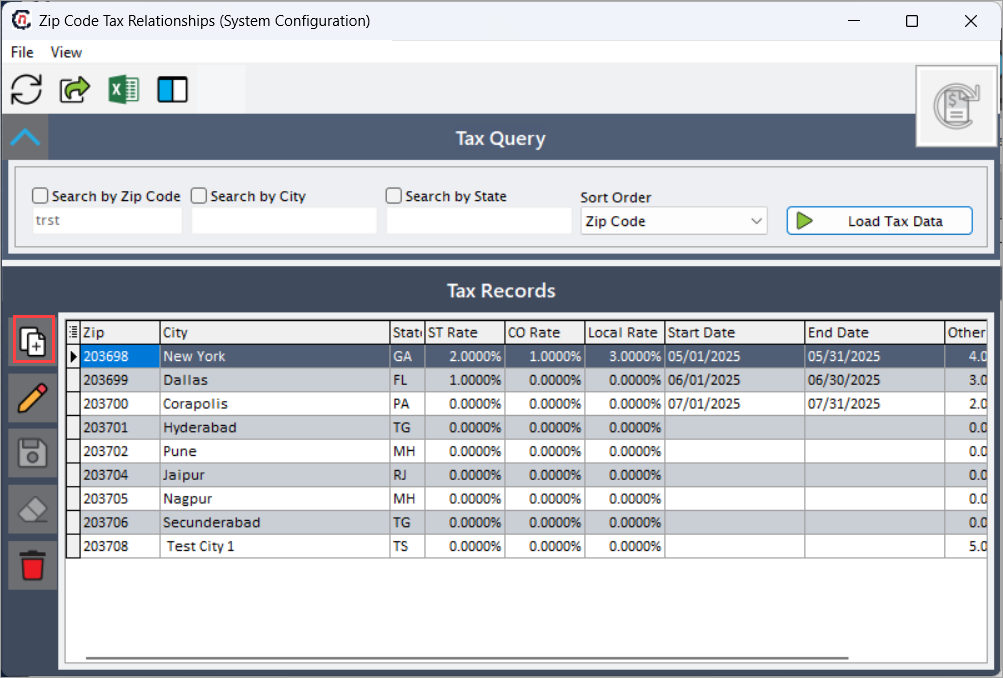
In the Tax records section, click Add a tax zip record icon.
-
Enter fields and description:
Fields Description Zip Enter the ZIP code for which the tax applies. City Enter the city associated with the ZIP code. State Enter the standard state abbreviation. St rate Enter the state-level tax rate. Co rate Enter the county-level tax rate, if applicable. Local rate Enter the city or local tax rate, if applicable. Start date/End date Define the effective period for the tax rates. Other rate Enter any additional tax rate, if applicable. ID Auto-generated system identifier. -
Click Save changes to tax zip to create the new tax relationship record.
Summary
The Zip code tax relationships feature in nGenue allows organizations to define location-based tax rules using ZIP codes, cities, and states. By configuring these relationships, the system automatically applies accurate tax rates during transactions, ensuring compliance, reducing manual effort, and improving the reliability of billing and financial processes.