Configure department
A department in nGenue represents an internal business unit such as sales, service, scheduling, or operations that participates in customer management, deal processing, service operations, accounting, or workflow approvals. Departments are used to control employee assignment, security permissions, commission allocation, and workflow routing throughout the system. Configuring departments ensures that users are grouped correctly and that each department has the proper functional access within the application.
Prerequisites
Before working on the Department screen, ensure the following prerequisites are met:
- Ensure the nGenue application is installed and use valid login credentials to log into the application.
- Configure the user permissions including User type, Security user, Security group, Security assign user, and Security assign permissions in their respective screens to enable access to the Department screen.
Procedure to configure department
Step 1: Navigate to Department screen
- Log in to the nGenue application.
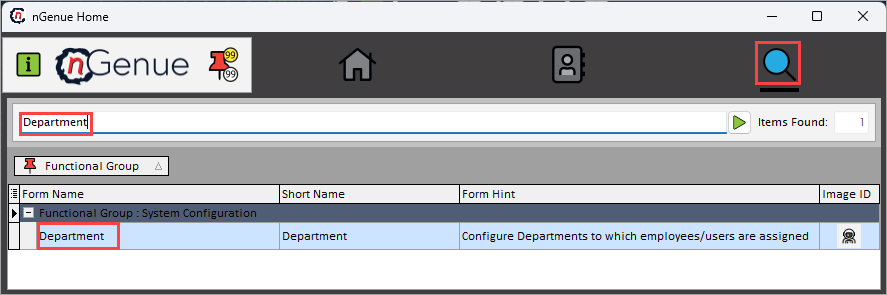
- Click the Search icon and enter Department in the search bar.
-
Double-click the Department from the search results to open respective screen.
-
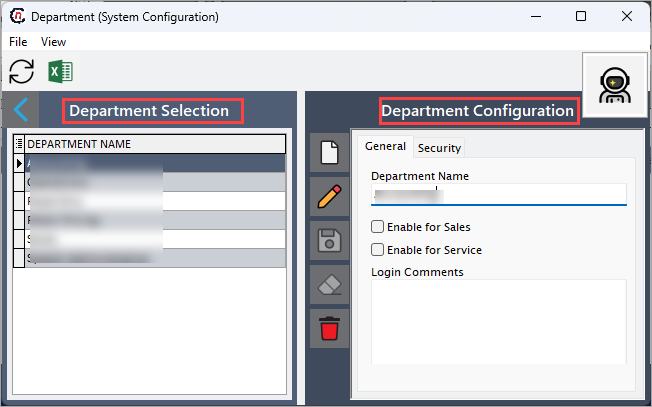
Department (System configuration) screen has two sections:
- Department selection
-
Department configuration
Step 2: Configure department
The following table lists the icons available on the Department configuration section and their respective functions:
| Icons | Icon name | Description |
|---|---|---|
 |
Add a department record | Opens a new record form to create a department entry. |
 |
Edit current department | Opens the selected record for editing. |
 |
Save changes to current department | Saves the modifications made to the current record. |
 |
Cancel changes to current department record | Discards unsaved changes made to the record. |
 |
Delete current department record | Permanently removes the selected department record. |
Step 2.1 : Add a department
- In the Department configuration, click the Add a department record icon to create a new department record.
-
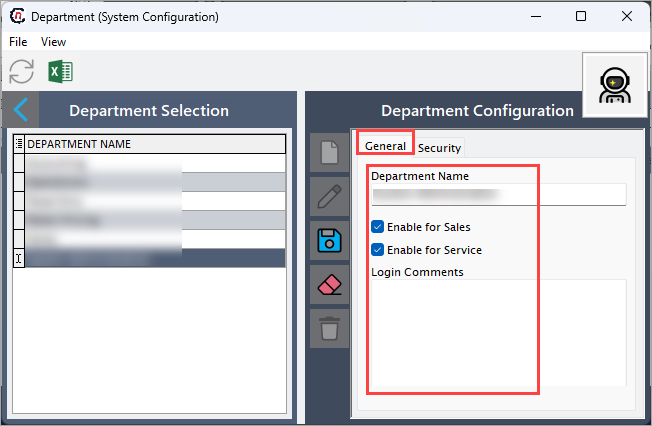
Complete required fields available in the General tab that are listed in the table below:
- Department name: Defines the name of the department. This name becomes available for employee assignment and reporting.
- Enable for sales: Select this checkbox to make the department available for sales-related workflows such as pricing, deal creation, and commissions.
- Enable for service: Select this checkbox to allow the department to participate in service-related activities.
-
Login comments: Provide internal notes regarding the department.
-
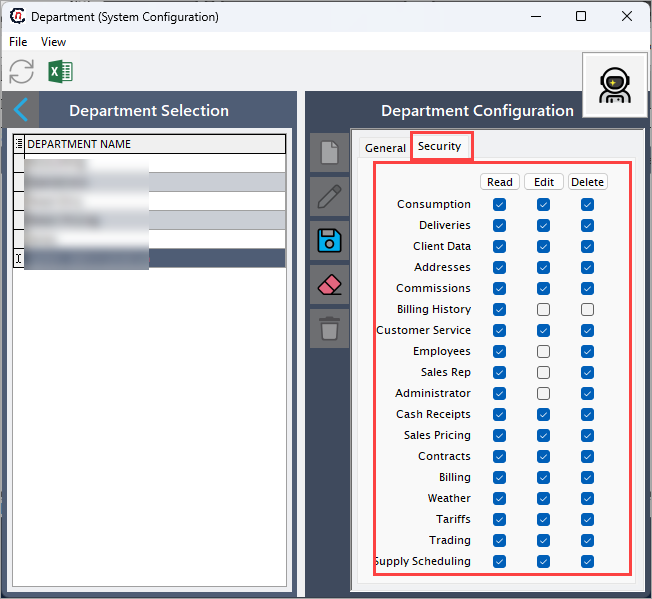
In the Security tab, select checkboxes to allow the department specific permissions. These security privileges determine how employees assigned to the department interact with system modules.
- Read: Users in this department can view related records.
- Edit: Users can modify related data.
-
Delete: Users can remove related records.
-
Click Save changes to current department to store the configuration.
Step 2.2 : Edit a department
- Click the Edit a service job type record icon to modify the selected department.
- Update necessary details and click Save changes to current department to apply changes.
Step 2.3 : Delete a department
- A department can only be deleted if it is not assigned to employees or referenced by other system components.
- Click the Delete current department record icon to permanently remove the department record.
Summary
Configuring departments in nGenue establishes how internal teams are structured and how they interact with application workflows. Each department can be enabled for specific business functions and granted tailored security permissions. Proper department setup ensures accurate employee assignment, controlled data access, and clear operational segmentation across the system.