Navigate to the End user configuration Screen
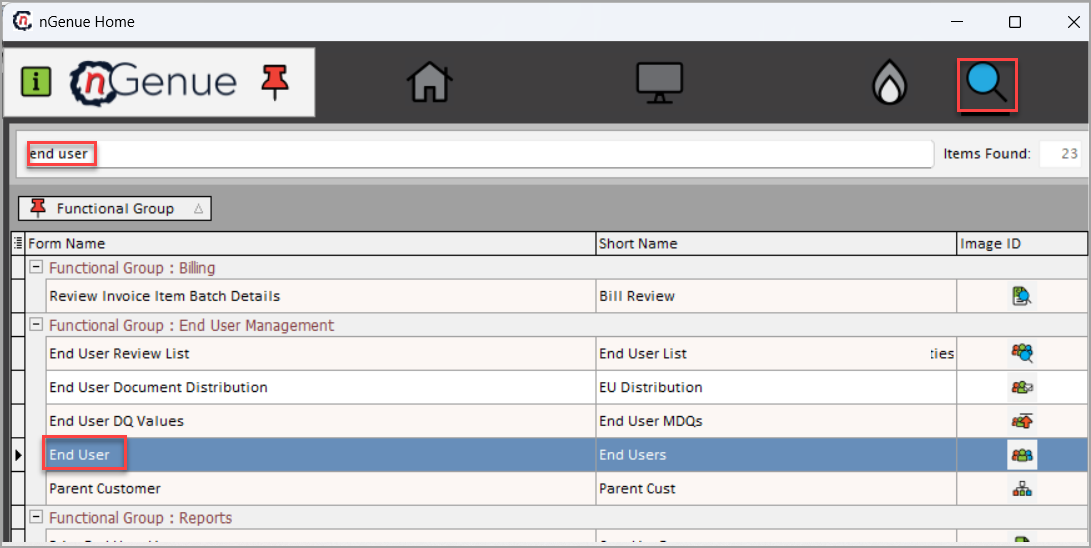
You can access the End user configuration screen by typing End user configuration in the quick search available in the nGenue application homepage. Select End user configuration and this will redirect you to the End user configuration screen.
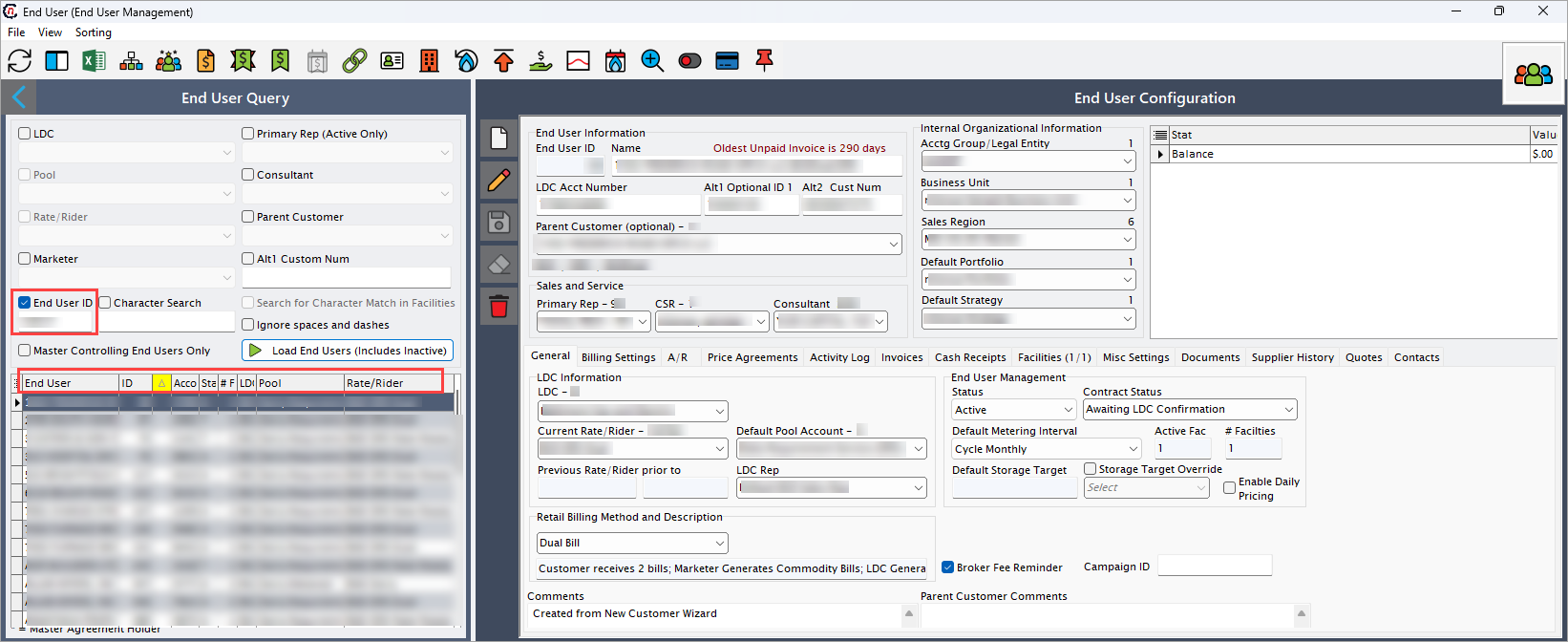
The End user configuration screen provides centralized management for all end user accounts and their associated settings. This comprehensive interface allows you to configure customer information, billing parameters, contract details, and service relationships in one streamlined location.
Icons and features available on the End user configuration screen
When you land on the End user configuration page, Let's get to know the main areas of the page:
The menu
You see a list of icons with the context in the top-header.
| Icons | Icons name | Description |
|---|---|---|
 |
Refresh supply deals record | Updates the grid with the latest data from the database to ensure accuracy. |
 |
Configure grid columns | Customize which data columns are visible in the grid to suit user preferences. |
 |
Open grid data in excel | Export the currently displayed grid data to Excel for offline review or analysis. |
 |
Parent customer | Displays the parent customer associated with the selected end user. |
 |
End user snapshot | Provides a concise overview of key details for the selected end user. |
 |
Sales contracts | Opens and manages all sales contracts linked to the selected end user. |
 |
Master price agreement | Accesses master price agreements that define long-term pricing and contractual terms. |
 |
Price agreement | Displays individual price agreements for review or editing. |
 |
Daily pricing management | Allows management of daily pricing adjustments without affecting long-term agreements. |
 |
Manage market and supply links | Configures and maintains links between the end user and associated markets or supply sources. |
 |
End user level addresses | Displays and manages all addresses associated with the selected end user. |
 |
Facilities | Shows facilities linked to the end user for operational reference. |
 |
Period usage history | Displays historical usage data for the end user over defined periods. |
 |
MDQ limits | Displays Maximum Daily Quantity (MDQ) limits assigned to the end user. |
 |
Sales commissions | Shows sales commission information related to the end user’s transactions. |
 |
Load profile | Displays the end user’s load profile for forecasting and planning purposes. |
 |
Daily volumes | Shows daily volume data for the end user to track consumption or deliveries. |
 |
Validate that end user is ready to activate | Verifies all conditions and requirements before activating the end user. |
 |
Activate end user | Activates the selected end user in the system, making them operational immediately upon clicking. |
 |
Review end user's credit risk | Displays the credit risk status of the selected end user for financial assessment. |
 |
Create a task related to this end user | Creates a task or follow-up action associated with the end user. |
Main body
End user query section
This section provides powerful filtering capabilities to quickly locate specific end users or groups of end users within the system.
- Filter Options: Multiple filter fields allow you to narrow down end user results based on various criteria including LDC association, representative assignments, pool memberships, and contractual relationships.
- Quick Search: The character search functionality enables rapid text-based searching across end user records and facility information.
- Status Filtering: Options to display only active end users or focus on master controlling accounts for streamlined management.
End User Configuration Section
When you select an end user from the query results, their detailed configuration is displayed in this section.
- Account Overview: The top panel displays key counterparty identification information and account status.
- Tabbed Interface: Organized tabs capture comprehensive details including credit settings, risk limits, contract terms, accounting parameters, and service relationships.
- Complete Configuration: Manage all aspects of the end user relationship from basic contact information to complex contractual and billing arrangements.
The table below describes the available action icons and their functions:
| Icon | Description | Purpose |
|---|---|---|
 |
Add new record | Create a new end user account or configuration entry. |
 |
Edit record | Modify existing end user details or configuration settings. |
 |
Save record | Save changes made to the end user configuration. |
 |
Cancel edits | Discard unsaved changes and revert to previous settings. |
 |
Delete record | Remove end user accounts or configuration entries. |
This centralized configuration approach ensures consistent end user management across all business functions while maintaining data integrity and operational efficiency.