Print index history
Index history represents the historical pricing values published for market indexes used in pricing calculations, settlements, and contract validations. The Print index history report provides a consolidated view of index values over a selected time period, allowing users to review, validate, and audit index data that drives pricing across retail, wholesale, and financial transactions. This report is commonly used by pricing analysts, settlements teams, and auditors to confirm that the correct index values were applied, to investigate pricing discrepancies, and to maintain an audit trail of index movements over time.
Prerequisites
Before working on the Print index history (Reports) screen, ensure the following prerequisites are met:
- Ensure the nGenue application is installed and use valid login credentials to log into the application.
- Configure the user permissions including User type, Security user, Security group, Security assign user, and Security assign permissions in their respective screens to enable access to the Print index history (Reports) screen.
Procedure to print index history report
- Log in to the nGenue application.
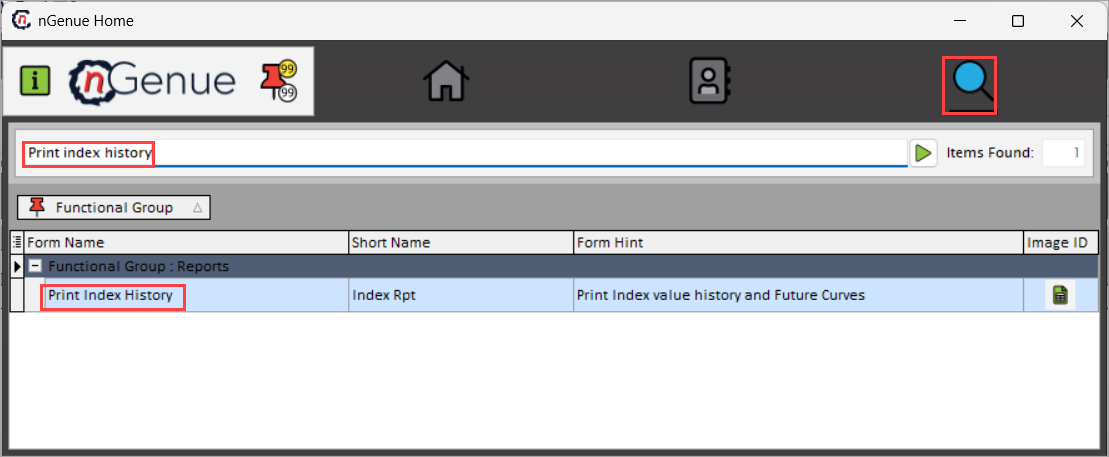
- Click the Search icon and enter Print index history in the search bar.
-
Double-click the Print index history from the search results to open respective screen.
-
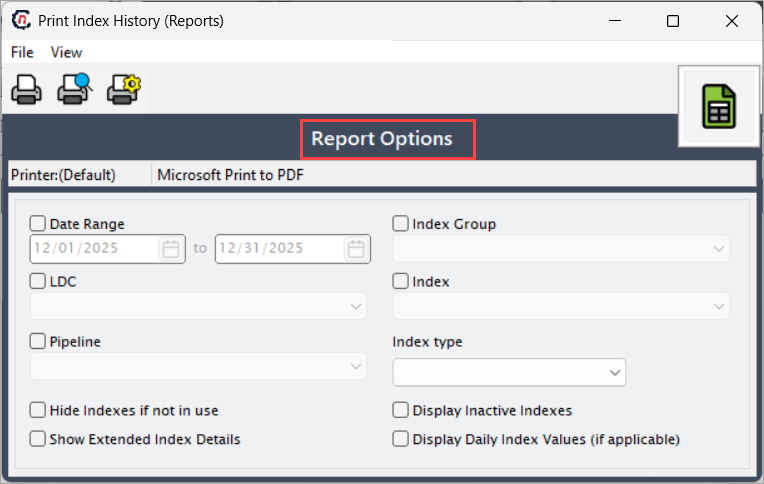
In Print index history (Reports), Report options section allows to define the time period, index scope, and display preferences that control which index records are included in the report.
-
Complete the required fields available in the Report options section as listed in the table below:
Fields Description Date range Select the start and end dates for the index history. When a date range is selected, the report retrieves all index values published within that period. LDC Select the LDC to filter index values to those associated with the chosen LDC. Pipeline Select the pipeline to restrict the index values published for that specific pipeline. Index group Select the index group to retrieve only indexes assigned to the selected group are included in the report. Index Select an index to limit the report output to historical values for that specific index only. Index type Select the index type to filter index values associated with that type. Hide indexes if not in use Select this checkbox to exclude indexes that are not currently referenced by pricing, contracts, or calculations, keeping the report focused on active data. Show extended index details Select the this checkbox to include additional index attributes such as calculation methodology, publication source, and effective dates in the report output. Display inactive indexes Select this checkbox to include indexes that are no longer active but were valid during the selected date range, supporting historical audits and reviews. Display daily index values (if applicable) Select this checkbox to expand the report to show daily index values instead of summarized monthly values, where daily pricing is available. 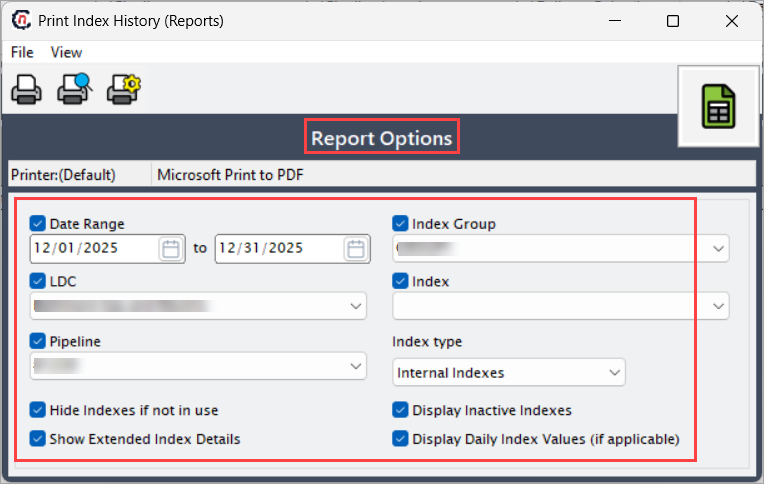
-
Select any of the printing options in the top header to configure printing, preview, print, as described in the table below:
Icons Icon name Description 
Print Click Print icon to generate the index history report using the current printer settings. 
Print preview Click Print preview icon to display the index history report on screen, allowing you to review formatting and data before printing. 
Printer setup Click Printer setup icon to open printer configuration options such as printer selection, page size, orientation, and print properties. -
Click Printer setup to configure print settings, specify the name, size, orientation, properties and network.
- Click Ok to save the configuration.
- Click Cancel to discard changes.
-
Click Print preview to review the index history report and confirm that the selected filters and data are correct.
- Click Print to generate the index history report for the selected date range and criteria.
Summary
The Print index history report provides a structured and auditable view of historical index values used throughout pricing, settlement, and contract workflows. By applying targeted filters such as date range, index group, and pipeline, users can isolate relevant index data, validate pricing accuracy, and maintain compliance with internal and regulatory audit requirements.