Sales campaign
A Sales campaign in nGenue is used to define and manage promotional campaigns, including scheduling, campaign type selection, associated pricing products, and the LDCs (Local Distribution Companies) to which the campaign applies. Sales campaigns help streamline marketing activities, ensuring that promotions are accurately configured and applied to the intended customers and regions.
The Sales campaign screen provides the following action icons for managing Sales campaign records:
| Icons | Description |
|---|---|
 |
Add a sales campaign record. |
 |
Edit current sales campaign. |
 |
Save changes to current sales campaign. |
 |
Cancel changes to sales campaign record. |
 |
Delete current sales campaign record. |
Prerequisites
Before working on the ** Sales campaign** screen, ensure the following prerequisites are met:
- Ensure the nGenue application is installed and use valid login credentials to log into the application.
- User permissions: Must configure the security settings including User type, Security user, Security group, Security assign user, and Security assign permissions in their respective screens to ensure the required access and permissions for ** Sales campaign** screen actions.
Procedure to Sales campaign
Step 1: Navigate to Sales campaign screen
- Log in to the nGenue application.
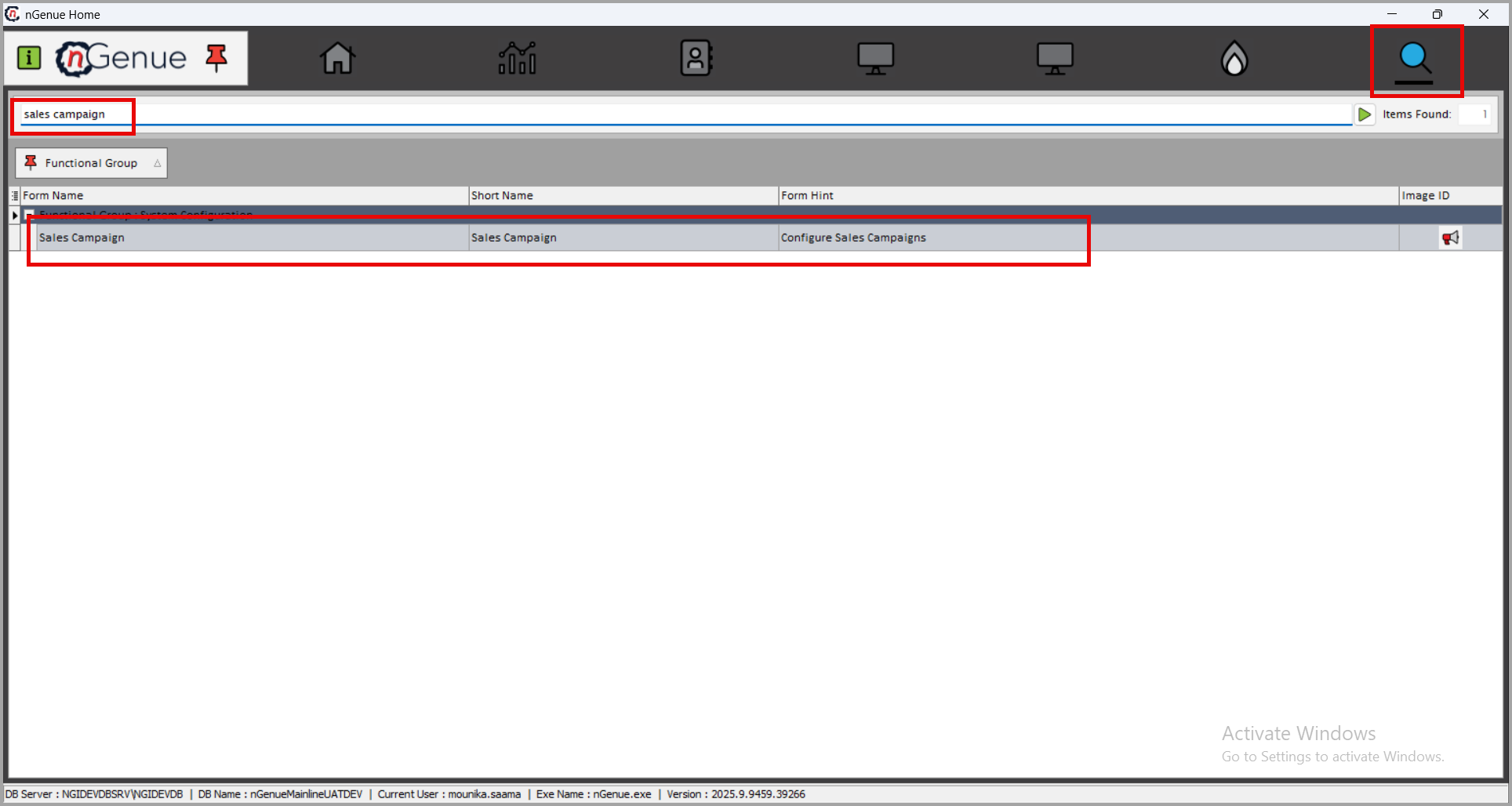
- Click the Search icon and enter sales campaign in the search bar.
-
Double-click the Sales campaign from the search results to open respective screen.
-
The Sales campaign screen contains two sections:
-
Sales campaign selction: Displays a list of existing campaign types.
- Sales campaign configuration: Allows the creation, editing, saving, and deletion of sales campaign records.

Step 2: Create Sales campaign
-
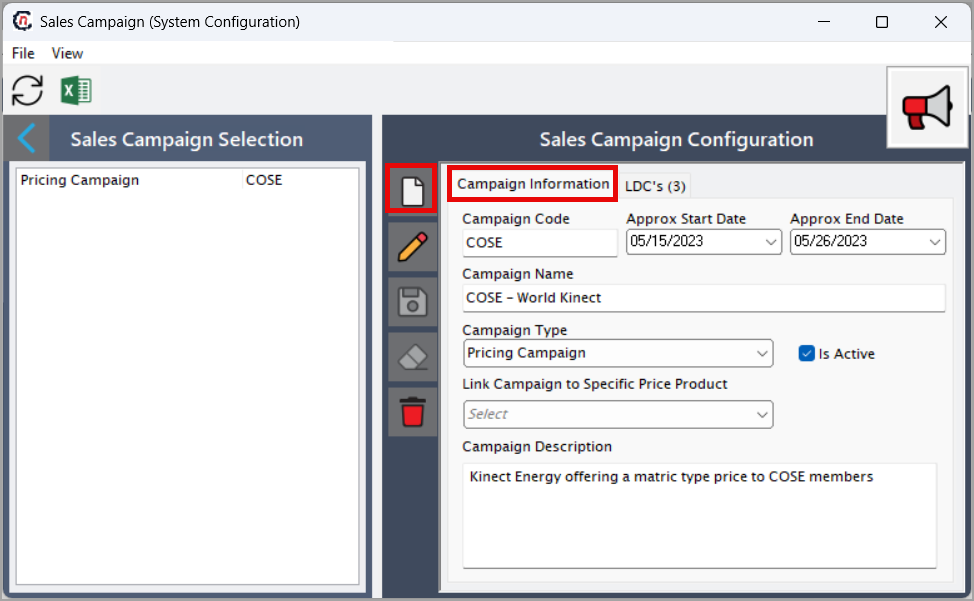
In the Sales campaign configuration section, click Add a sales campaign record icon.
-
Enter the required details:
Fields Description Campaign code Auto-generated system identifier Approx start date/Approx end date Enter the approximate start and end dates for the campaign. Campaign name Enter the name of the sales campaign. Campaign type Select the campaign type from the dropdown. Is active Enable the checkbox to activate the campaign. Link campaign to specific price product Link the campaign to the relevant price product. Campaign description Enter a description for the campaign. -
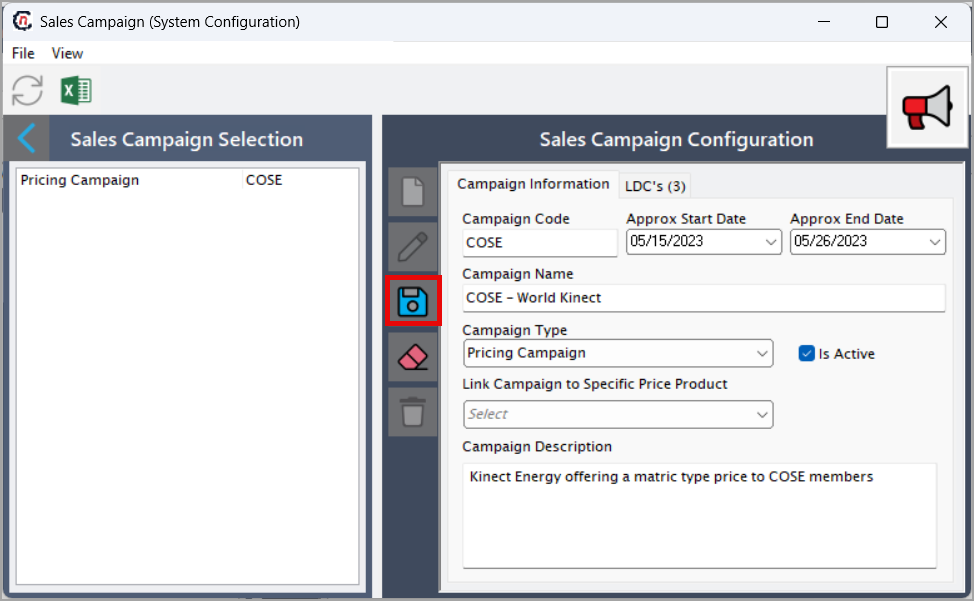
Click **Save changes to current campaign ** to store the new sales campaign record.
Step 3: Add or remove LDCs from the Campaign
-
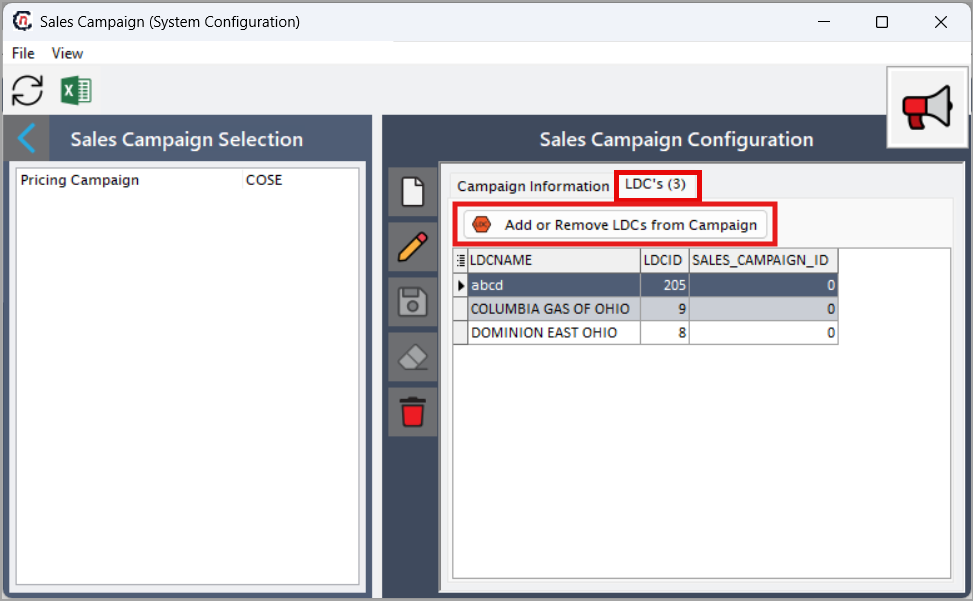
In the LDC's tab, click Add or remove the LDCs from the campaign.
-
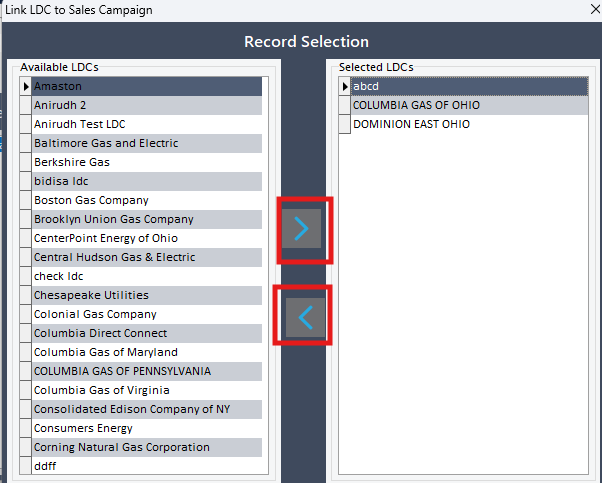
Manage the LDC list using the selection icons:
- Click on the forward arrow (>) to add selected LDCs to the campaign.
-
clcik the backward arrow (<) to remove LDCs if necessary.
Summary
The Sales campaign functionality in nGenue allows organizations to configure marketing or promotional campaigns with clear timelines, types, and pricing associations. Users can link campaigns to specific products and assign eligible LDCs, ensuring accurate regional and product-based targeting. This feature helps streamline campaign execution, improve promotional accuracy, and support effective marketing strategies across different utility service areas.