Viewing and managing LDC end users
The View and manage LDC end users feature in nGenue provides a centralized window to review and maintain all end users linked to a selected Local Distribution Company (LDC). End users represent the customers or entities that consume the gas distributed by the LDC. This feature allows you to see who is connected to a specific LDC and manage their records effectively.
Note
You can access this feature by clicking the View this LDC's end users icon on the toolbar of the LDC configuration screen. This opens the End users configuration screen, where all associated end users are displayed.
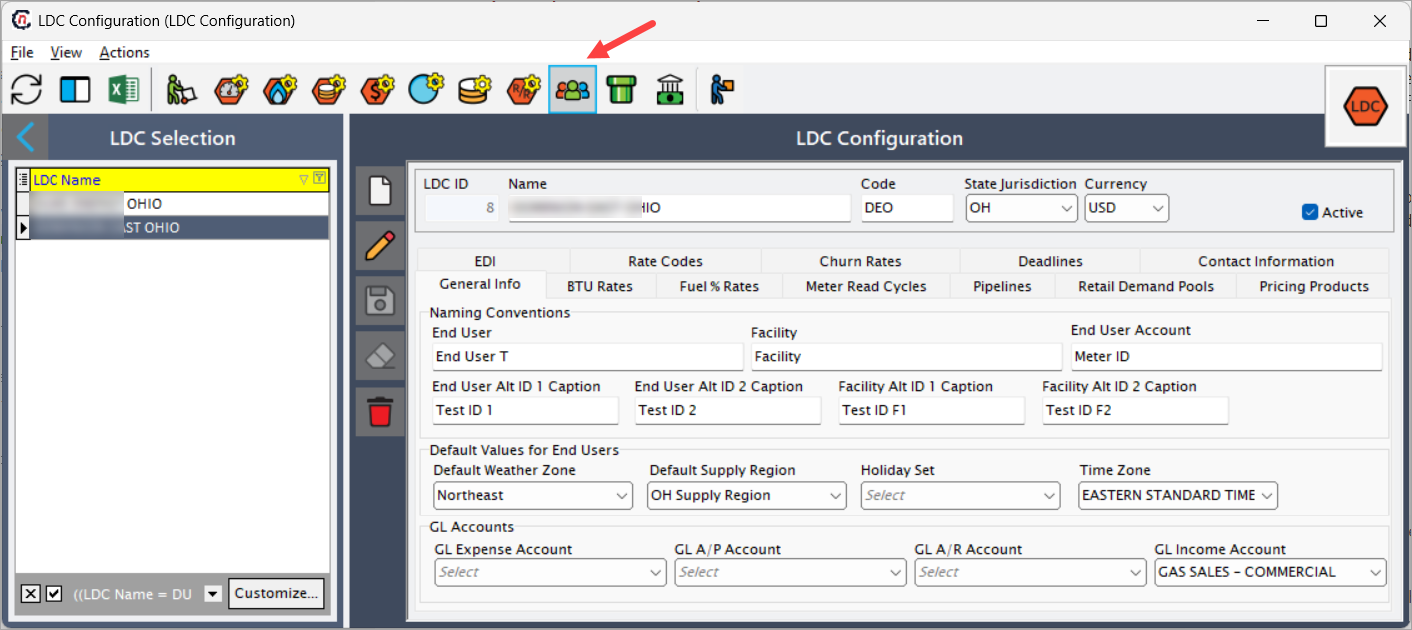
Managing end users is a critical part of the gas distribution workflow. Associating the right end users with an LDC ensures that:
- Consumption data is properly tracked and attributed.
- Billing processes align with the correct LDC.
- Communication between your organization and customers is streamlined.
- Any configuration changes to an LDC (e.g., pricing, pools, or pipelines) automatically reflect for the relevant end users.
What you can do from this screen
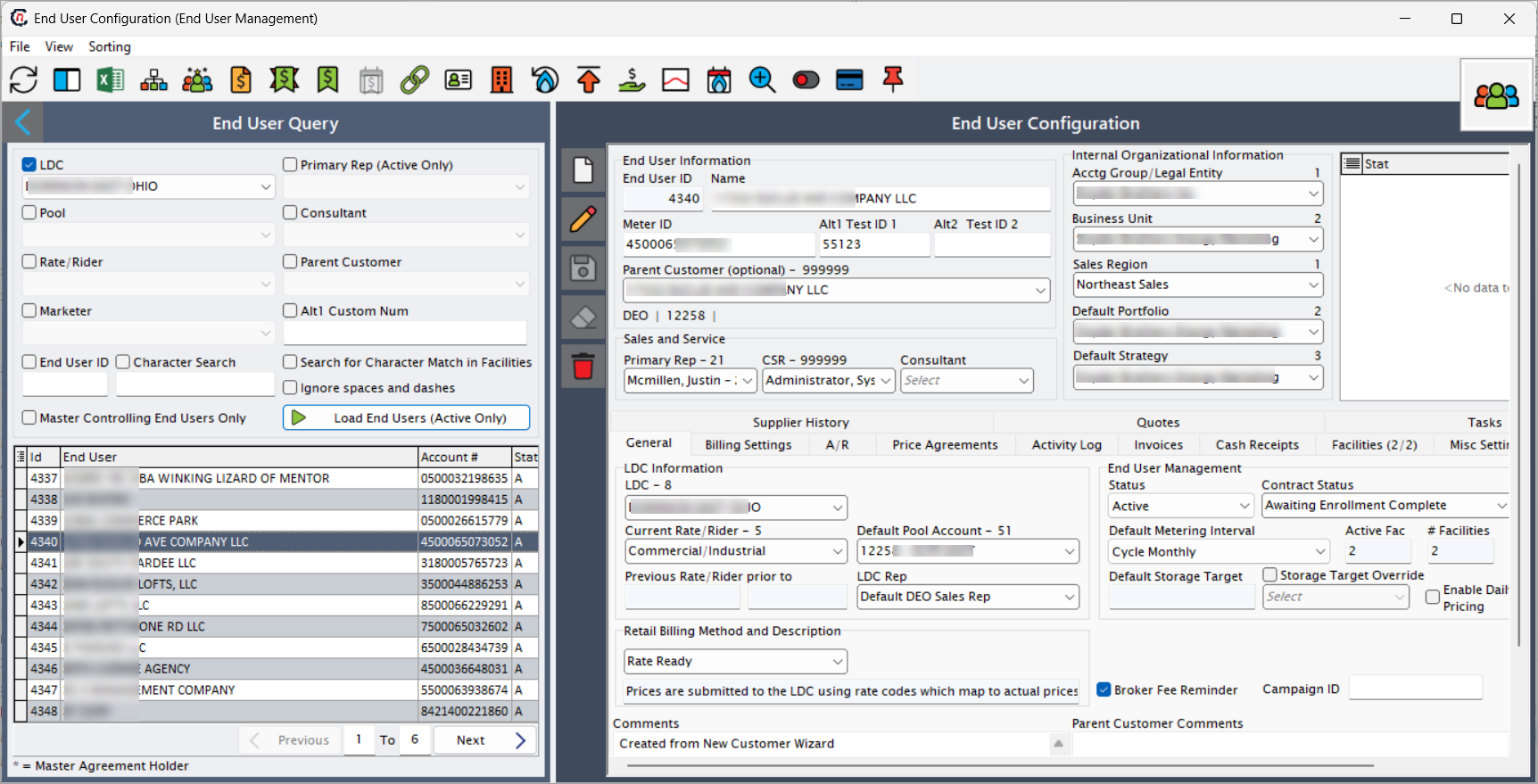
On the End users configuration screen, you can:
- View all associated end users – See the complete list of customers tied to the selected LDC.
- Add new end users – Create new records for customers who are being onboarded under this LDC.
- Edit existing users – Update details such as customer information, status, or association settings.
- Delete users – Remove outdated or inactive records when a customer is no longer tied to the LDC.
- Search and filter – Quickly locate a specific user by applying filters or entering search criteria.
Tip
While this screen allows you to add or edit end users, the detailed configuration process for setting up each end user is documented separately in the End user configuration article.
Typical use cases
- Onboarding a new customer – When a new consumer signs up under a particular LDC, their details can be added here to establish the relationship.
- Updating customer details – If a customer changes contact details, contract status, or moves between LDCs, you can modify the existing record.
- Deactivating users – For customers no longer serviced by an LDC, you can deactivate or remove their record to keep data accurate.
- Auditing and reporting – Use the consolidated list to cross-check which customers are tied to an LDC for reporting or compliance purposes.
Key points to remember
- Each LDC can have multiple end users configured under it.
- Changes in the End users configuration screen directly impact downstream modules like billing, reporting, and scheduling.
- Deleting or deactivating an end user should be done carefully, as it can affect existing transactions and historical data.
- For step-by-step setup instructions and field-level details, always refer to the End user configuration article.