Review storage contract daily activity
The Storage Contract Daily Activity screen is used to review and analyze day-level operational activity for pipeline storage contracts within a selected date range. It provides a consolidated view of daily injections, withdrawals, balances, and contractual limits, helping users monitor storage utilization, compliance, and operational performance.
This screen allows users to validate daily storage movements, track cumulative balances against contractual limits, and support reconciliation, compliance, and reporting activities.
The primary purpose of the Storage Contract Daily Activity screen is to:
- Review daily storage activity for one or more storage contracts.
- Analyze injections and withdrawals against contractual limits.
- Track cumulative storage balances over time.
- Monitor maximum and minimum storage constraints.
- Support operational reconciliation and audit requirements.
- Identify potential storage capacity or compliance issues.
Prerequisites
Before using the Storage Contract Daily Activity screen, ensure the following prerequisites are met:
- The user has view or modify permissions for Storage Contract Daily Activity screen.
- Storage contracts are configured and active in the system.
- Daily storage activity data (nominations, injections, withdrawals) is available for the selected period.
- The associated pipeline is configured and accessible to the user.
Procedure to review storage contract daily activity
Step 1: Navigate to the Storage Contract Daily Activity screen
- Log in to the nGenue application.
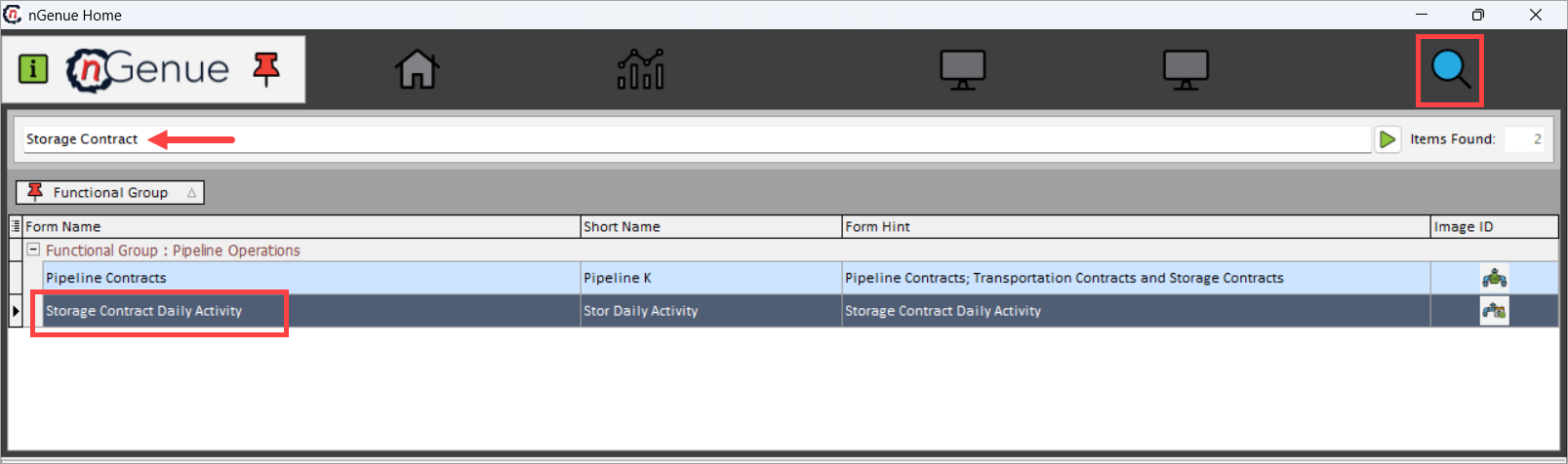
- Click Search and enter Storage Contract in the search bar.
- Double-click Storage Contract Daily Activity to open the Storage Contract Daily Activity (Pipeline Operations) screen.
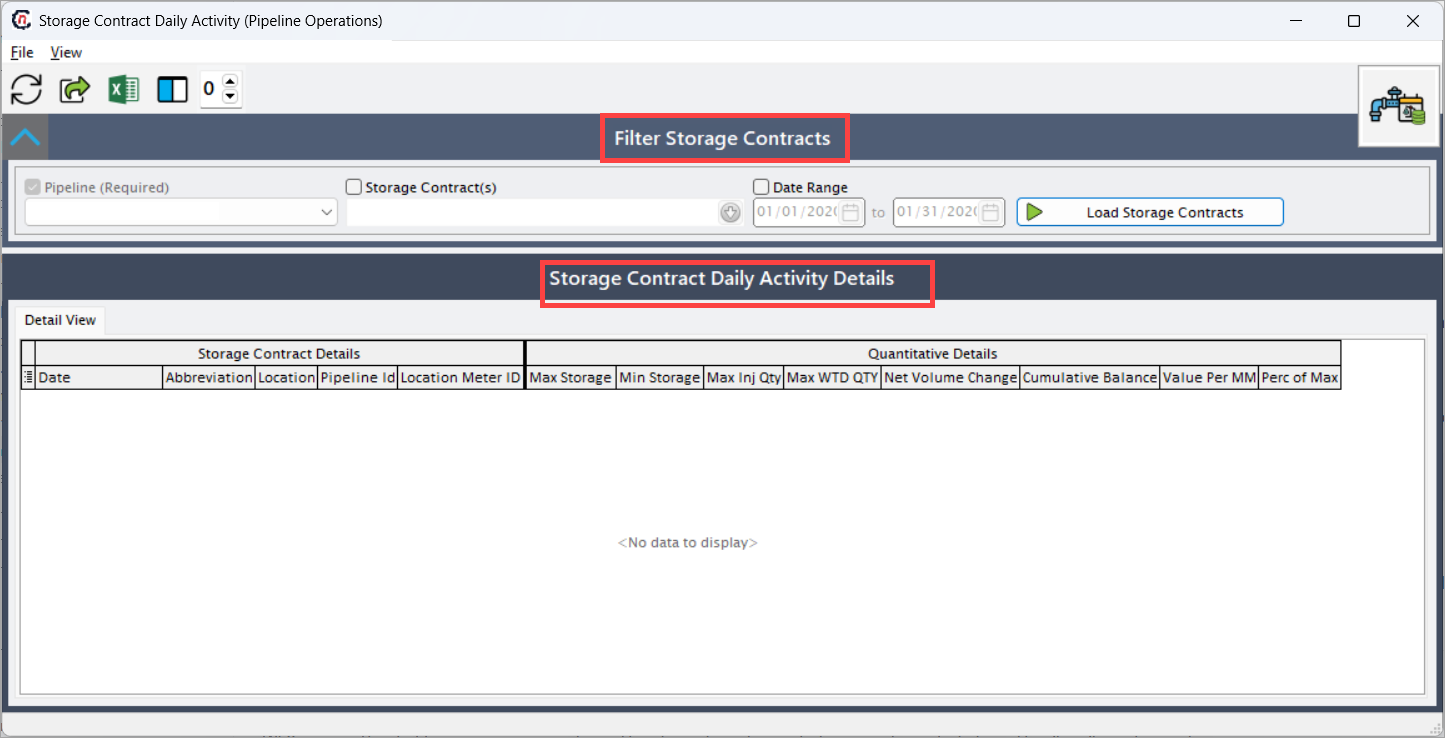
- The screen is divided into two primary sections:
- Filter Storage Contracts: In this section, the user can define which storage contracts and time period should be analyzed.
- Storage Contract Daily Activity Details: This section displays storage contracts's daily operational data in a tabular format.
Step 2: Filter and load storage contracts
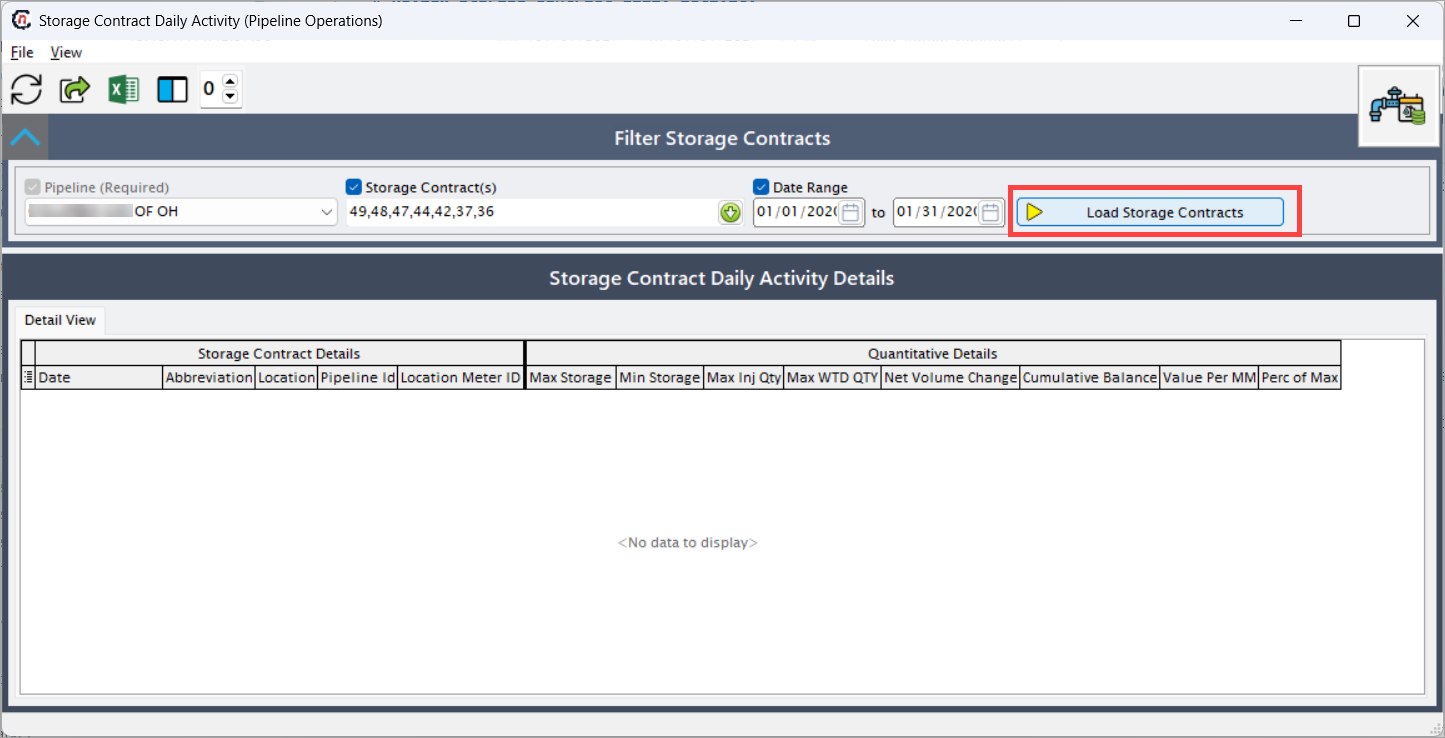
The Filter Storage Contracts section is used to define which storage contracts and time period should be analyzed.
- Select the Pipeline (Required). This determines which pipeline’s storage contracts are available for review.
- Optionally select one or more Storage Contract(s) to narrow the results.
- Enable Date Range and specify the From and To dates.
- Click Load Storage Contracts to load daily activity data.
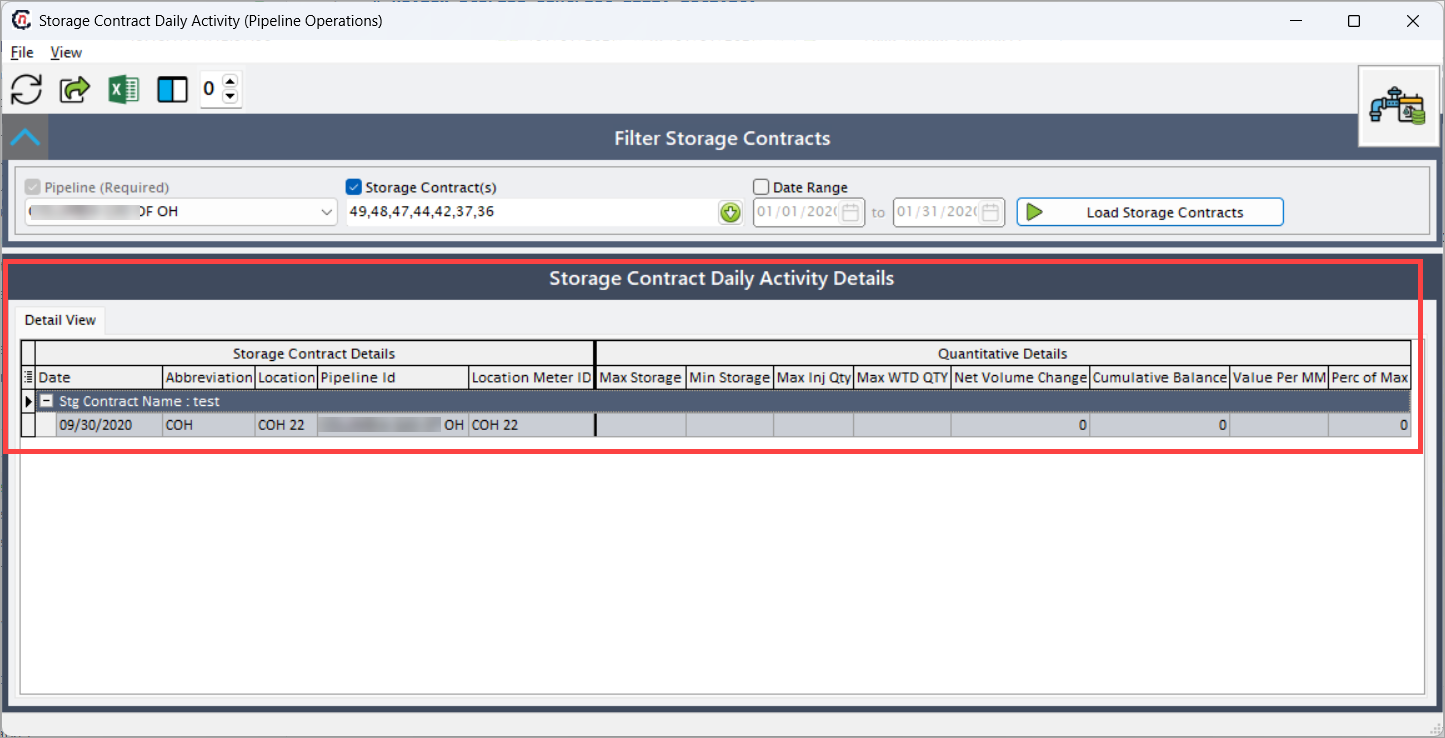
Once loaded, the selected storage contracts and their daily activity appear in the details grid.
Step 3: Review storage contract daily activity details
The Storage Contract Daily Activity Details section displays daily operational data in a tabular format. Each row represents a single contract-location-date combination.
This section provides both contract attributes and quantitative storage metrics, allowing users to validate daily movements and cumulative balances.
Storage Contract Details fields
| Fields | Description |
|---|---|
| Date | Displays the gas day for which storage activity is reported. |
| Abbreviation | Displays the short code or abbreviation associated with the storage contract or storage type. |
| Location | Displays the physical or logical storage location associated with the contract. |
| Pipeline Id | Displays the internal pipeline identifier linked to the storage contract. |
| Location M | Displays the mapped or market location used for storage accounting and valuation. |
Quantitative Details fields
| Fields | Description |
|---|---|
| Max Storage | Displays the maximum storage capacity allowed under the contract for the given date. |
| Min Storage | Displays the minimum storage level that must be maintained under the contract. |
| Max Inj Qty | Displays the maximum allowable injection quantity for the day based on contract limits. |
| Max WTD Qty | Displays the maximum allowable withdrawal quantity for the day based on contract rules. |
| Net Volume | Displays the net change in storage for the day (injection minus withdrawal). |
| Cumulative | Displays the cumulative storage balance as of the selected date. |
| Value Per M | Displays the valuation or cost per unit associated with the storage balance, if applicable. |
| Perc of Max | Displays the percentage of utilized storage relative to the maximum storage capacity. |
Data interpretation
Once storage contract data is loaded:
- Daily net volume changes reflect operational injections and withdrawals.
- The Cumulative column tracks how daily activity impacts overall storage balance.
- Maximum and minimum storage fields help identify potential constraint violations.
- Percentage utilization highlights how close storage levels are to contractual limits.
- All values are displayed at a daily granularity, supporting detailed operational review.
Key points
- Pipeline selection is mandatory to load storage contracts.
- Date range controls which daily records are displayed.
- Net Volume represents the daily operational impact on storage.
- Cumulative values help track storage balance trends over time.
- Maximum and minimum constraints support compliance monitoring.
- This screen is analytical and review-focused; it does not modify storage data directly.
Summary
The Storage Contract Daily Activity screen provides a detailed, day-by-day view of storage contract operations, enabling users to:
- Monitor daily injections and withdrawals.
- Track cumulative storage balances.
- Validate compliance with contractual limits.
- Support operational reconciliation and reporting.
- Identify potential storage capacity risks early.
It serves as a critical operational visibility screen for managing and analyzing pipeline storage performance on a daily basis.