Write-off small balances
The Accounts Receivable (AR) cleanup utility within the nGenue application provides an interface that helps maintain accurate receivables by automatically writing off immaterial balances and reconciling discrepancies between customer invoices and payments. It quickly resolves unapplied or misapplied payments and clears small balances, reducing the need for manual adjustments.
By automatically processing accounts, the utility streamlines operations and simplifies aging reports, making them easier to manage and review.
Prerequisites
Before working on Accounts receivable cleanup utility screen, ensure the following prerequisites are met:
- User permissions: Configure the user permissions including User type, Security user, Security group, Security assign user, and Security assign permissions in their respective screens to enable access to the Cash receipts home page screen.
- Invoice and cash receipt generation: Ensure that invoices and corresponding cash receipts are generated for the selected end user.
Procedure to write off small balances
Step 1: Navigate to A/R cleanup utility screen.
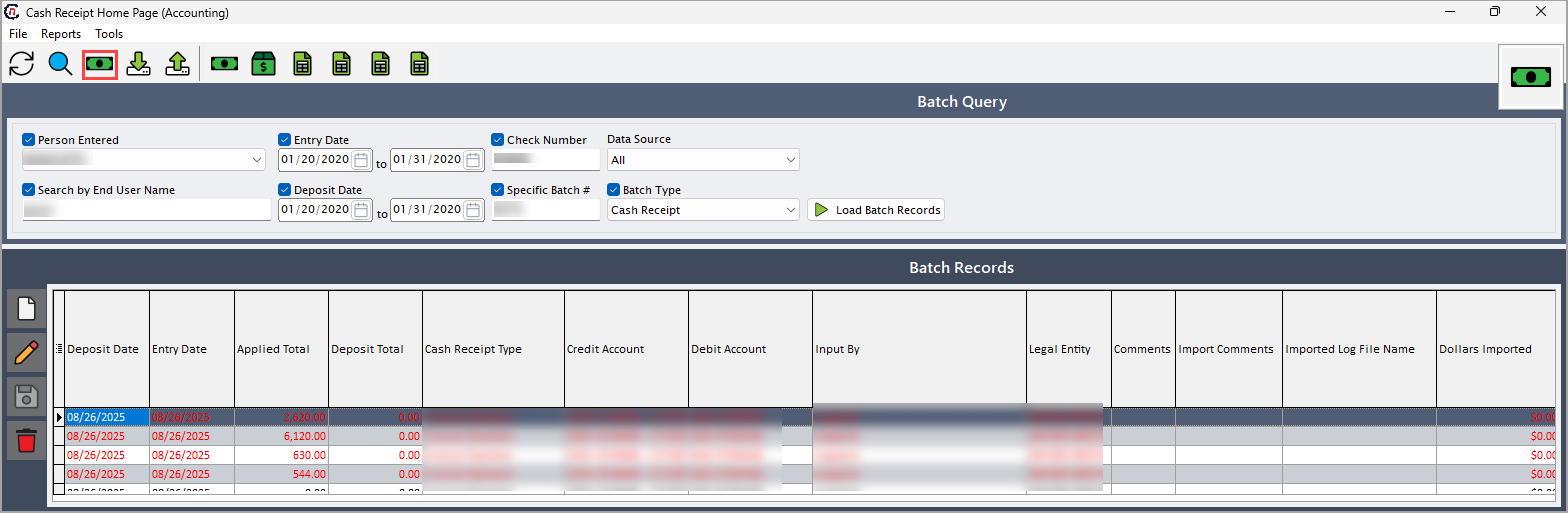
- Navigate to Cash receipt home page screen.
- Click A/R clean up facility icon in top header to open A/R cleanup utility pop-up screen.
-
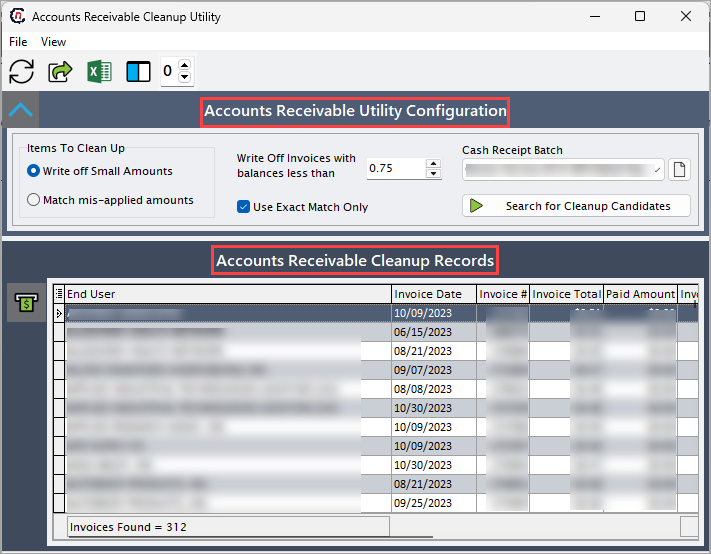
Accounts receivable cleanup utility screen is divided into two section:
- Accounts receivable utility configuration: This section allows to select the criteria to load the relevant clean up records. Following are the fields that are used to define the criteria to load records with brief description.
-
Accounts receivable cleanup records: This section display the clean up records based on the selected criteria and allows the user to write-off the small balances.
Step 2: Search for clean up records
-
In the Accounts receivable utility configuration section, complete the required fields which are provided in the table below to load the clean up records.
Fields Description Write off small amounts Select the write off small amounts to discard immaterial balances for the selected record. Match mis-applied amounts Select this checkbox to match any mis-applied amounts. Write off invoices with balances less than Specify the amount figure that must be written off balances less than that for the selected record. Cash receipts batch Choose the cash receipt batch to write off small balances for the selected batch. Use exact match only Select this checkbox to display the relevant records that matches given criteria. -
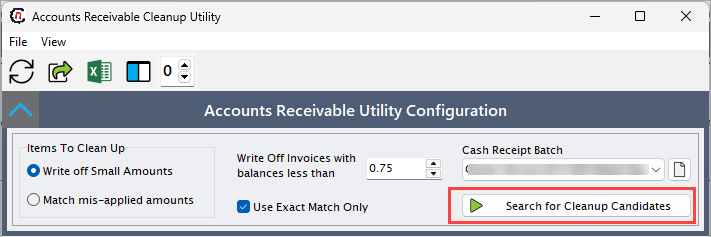
Click Search for cleanup candidates to fetch the cleanup records.
Step 3: Write off small balances
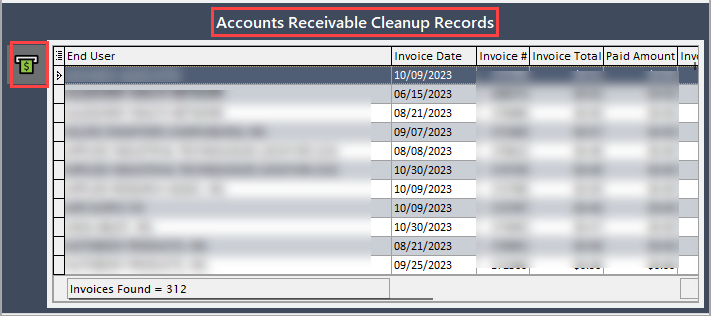
- Select the record need to be adjusted.
-
Click Write off small balances icon to discard immaterial balances for the selected record.
-
Confirm the write-off in the dialog, then approve to post the adjustment, update balances, and generate a summary report.
Summary
The A/R cleanup utility identifies and writes off immaterial balances for the selected record, automatically resolving misapplied payments. It processes cleanup records based on defined criteria and posts approved adjustments efficiently. This maintains accurate receivable balances, simplifies reporting, and streamlines account reconciliation.