Associating pipelines servicing to LDC
The Associate pipelines servicing to an LDC feature allows you to view and configure the pipelines associated with a selected Local Distribution Company (LDC). This ensures that the system correctly maps which pipelines deliver gas to the chosen LDC. You can add or remove pipelines as needed to maintain accurate pipeline-to-LDC relationships.
This feature is useful for system administrators and configuration managers who need to ensure that each LDC is aligned with the appropriate pipelines for accurate transaction processing, scheduling, and reporting.
Procedure to associate pipelines to LDC
- From the LDC configuration screen, select the LDC for which you want to manage pipelines.
- Click the View pipelines servicing this LDC icon in the toolbar.
- A Record Selection popup window opens with two sections:
- Available pipelines: Displays all pipelines that exist in the system but are not yet associated with the selected LDC.
- Selected pipelines: Displays the pipelines currently servicing the selected LDC.
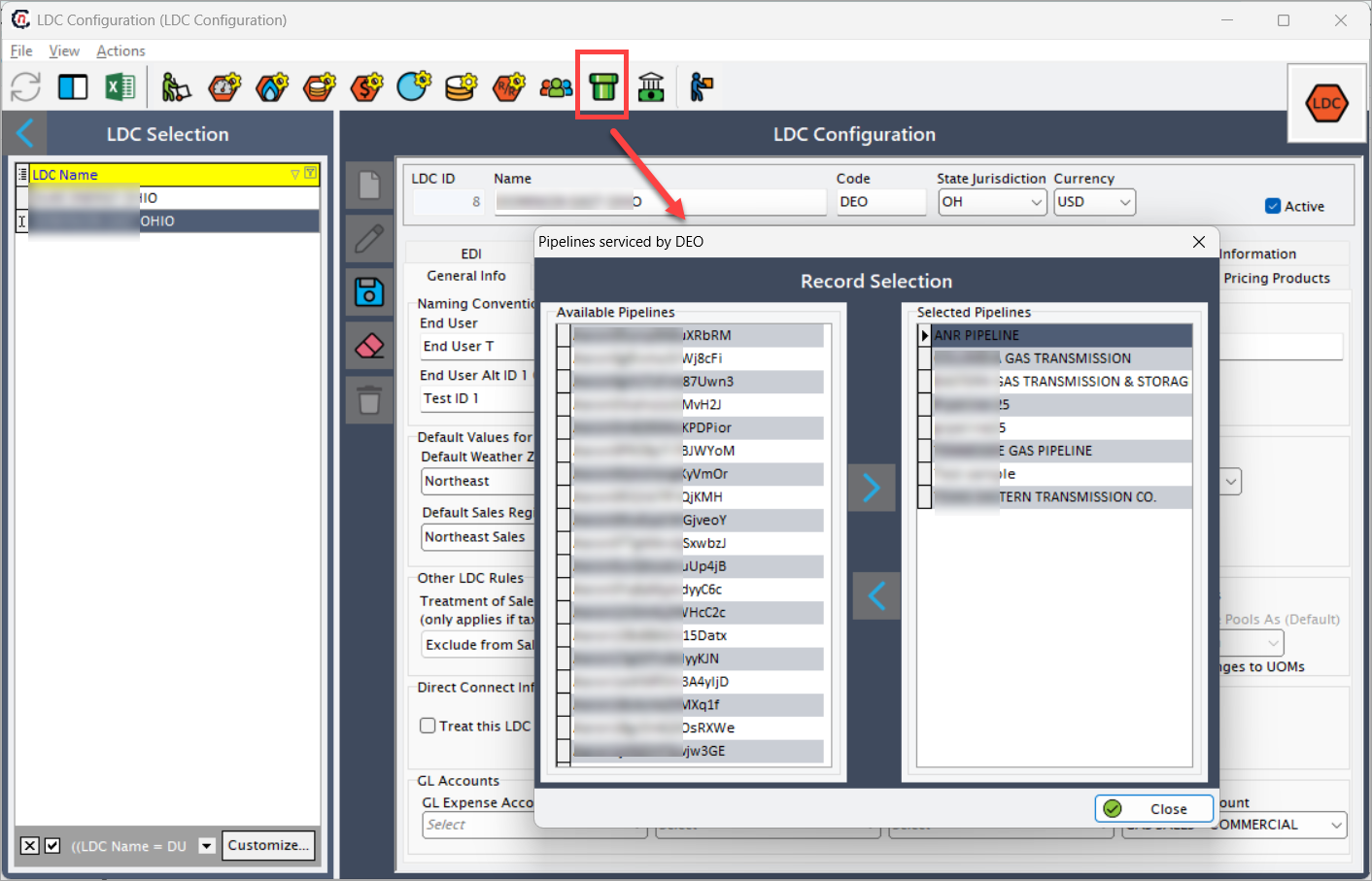
- To associate a pipeline with the LDC, select it from the Available pipelines list and move it to Selected pipelines using the
 icon.
icon. - To un-associate a pipeline, move it from Selected pipelines back to Available pipelines using the
 icon.
icon. - Once the required updates are made, click Close to save the configuration.
Note
The associated pipelines for a LDC will get displayed in the Pipelines tab under the LDC configuration screen.
Key points
- Multiple pipelines can be associated with a single LDC.
- Removing a pipeline from Selected pipelines will un-associate it from the LDC.
- These configurations directly impact how pipeline data is tracked and processed for each LDC.