Configuring form security
Once screens and users have been assigned to security groups, the Form security - configuration screen in nGenue is used to define how users can interact with those screens. Administrators can assign Read or Write permissions to control user actions:
- Read: Allows users to view the screen only (no create, modify, or delete access).
- Write: Allows users to view, create, modify, and delete records.
This document outlines the prerequisites, step-by-step procedure to configure form security, and how to manage user permissions effectively within security groups.
Prerequisites
Before working on the Form security - configuration screen, ensure the following prerequisites are met:
- The nGenue application is installed, and you have valid login credentials.
- Security Users and Security Groups are configured before assigning permissions.
Procedure to configure form security
Step 1: Navigate to the Form security – configuration screen
- Log in to the nGenue application.
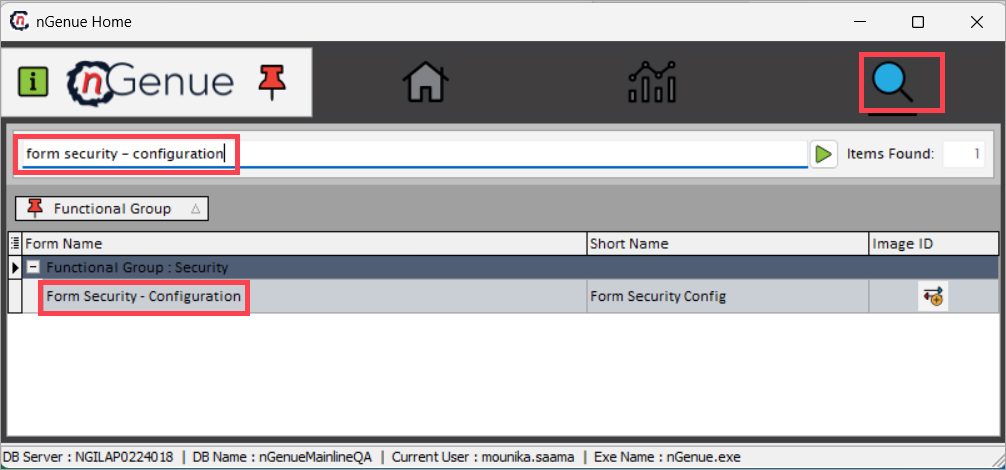
- Click the Search icon and enter form security – configuration in the search bar.
-
Double-click Form security – configuration to open the screen.
-
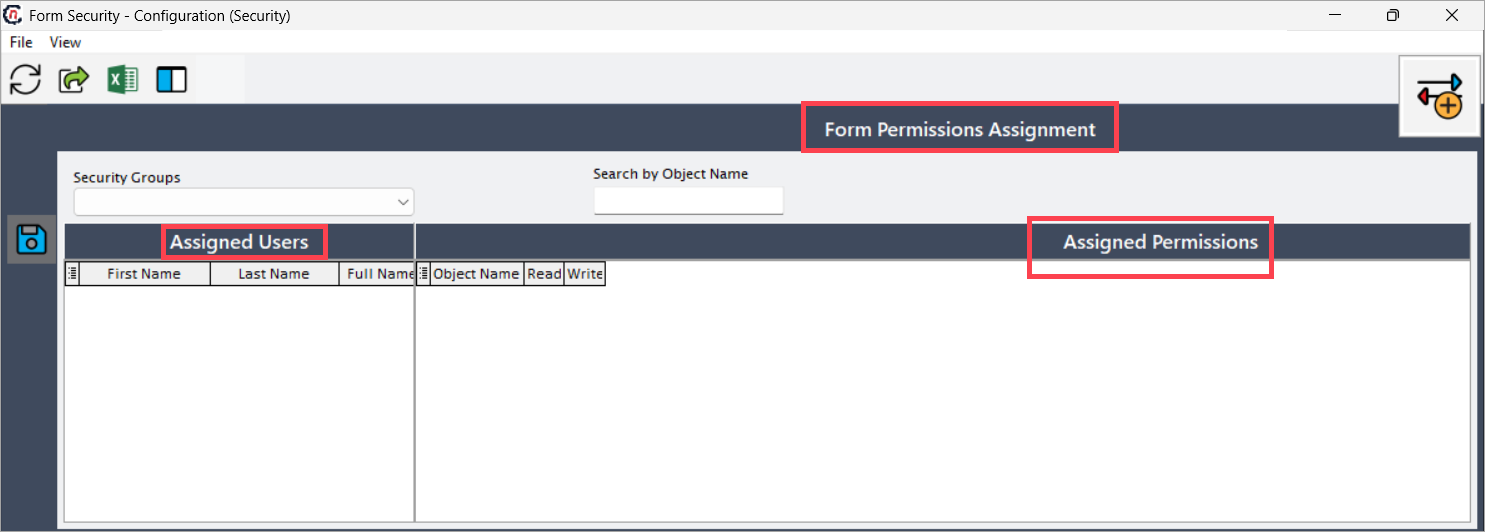
The Form security – configuration screen includes three main sections:
- Form permission assignment: Search for existing security group records.
- Assigned users: View users assigned to the selected security group.
-
Assigned permissions: View and configure permissions for available screens.
Step 2: Configure form security
-
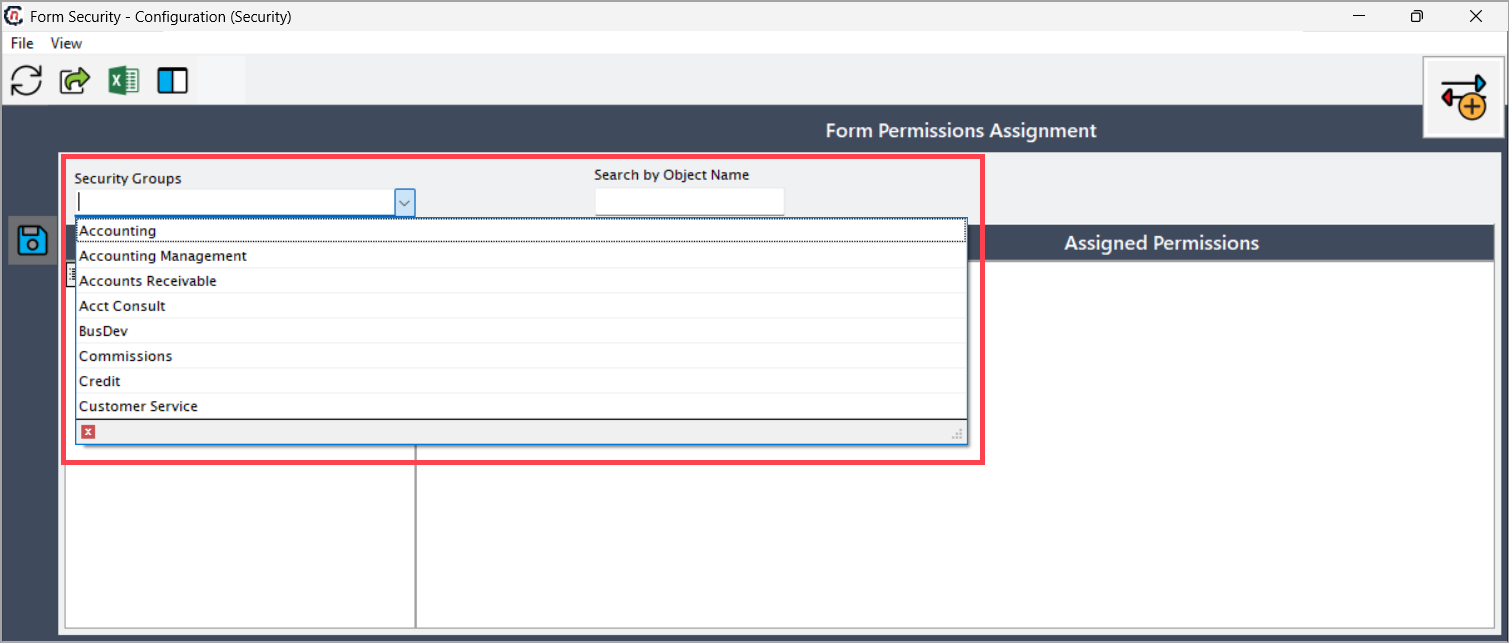
In the Form security - configuration screen, select a security group from the dropdown list.
-
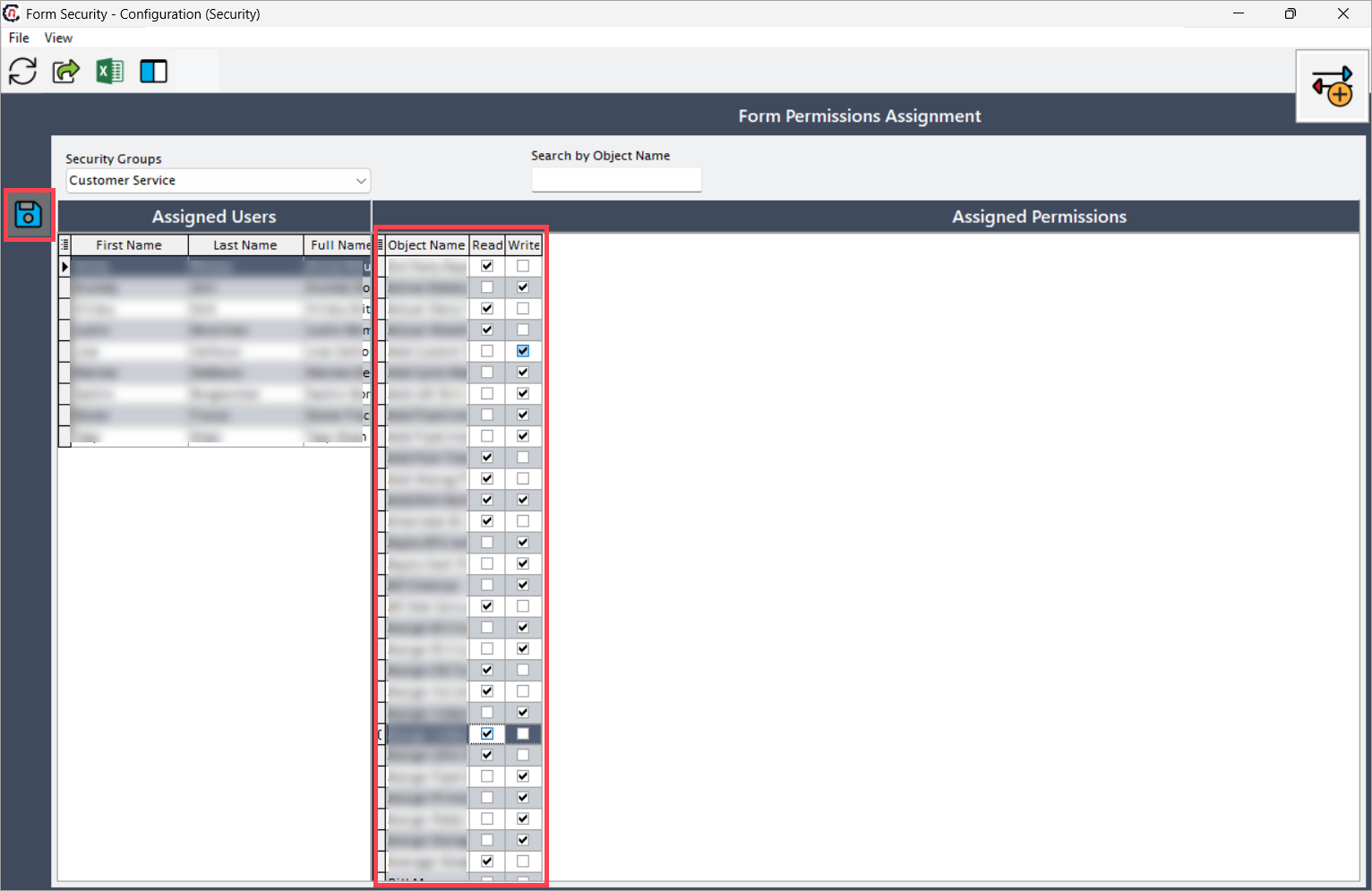
Once selected, the Assigned users section displays users in that security group, and the Assigned permissions section lists available screens in the application.
- Select a user and assign Read or Write access as required.
-
Click the Save permissions icon to save the changes.
Note
Configuring form security ensures that users only have the necessary access levels to perform their roles effectively, maintaining both security and operational control.
Summary
The Form security - configuration screen enables administrators to effectively manage how users interact with application screens by assigning appropriate permissions. It provides a centralized way to grant either Read or Write access to users within a security group, ensuring consistent and secure access control across the nGenue application. By following this procedure, administrators can maintain a well-structured and secure permission model that aligns with user roles and supports organizational requirements efficiently.