Commodities
A Commodity in nGenue represents a category or type of goods or materials handled within the system, such as raw materials, finished products, or tradable items. Commodities help standardize how goods are classified, tracked, priced, and reported across business operations.
Commodities are used to ensure consistent identification of goods in transactions, logistics, pricing, reporting, and integrations with other modules.
The Commodities screen provides the following action icons for managing Commodities records:
| Icons | Description |
|---|---|
 |
Add a commodities record. |
 |
Edit current commodities. |
 |
Save changes to current commodities. |
 |
Cancel changes to commodities record. |
 |
Delete current commodities record. |
Prerequisites
Before working on the Commodities screen, ensure the following prerequisites are met:
- Ensure the nGenue application is installed and use valid login credentials to log into the application.
- User permissions: Must configure the security settings including User type, Security user, Security group, Security assign user, and Security assign permissions in their respective screens to ensure the required access and permissions for Commodities screen actions.
Procedure to configure commodity
Step 1: Navigate to Commodities screen
- Log in to the nGenue application.
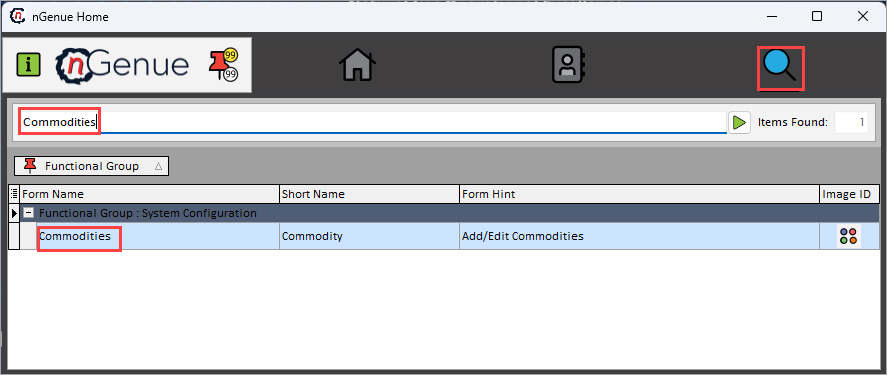
- Click the Search icon and enter Commodities in the search bar.
-
Double-click the Commodities from the search results to open respective screen.
-
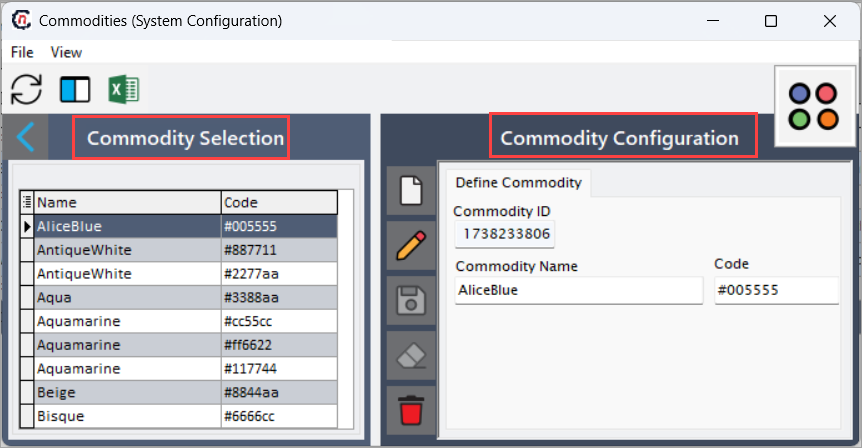
Commodities screen has two sections:
- Commodity selction: Displays a list of exsiting commodities.
-
Commodity configuration: Allows you to create, edit, save, and delete commodity records.
Step 2: Create a commodities
-
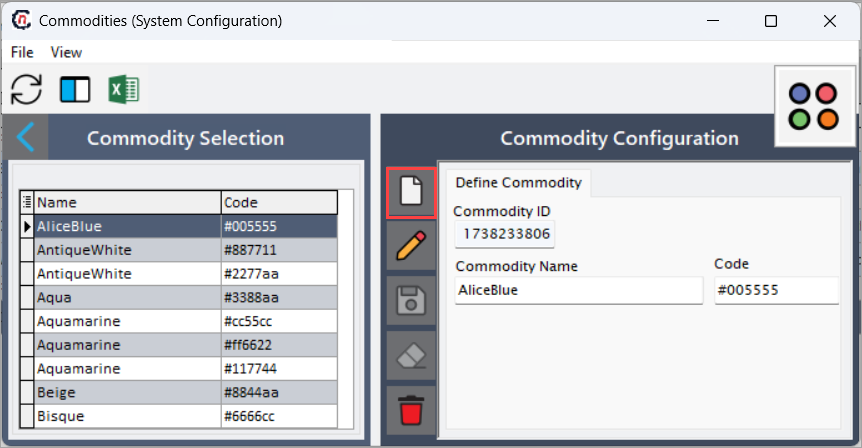
In the Commodity configuration section, click Add a commodity record icon.
-
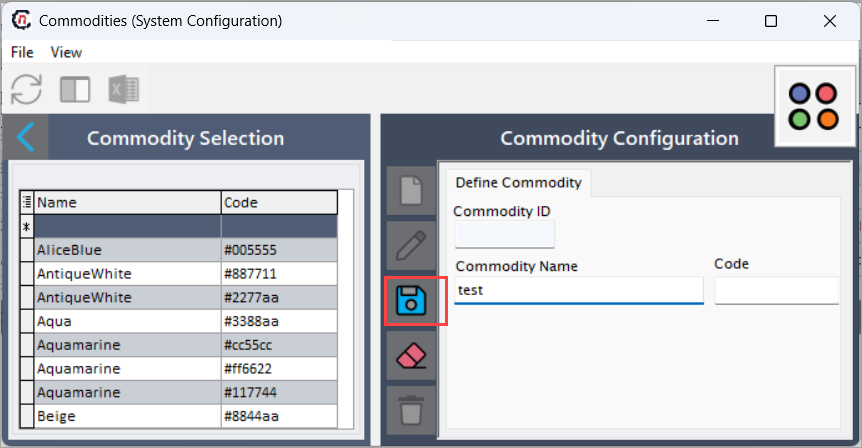
Enter the required details:
- Commodity ID: Auto-generated unique identifier used for system reference.
- Commodity name: Enter a clear and recognizable name for the commodity.
- Code: Enter a short code to uniquely identify the commodity (commonly used for integrations, reporting, or pricing rules).
-
Click Save changes to current commodity to create the new commodity record.
Summary
The Commodities feature in nGenue allows organizations to define and manage standardized categories of goods. By creating and maintaining commodities, businesses achieve consistent data classification, reliable transaction processing, accurate reporting, and smoother integration across operational, logistical, and financial workflows.