SQL query access
In complex natural gas business, users often need direct visibility into underlying system data to support analysis, validation, troubleshooting, and reporting. While standard reports cover most operational needs, there are situations—such as audit investigations, data reconciliation, issue diagnosis, or ad-hoc analysis—where predefined screens are not sufficient.
The SQL Query Access screen provides authorized users with a controlled interface to execute read-only SQL queries against the nGenue database and review results in a structured grid. This tool enables advanced users to retrieve precise data sets, reuse commonly needed queries, and export results for further analysis—while maintaining governance through controlled access and sharing.
Prerequisites
Before working with the SQL Query Access screen, ensure the following prerequisites are met:
- The user has add or modify permissions for the SQL Query Access screen.
- The user understands basic SQL syntax and query structure.
- Queries executed comply with organizational data access and governance policies.
- The database environment is available and responsive.
Procedure to use SQL query access
Step 1: Navigate to the SQL Query Access screen
- Log in to the nGenue application.
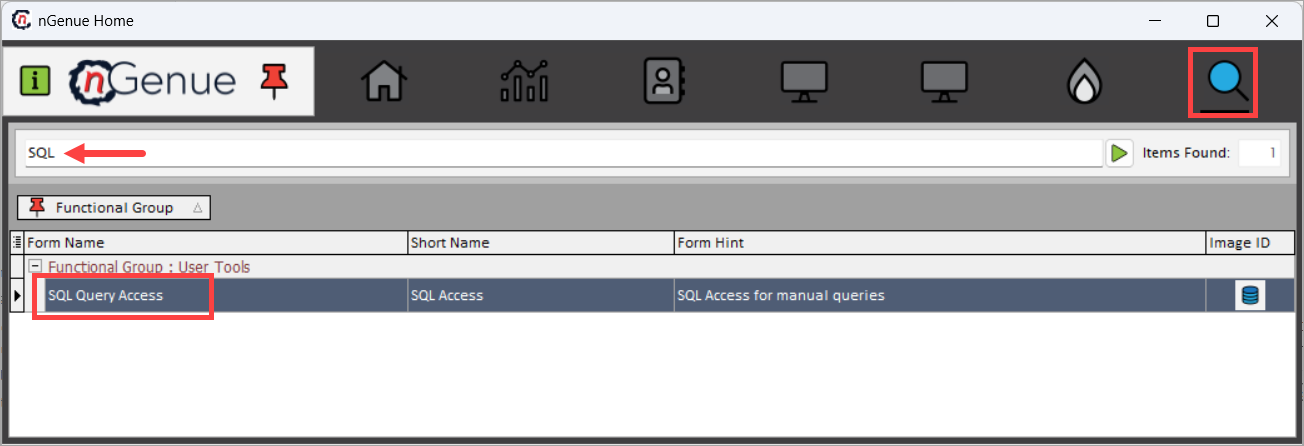
- Click the Search icon and enter SQL Query Access in the search bar.
-
Double-click SQL Query Access to open the SQL Query Access (User Tools) screen.
-
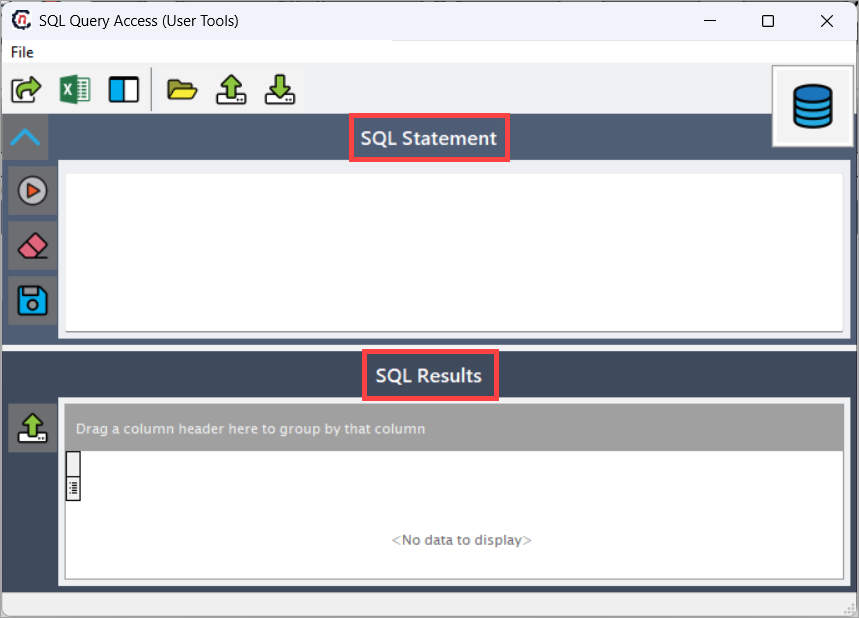
The screen is divided into two main sections:
- SQL Statement – used to enter or load SQL queries.
- SQL Results – displays the output of the executed query in a grid format.
Step 2: Enter or load a SQL statement
Use the SQL Statement section to work with queries.
- Users can manually type or paste a SQL query.
- Previously saved queries can be loaded for reuse.
- Queries are typically SELECT-only, intended for data retrieval and analysis.
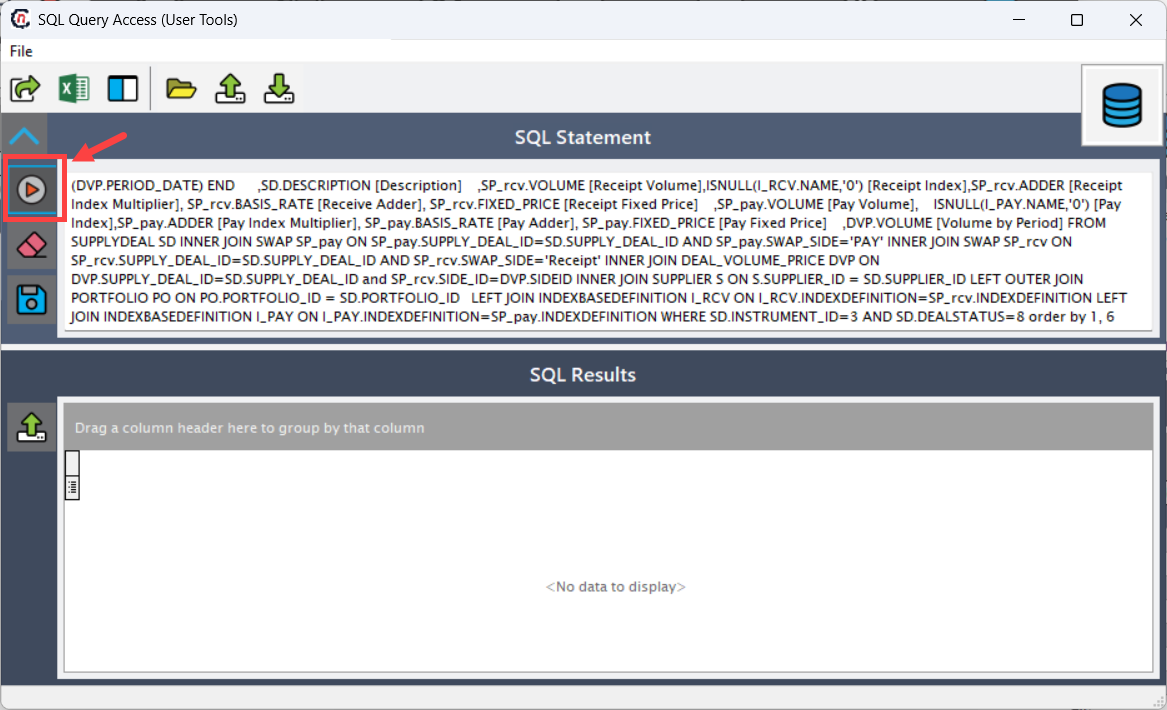
This section allows users to control exactly what data is retrieved, based on business needs.
Step 3: Execute and review query results
- Execute the query using the available action icons.
- Review the results in the SQL Results grid.
- Use grid features such as column grouping, sorting, and filtering to analyze the output.
- Export results as needed for offline analysis or reporting.
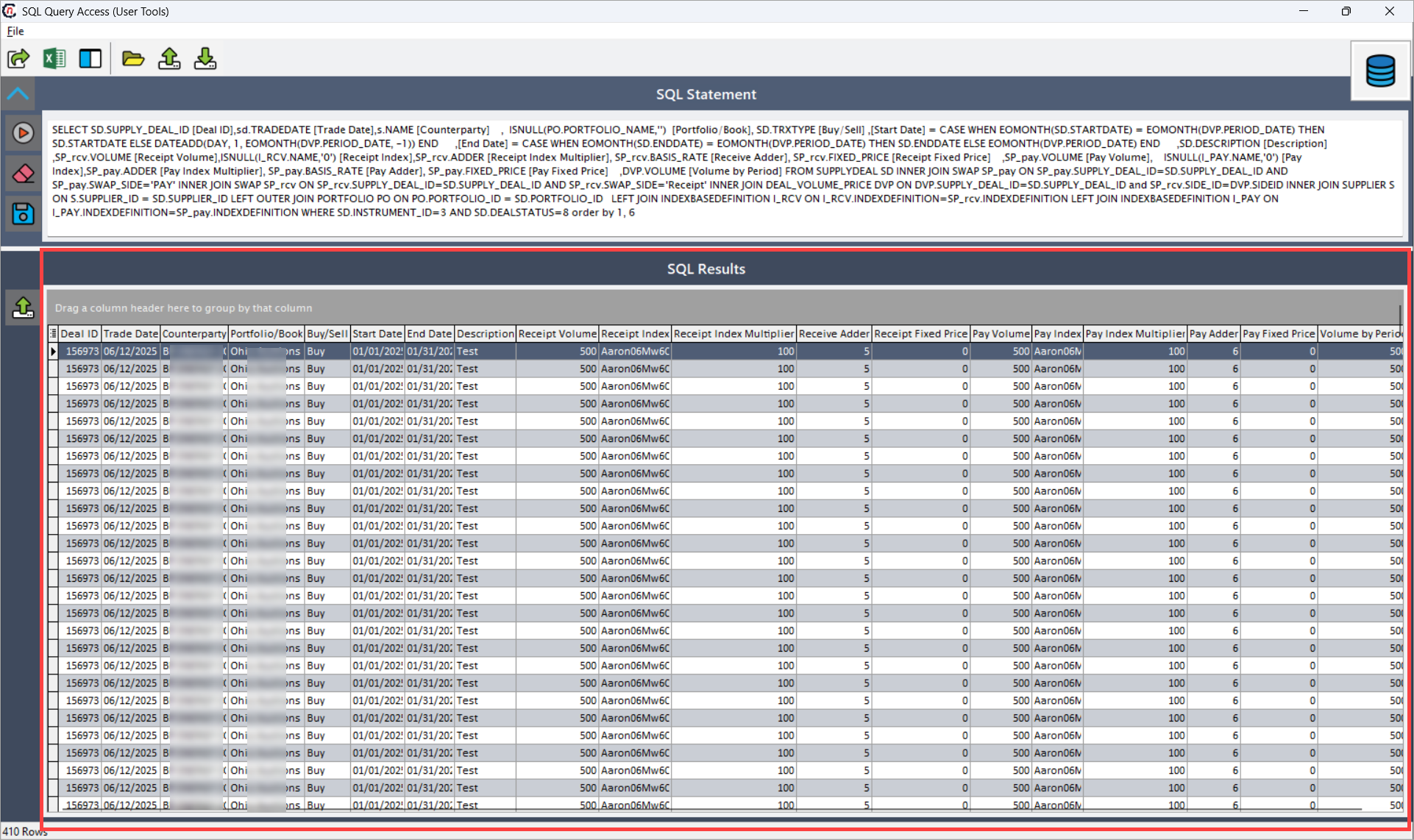
Each row in the grid represents a record returned by the query.
Screen icons and operational controls
Horizontal action icons
The horizontal toolbar provides actions related to query management and grid interaction.
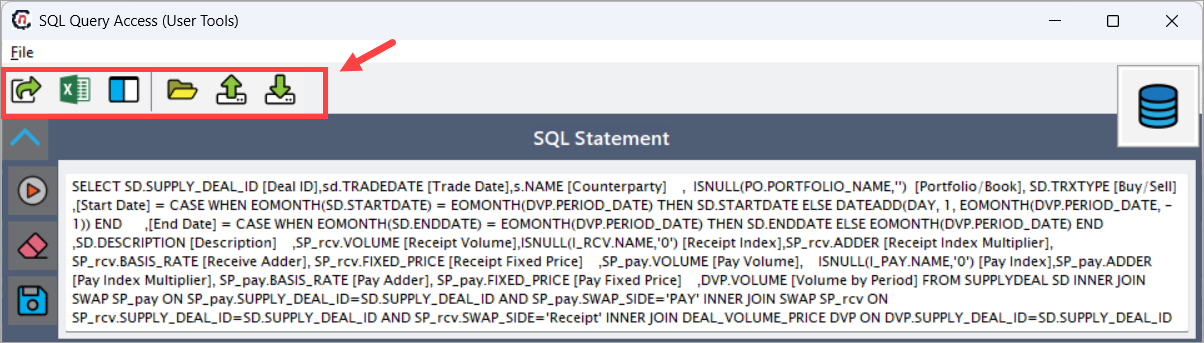
| Icons | Icons name | Description |
|---|---|---|
 |
Save to Excel file | Saves the currently loaded pool management data into an Excel file for offline analysis, reconciliation, or audit purposes. |
 |
Open Grid Data in Excel | Opens the pool management grid directly in Excel, preserving the current layout and visible columns for interactive analysis. |
 |
Configure Grid Columns | Allows users to configure grid layout by showing, hiding, reordering, or resizing columns in the Pool Management and Balancing grid. |
 |
Load a Previously Saved SQL statement | Loads a saved SQL query for reuse or modification. |
 |
Export the SQL statement to a file | Saves the current SQL query to a file for sharing or backup. |
 |
Import SQL statement from a file | Loads a SQL query from an external file into the SQL Statement editor. |
Vertical action icons
The vertical toolbar provides actions related to query execution and sharing.
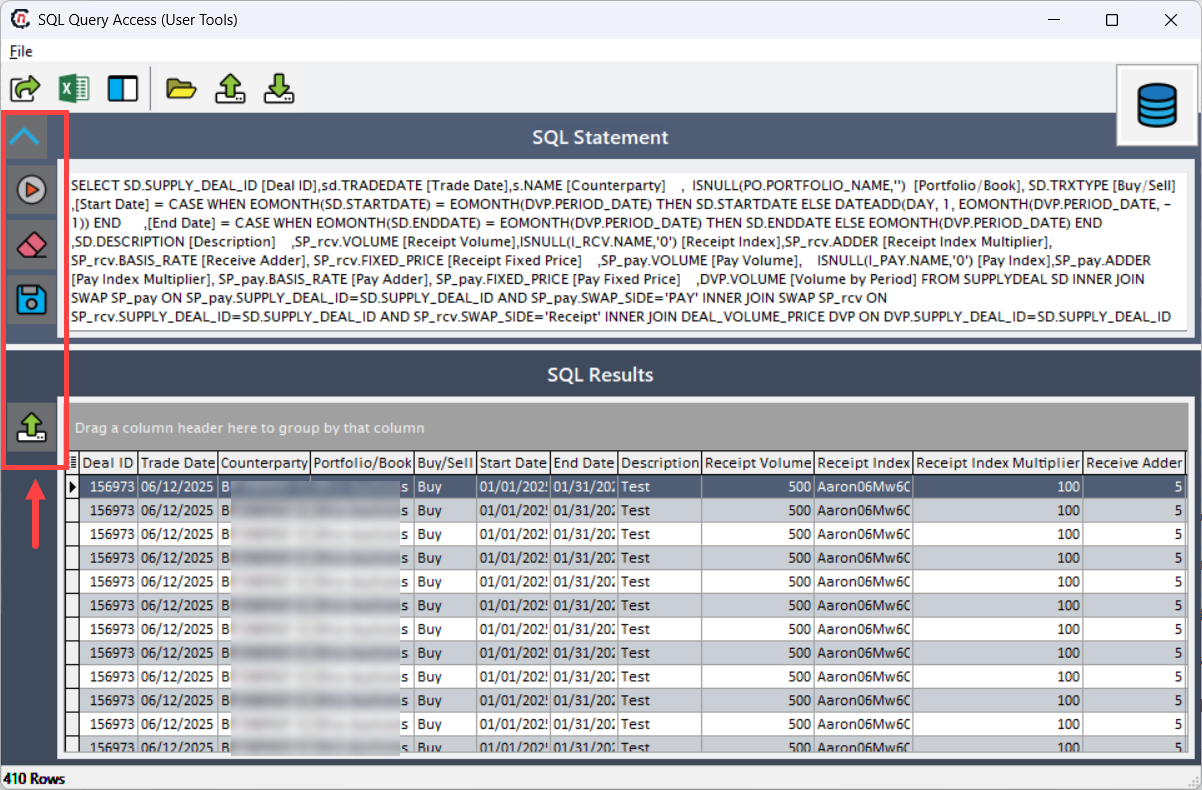
| Icons | Icons name | Description |
|---|---|---|
 |
Collapse Controls | Collapses the SQL Statement section when not needed. |
 |
Execute a query | Executes the SQL statement and loads the results into the SQL Results grid. |
 |
Clear query statement | Clears the SQL Statement editor to allow entry of a new query. |
 |
Save to use by others | Saves the SQL query so it can be reused by other authorized users. |
|
Export to Comma Delimited File | Exports the query results to a CSV (comma-delimited) file. |
Key points
- SQL query access is intended for advanced, ad-hoc data analysis.
- Queries are typically read-only and used for investigation or reporting.
- Saved queries promote consistency and reuse across teams.
- Export options support audit, reconciliation, and external analysis.
- Proper permissions and governance are essential when using this screen.
Summary
The SQL Query Access screen provides a powerful yet controlled way to retrieve and analyze system data within nGenue. By allowing users to execute SQL queries, reuse saved statements, and export results in multiple formats, this feature supports advanced reporting, troubleshooting, and audit workflows—while maintaining data visibility and operational accountability.