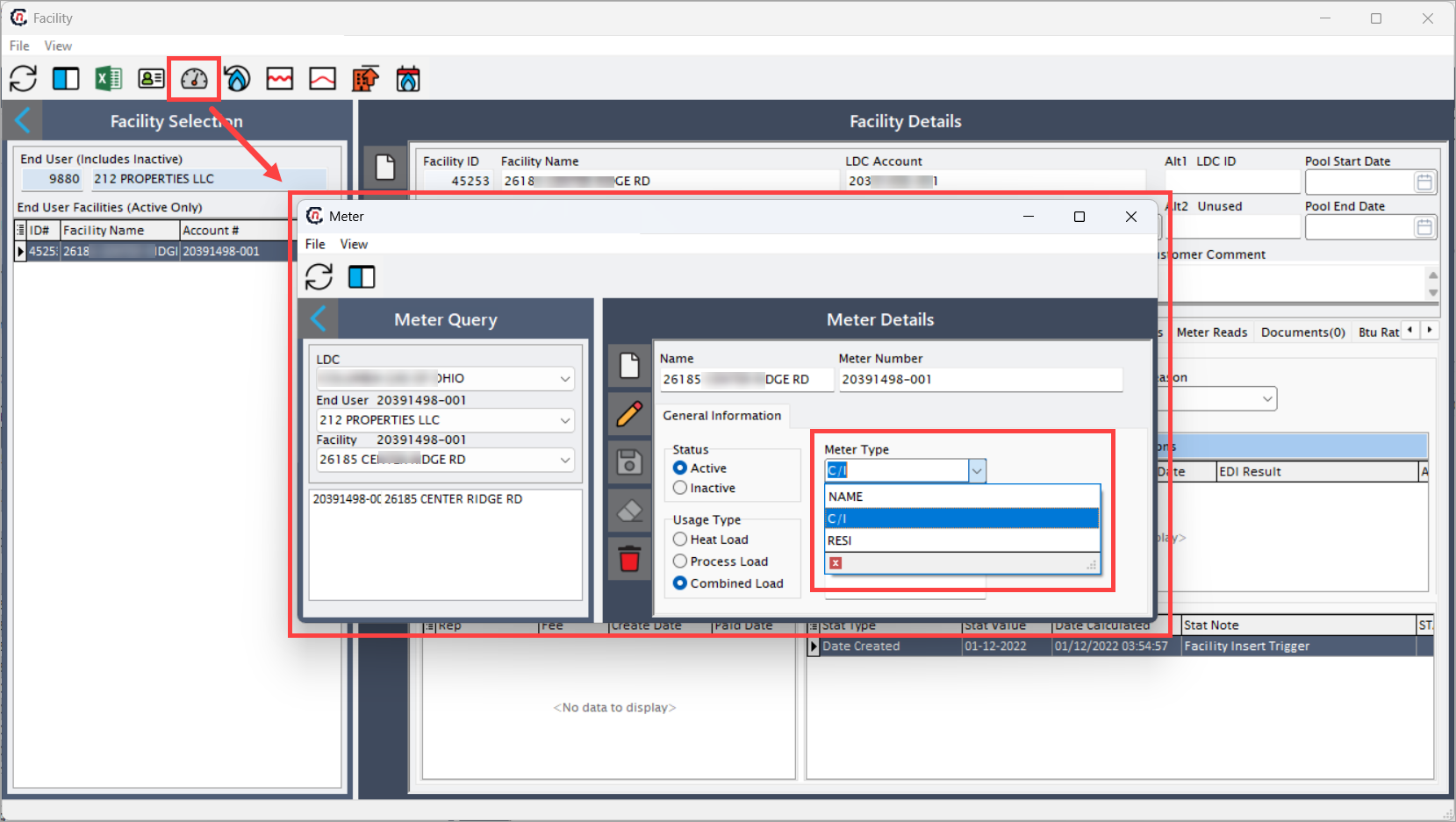
Configuring LDC meter types
The LDC meter types screen is used to define and configure different meter types associated with each Local Distribution Company (LDC). These meter types categorize meters by usage patterns, such as residential or commercial/industrial. The defined meter types are later used during facility setup and meter configuration to ensure accurate classification and reporting.
Configuring the LDC meter types ensures that all facilities under a specific LDC have access to the correct meter type options when setting up or maintaining meter details.
Prerequisites
Before configuring LDC meter types, ensure the following:
- The LDC exists in the system.
- You have appropriate user permissions to access the Facility, LDC meter types, and Meter screens.
- You understand the different meter categories required for the LDC (example, residential, commercial/industrial).
Procedure to configure LDC meter types
Step 1: Navigate to the LDC meter types screen
There are two ways to access the LDC meter types screen:
-
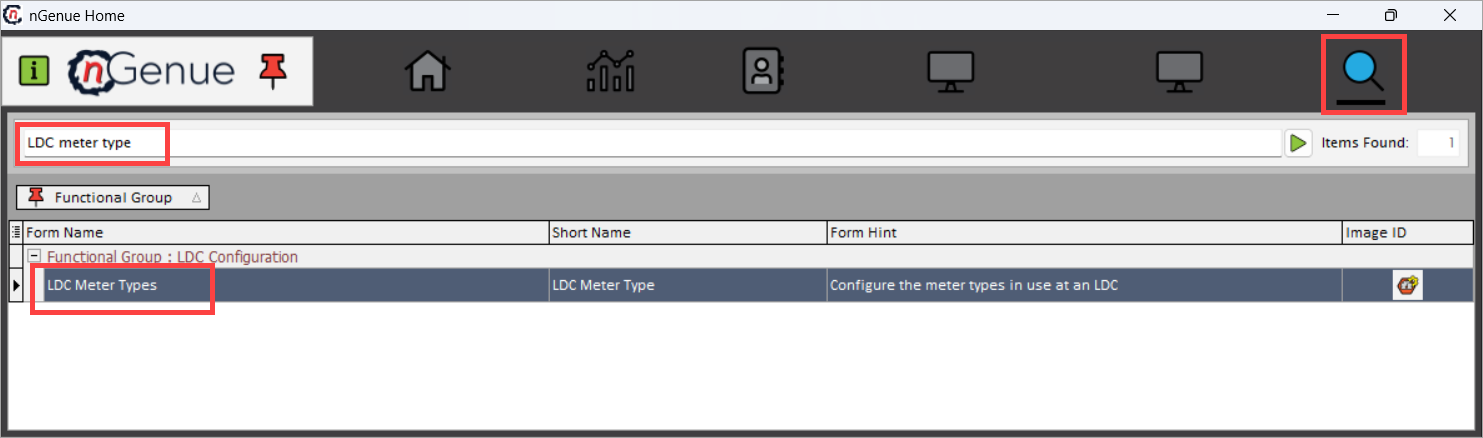
Search for the LDC meter types from the nGenue homepage and select LDC meter types from the result or,
navigate via the LDC configuration screen. From this screen, select the desired LDC from the list, and then click on the Open LDC meter types icon to take you to the LDC meter types screen.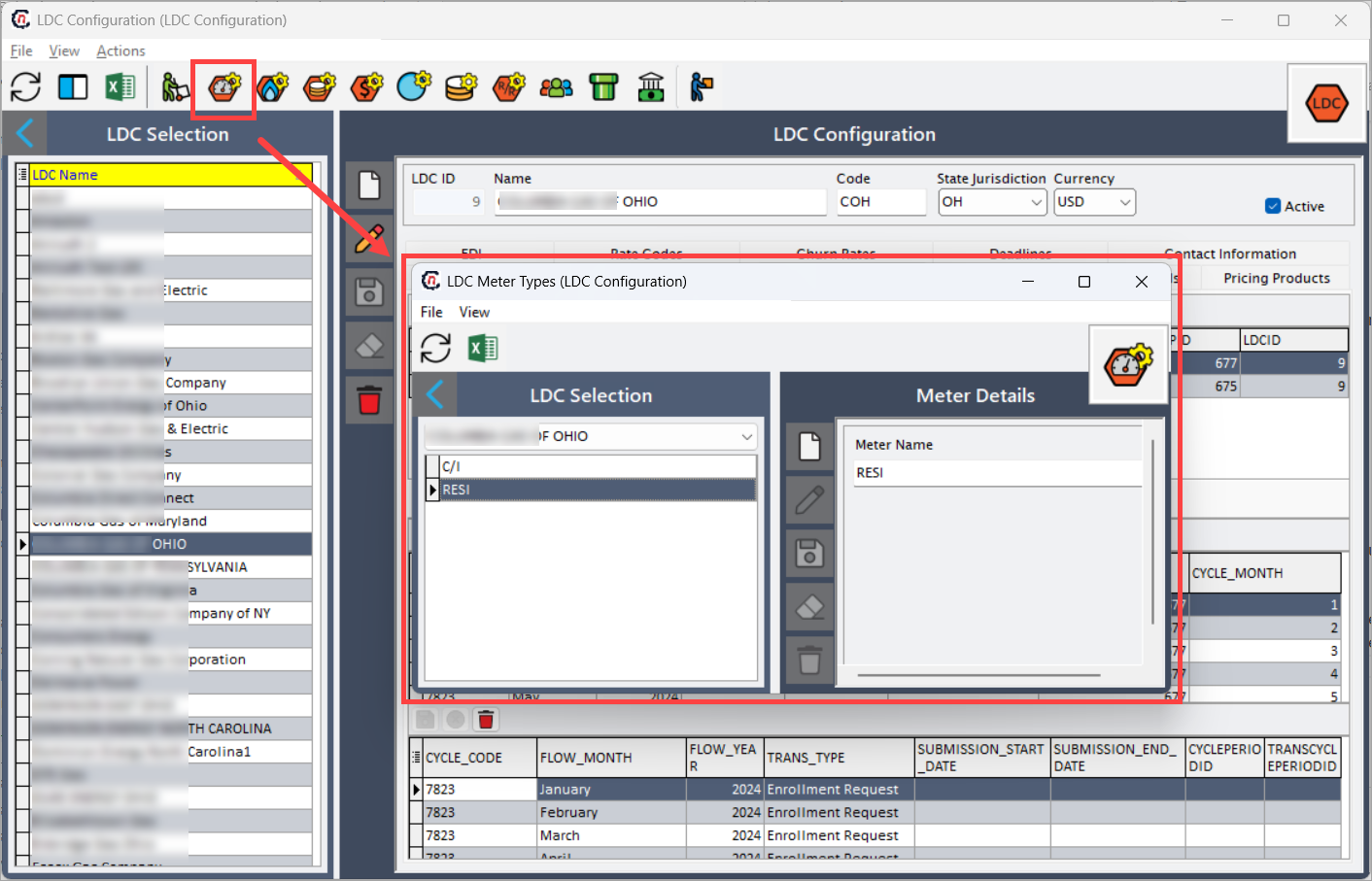
-
The LDC meter types screen consists of two main sections:
- LDC selection: Allows the user to select an LDC for which the meter types need to be configured.
-
Meter details: Displays and allows editing or adding of meter type names associated with the selected LDC. The table below describes the available icons and their functions:
Icons Description 
Add a new meter type for the selected LDC. 
Edit the selected meter type details. 
Save the newly added or modified meter type. 
Cancel the updates being made to the selected meter type. 
Delete the selected meter type.
Step 2: Adding the LDC meter type
- In the LDC selection dropdown, select the desired LDC.
- In the Meter details section, click on the Add meter type record icon.
- Enter the meter type name (for example, residential, commercial/industrial) in the Meter name field. Each LDC can have multiple meter types.
- Click the Save icon to store the new meter type.
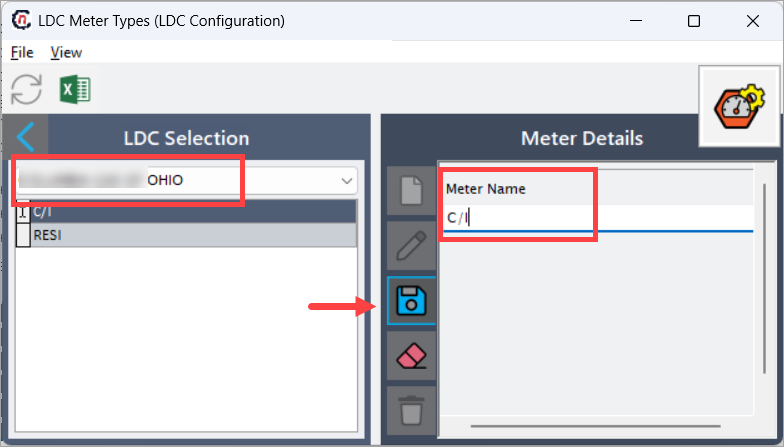
- The newly created meter type appears in the list under LDC selection for the selected LDC.
You can repeat the steps to add multiple meter types as required.
Example scenario
If you are configuring meter types for LDC XYX, you might define:
- Residential: For household consumers.
- Commercial/Industrial: For commercial or industrial consumers.
These meter types can then be selected while configuring meters in facilities served by XYZ.
What’s next
Once LDC meter types are configured:
- The new LDC meter type appears in the Meter type dropdown when you create a meter. Access this from Facility screen > Open meter data icon.You can select this Meter type when you set up or update a facility's meter.