View daily pool point allocation
A daily pool point allocation defines how daily gas volumes from an LDC pool are distributed to specific pipeline delivery points. This screen is used to allocate volumes, recalculate allocations when MDQs change, switch pool locations, and add, edit, or delete daily pool records. It supports operational balancing, nomination accuracy, and downstream settlement by ensuring pool volumes are aligned with delivery point requirements.
Prerequisites
Before working on the Daily pool point allocation (Pool management) screen, ensure the following prerequisites are met:
- Ensure the nGenue application is installed and use valid login credentials to log into the application.
- Configure the user permissions including User type, Security user, Security group, Security assign user, and Security assign permissions in their respective screens to enable access to the Daily pool point allocation (Pool management) screen.
- Ensure that Local Distribution Company (LDC), Pool, Pipelines and delivery points are properly configured.
- Ensure that pool volumes and MDQs should be available for the selected date range.
Procedure to view daily pool point allocation
Step 1: Navigate to Daily pool point allocation screen
- Log in to the nGenue application.
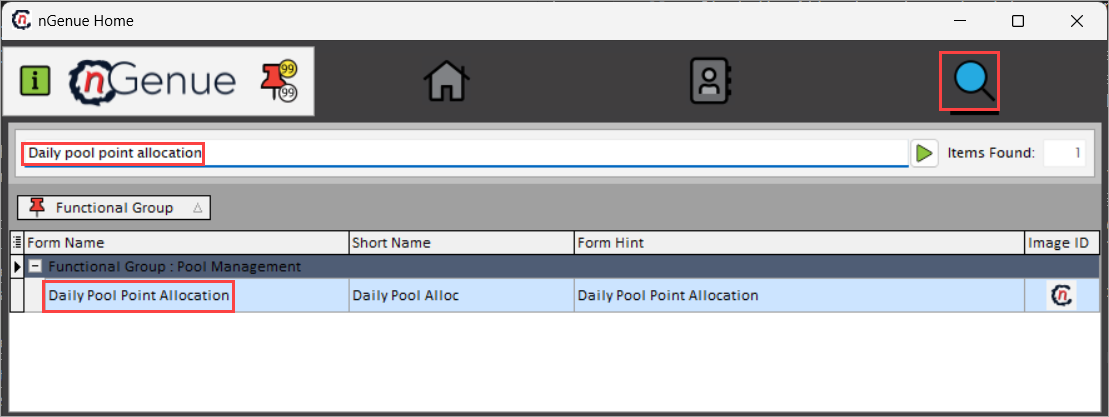
- Click the Search icon and enter Daily pool point allocation in the search bar.
-
Double-click the Daily pool point allocation from the search results to open respective screen.
-
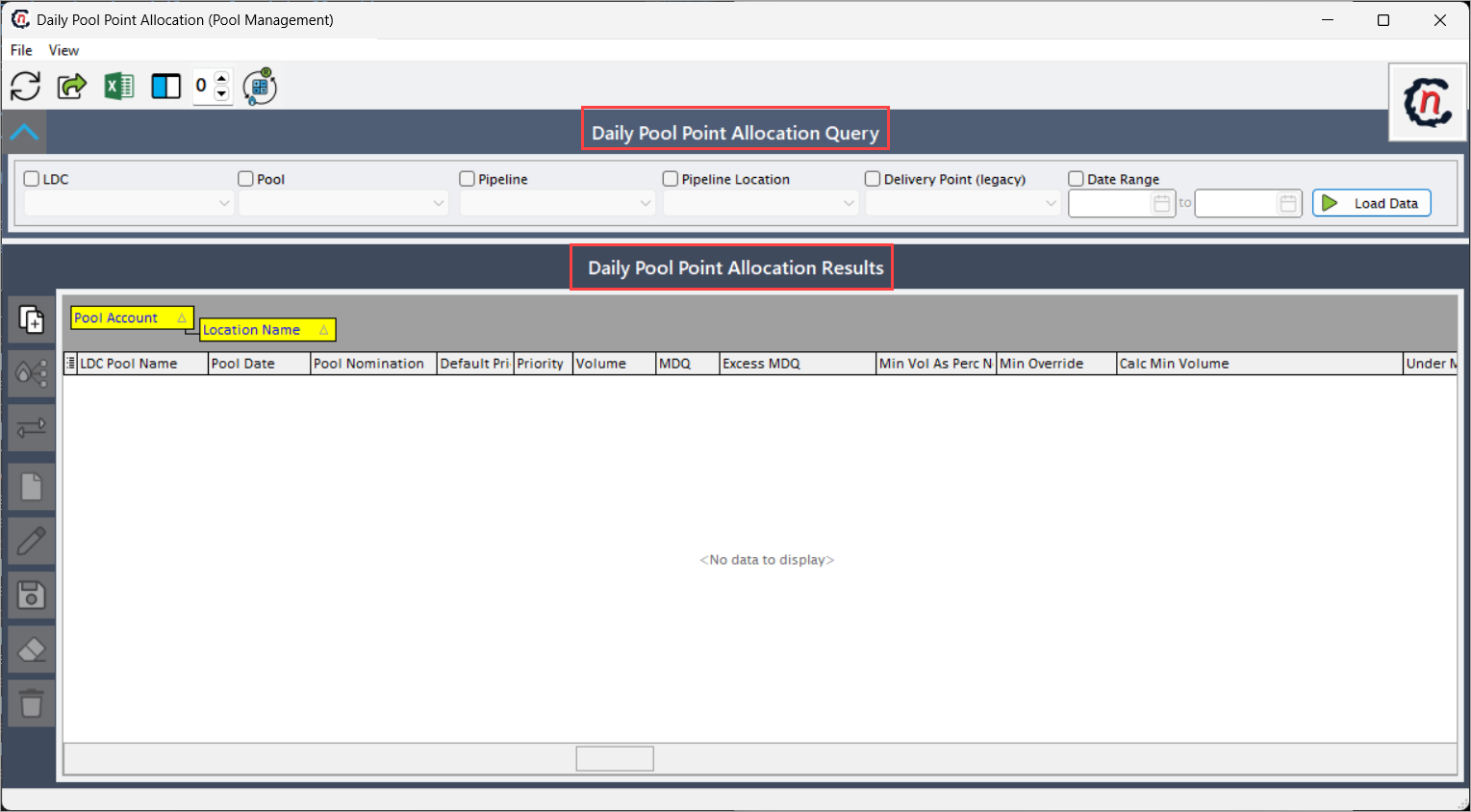
Daily pool point allocation (Pool management) screen has two sections:
- Daily pool point allocation query
-
Daily pool point allocation results
Step 2: View and manage daily pool point allocation
The following table lists the icons available on the Daily pool point allocation results section and their respective functions:
| Icons | Icon name | Description |
|---|---|---|
 |
Allocate volumes to delivery point | Creates a new daily pool allocation record for the selected criteria. |
 |
Recalculate new MDQs | Recalculates totals to ensure allocations align with pool volume and new MDQ values. |
 |
Switch pool location | Allows to move allocated volumes from one delivery point or pipeline location to another. |
 |
Add daily pool | Creates a new daily pool allocation record for the selected criteria. |
 |
Edit daily pool | Allows modification of the selected pool allocation values. |
 |
Save daily pool | Commits changes made to pool allocation records. |
 |
Cancel daily pool | Discards unsaved changes to the allocation record. |
 |
Delete daily pool | Permanently removes the selected allocation record. |
Step 2.1 : Execute a query
-
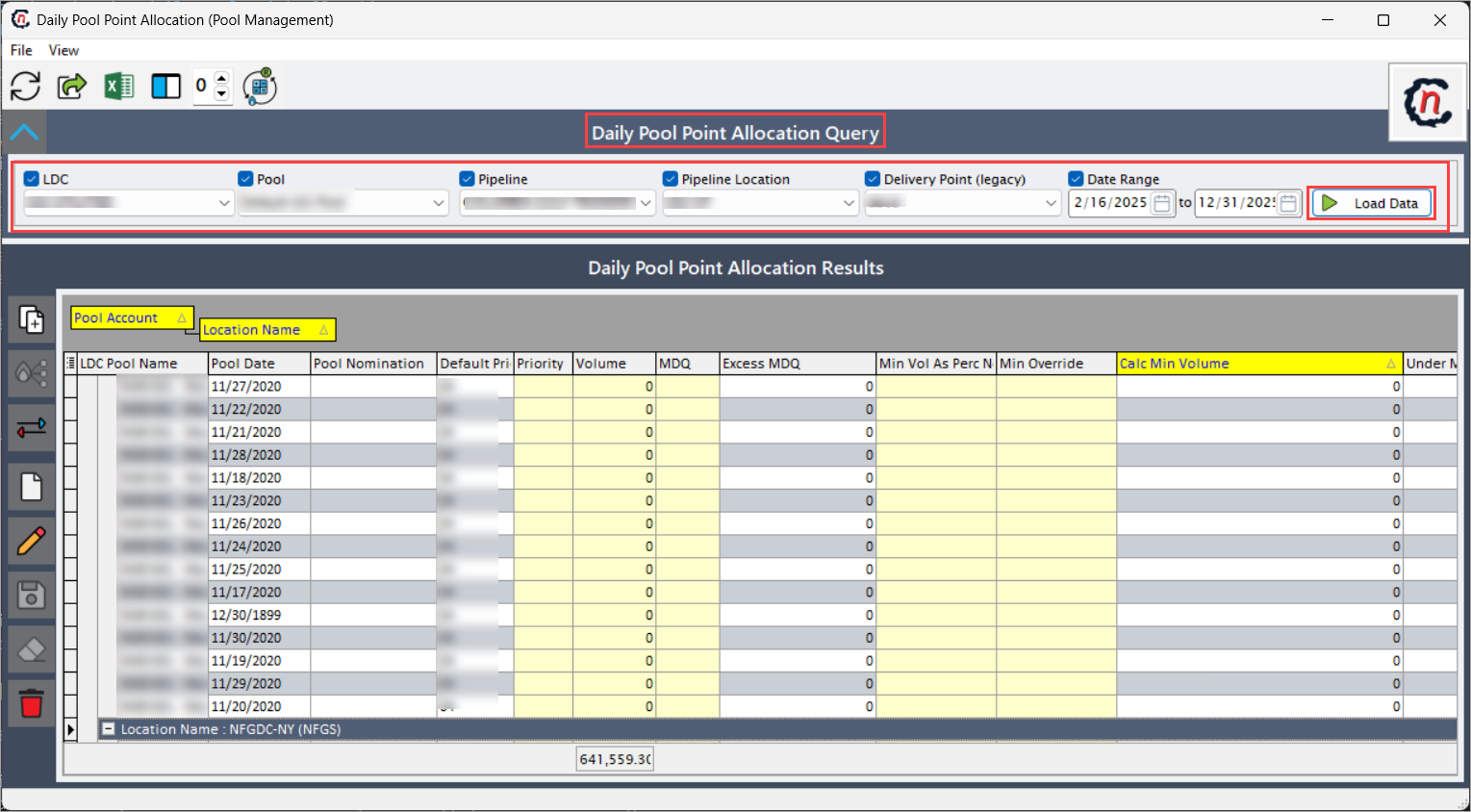
In the Daily pool point allocation query, complete required fields available in this section that are listed in the table below:
Fields Description LDC Selects the LDC whose pool allocations are being reviewed and to determine which pools and delivery points are available. Pool Select the pool associated with specific LDC for which daily allocations need to be displayed. Pipeline Select the pipeline to filter allocation data to delivery points associated with the selected pipeline. Pipeline location Select the pipeline to restrict results to a specific pipeline delivery location used for nominations and scheduling. Delivery point (legacy) Specifies the source where the activity logged from. Date range It is a unique identifier for the activity record. -
Click Load data to retrieve the daily pool point allocation results based on the given criteria.
-
Upon completing the query, the daily pool data will be displayed in the Daily pool allocation results.
Step 2.2 : Allocate volumes to delivery point
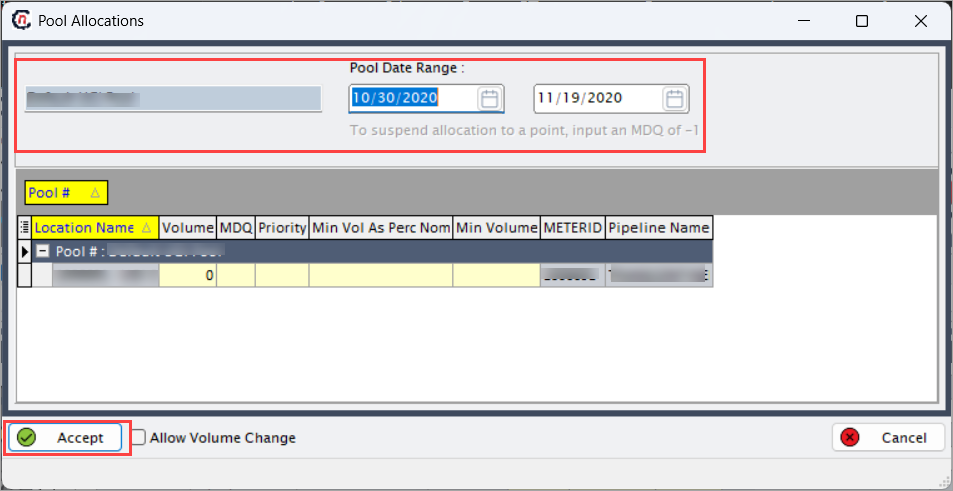
- Click the Allocate volumes to delivery point icon to .
- Update necessary details and click Accept to apply allocation changes.
-
The system recalculates totals to ensure allocations align with pool volume and MDQ constraints.
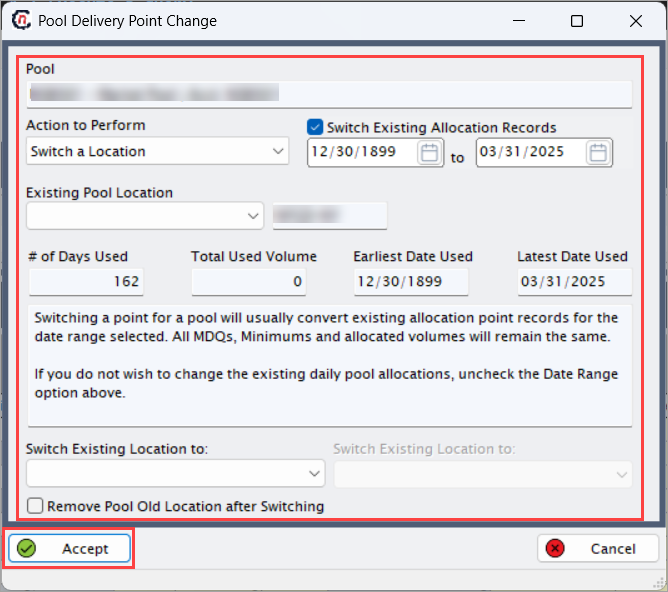
Step 2.3 : Switching pool locations
- Click the Switch pool locations icon to move allocated volumes from one delivery point or pipeline location to another.
- Click Accept to apply the location switch.
-
The system updates all related allocation records to reflect the new delivery point.
Step 2.4 : Manage pool
- Click the Add daily pool icon to create a new daily pool allocation, or click the Edit daily pool icon to modify existing allocation.
- Click the Save daily pool icon to commit changes, or Cancel daily pool to discard them.
-
To remove a pool allocation, select the record and click the Delete daily pool icon.
Summary
The Daily pool point allocation screen is a critical operational tool used to control how pool volumes are distributed to pipeline delivery points on a daily basis. It supports accurate nominations, MDQ adjustments, pool location changes, and real-time allocation management, ensuring supply alignment, operational flexibility, and reliable downstream settlement.