Print nomination details
Nomination details represent the scheduled quantities of gas that are nominated to flow through a specific pipeline, receipt point, and delivery point for a defined gas day or period. These nominations are a critical link between supply contracts, pipeline scheduling, and actual physical gas movement.
The Print nomination details report provides a consolidated, printable view of nomination activity for operational review, verification, and recordkeeping. It is primarily used by supply management, gas scheduling, and operations teams to confirm what was nominated, where it was scheduled, and for which period.
This report supports day-to-day operational control as well as downstream processes such as balancing, settlement validation, and audit support.
Prerequisites
Before working on the Print nomination details (Reports) screen, ensure the following prerequisites are met:
- Ensure the nGenue application is installed and use valid login credentials to log into the application.
- Configure the user permissions including User type, Security user, Security group, Security assign user, and Security assign permissions in their respective screens to enable access to the Print nomination details (Reports) screen.
Procedure to print nomination details report
- Log in to the nGenue application.
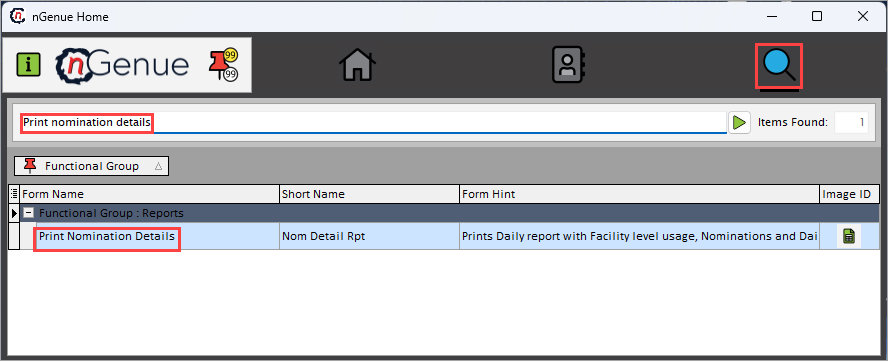
- Click the Search icon and enter Print nomination detailss in the search bar.
-
Double-click the Print nomination details from the search results to open respective screen.
-
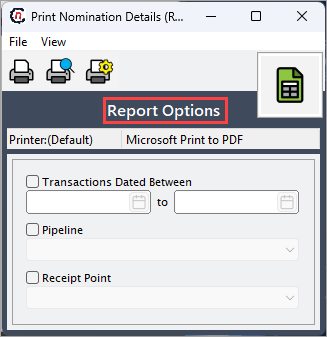
In Print nomination details (Reports), Report options section allows to specify report filters, delivery period, and output preferences.
-
Complete the required fields available in the Report options section as listed in the table below:
Fields Description Transactions dated between (to) Select the delivery period for which nominations are reported. Pipeline Select the pipeline to limit the report to nominations scheduled on the chosen pipeline. Receipt point Select the receipt point to filter nominations by the selected receipt location. 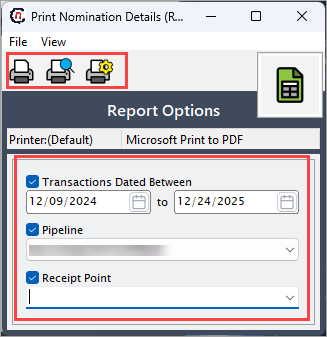
-
Select any of the printing options in the top header to configure printing, preview, print, as described in the table below:
Icons Icon name Description 
Print Click Print icon to print the nomination details report. 
Print preview Click Print preview icon to view the nomination details report. 
Printer setup Click Printer setup icon to configure printing settings. -
Click Printer setup to configure print settings, specify the name, size, orientation, properties and network.
- Click Ok to save the configuration.
- Click Cancel to discard changes.
-
Click Print preview to view the report before printing to make any required adjustments or changes.
- Click Print to generate the nomination details report.
Summary
The Print nomination details report is a key operational tool used to review, validate, and document gas nominations across pipelines and receipt points. By providing clear visibility into scheduled volumes and delivery locations, the report helps ensure accurate gas flow execution, supports balancing and settlement activities, and reduces operational and financial risk.