Reviewing open position valuation
Open position valuation provides an interface to calculate and review the value of outstanding commodity positions, helps to monitor market exposure and assess risk. This outlines the steps to review open position valuation.
Prerequisites
Before working on Open position valuation screen, ensure the following prerequisites are met:
- You must configure the Security settings including User type, Security user, Security group, Security assign user, and Security assign permissions in their respective screens to access the Open position valuation screen for reviewing valuation results.
- Additionally, you must configure Price agreement and Index curve definition in their corresponding screens to define the index, Weighted Average Cost of Gas (WACOG) price, Weighted Average Settlement Price (WASP).
Procedure to review open position valuation
Follow the steps below to review open position valuation:
- Log in to the nGenue application.
- Click Search icon and enter Open position valuation in the search bar.
-
Double-click Open position valuation that leads to the corresponding screen.

-
In Open position valuation (accounting) screen, there are two sections as follows:
- Open position valuation query: This section provides filters to execute the query. Enable the filters you want to apply before running the query.
-
Open position valuation result: This section displays the results of the executed query.
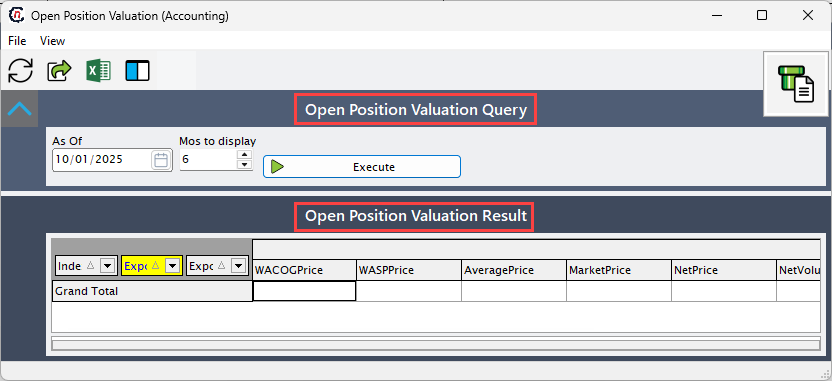
-
In the Open position valuation query, select the As of date as the reference for the valuation and specify the Months to display to define how many months of data should appear in the result.
-
Click Execute to display the open position valuation query results.
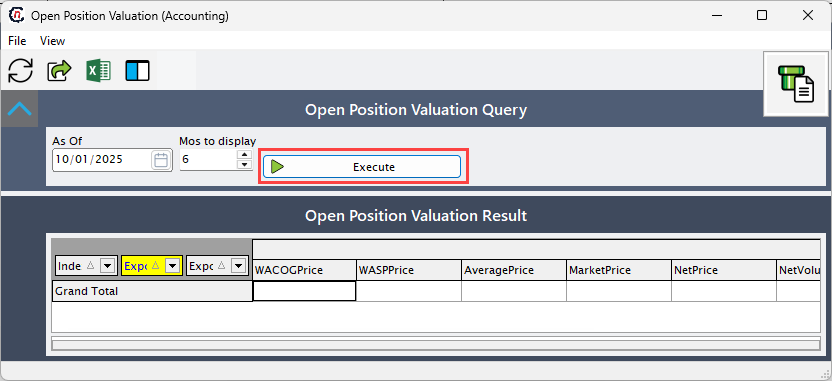
-
The displayed open position valuation records include the following fields for each line item, as shown in the table below:
Fields Description Index Specifies the reference index for the position. This links to the Index curve definition or the Price agreement, which determines how prices (WACOG, WASP) are calculated based on market movements. Exposure year Indicates the year for which the exposure or position is relevant. Exposure month Indicates the month for which the exposure applies. WACOG price Specifies the Weighted Average Cost of Gas (WACOG) price. Derived from the price agreement and index settings which represents the average cost of the commodity for the position. WASP price Specifies the Weighted Average Settlement Price (WASP). Also derived from price agreements and index definitions which is used for settlement or comparison against market price. Average price Indicates the calculated average price of the position which is calculated based on WACOG, WASP pricing methods. Market price Indicates the current market price for the commodity which is used for valuation. Net price Indicates the net price after adjustments or other contractual modifications. Net volume Indicates the net volume of the position which represents effective volume of the commodity after adjustments. Amount Indicates the total monetary value of the position.
Summary
The Open Position Valuation screen in nGenue allows users to calculate and review the value of outstanding commodity positions.Executing this report helps users evaluate open positions, assess risk, and track the market value of unfulfilled contracts.