Print monthly GL entries
A Monthly GL entries report provides a consolidated view of general ledger (GL) journal entries generated within nGenue for a selected month and legal entity. It summarizes financial postings such as revenue recognition and cash receipt entries that are created as part of the billing and accounting processes.
This report is used during monthly close, reconciliation, and audit activities to verify that billing and cash transactions have been correctly posted to the general ledger. Accounting and finance teams rely on this report to validate totals, review journal entry details, and ensure alignment between nGenue billing data and the organization’s accounting system.
The report includes journal entry summaries by month, legal entity, and journal type, with an option to display extended transaction-level details. It can be previewed or printed from the nGenue application to support month-end close, financial reporting, and audit documentation.
Prerequisites
Before working on the Print monthly GL entries (Reports) screen, ensure the following prerequisites are met:
- Ensure the nGenue application is installed and use valid login credentials to log into the application.
- Configure the user permissions including User type, Security user, Security group, Security assign user, and Security assign permissions in their respective screens to enable access to the Print monthly GL entries (Reports) screen.
Procedure to print monthly GL entries report
- Log in to the nGenue application.
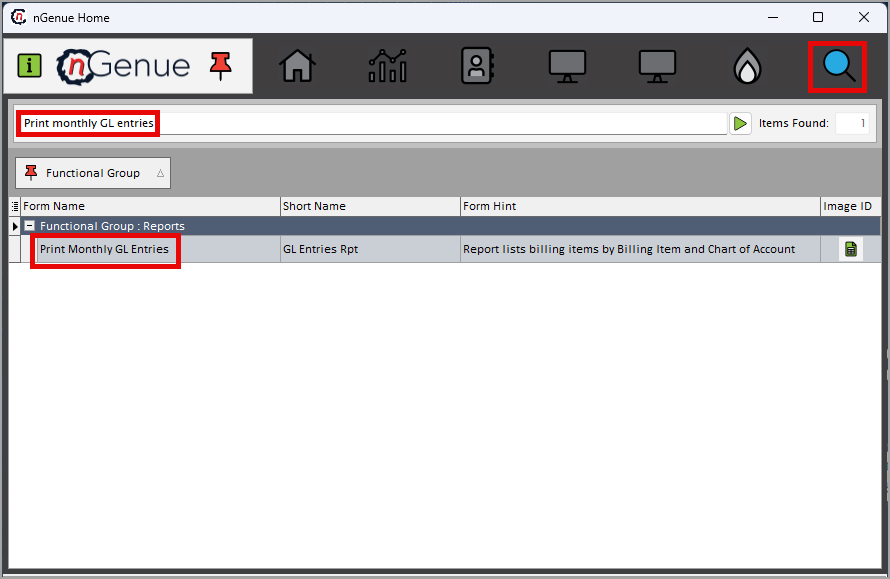
- Click the Search icon and enter Print monthly GL entries in the search bar.
-
Double-click the Print monthly GL entries from the search results to open respective screen.
-
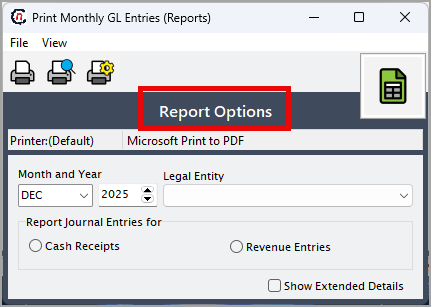
In Print monthly GL entries (Reports), the Report options section allows you to specify reporting period, accounting scope, and output preferences.
-
Complete the required fields available in the Report options section as listed in the table below:
Fields Description Month and Year Select the accounting month and year for which GL journal entries should be reported. The system retrieves only entries posted within the selected period. Legal entity Select the legal entity whose GL entries will be included in the report. Report journal entries for Select the type of journal entries to include in the report: Cash receipts or Revenue entries. Show extended details Select this option to display detailed transaction-level information, including account numbers, references, and source details. 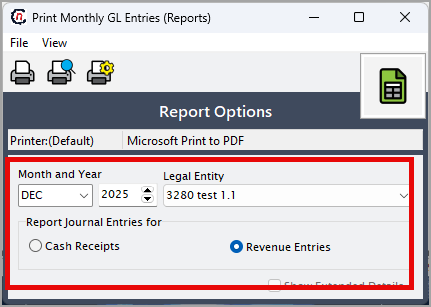
-
Select any of the printing options available in the top header as described in the table below:
Icons Icon name Description 
Print Click Print icon to print the aging detail report. 
Print preview Click Print preview icon to view the aging detail report. 
Printer setup Click Printer setup icon to configure printing settings. -
Click Printer setup to configure print settings such as printer name, paper size, orientation, properties, and network.
- Click Ok to save the configuration.
- Click Cancel to discard changes.
-
Click Print preview to view the report and make any necessary adjustments.
- Click Print to generate the monthly GL entries report based on the selected month, year, legal entity, and journal type.
Summary
The monthly GL entries report provides a clear and auditable summary of accounting journal entries generated in nGenue for a specific accounting period. It supports month-end close, financial reconciliation, and audit readiness by ensuring that revenue and cash receipt postings are accurate, complete, and properly aligned with billing activity.