View market tier and cost associations
The Manage market and supply links connect customer price agreements with the physical supply deals that fulfill them, ensuring that retail contracts are accurately matched to the correct wholesale sources. This alignment allows precise cost tracking, proper revenue allocation, and better control of market exposure and supply obligations, which supports accurate billing, forecasting, and risk management.
Within the View market tier and cost associations screen, the Price agreement query section lets users filter and load market tiers by criteria such as delivery range, LDC, pool, active end user, index, fixed volumes, or fixed price. The Supply deal list section displays supply deals and allows loading of supply tiers based on supplier or counterparty details. Double-clicking a price agreement opens market tier editing, while double-clicking a supply tier opens the Physical deal setup screen to create or modify a physical deal.
Prerequisites
Before configuring a View market tier and cost associations screen, ensure the following prerequisites are met:
- User permissions: You must configure the security settings including User type, Security user, Security group, Security assign user, and Security assign permissions in their respective screens to ensure you have the required access and permissions for Master price agreement screen actions.
- LDC: Create the relevant LDC in the application.
- LDC pool: Configure the LDC pool to organize and manage delivery points associated with specific LDCs.
- Indices and curves: Define and maintain market indices and price curves used for pricing and cost calculations.
- Price agreement: Create and manage price agreements that define the pricing terms, volumes, and conditions between suppliers and end users.
- End user: Create and manage end user records to link customers with their corresponding price agreements.
Procedure to view market tier and cost associations
Step 1: Navigate to View market tier and cost associations screen
Access the View market tier and cost associations screen in two ways:
-
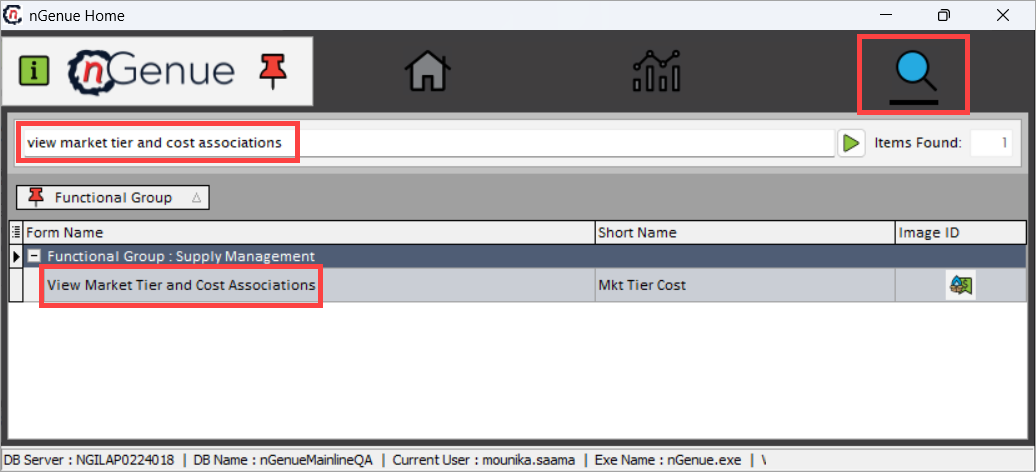
Search for the view market tier and cost associations from the nGenue homepage and select View market tier and cost associations from the result or,
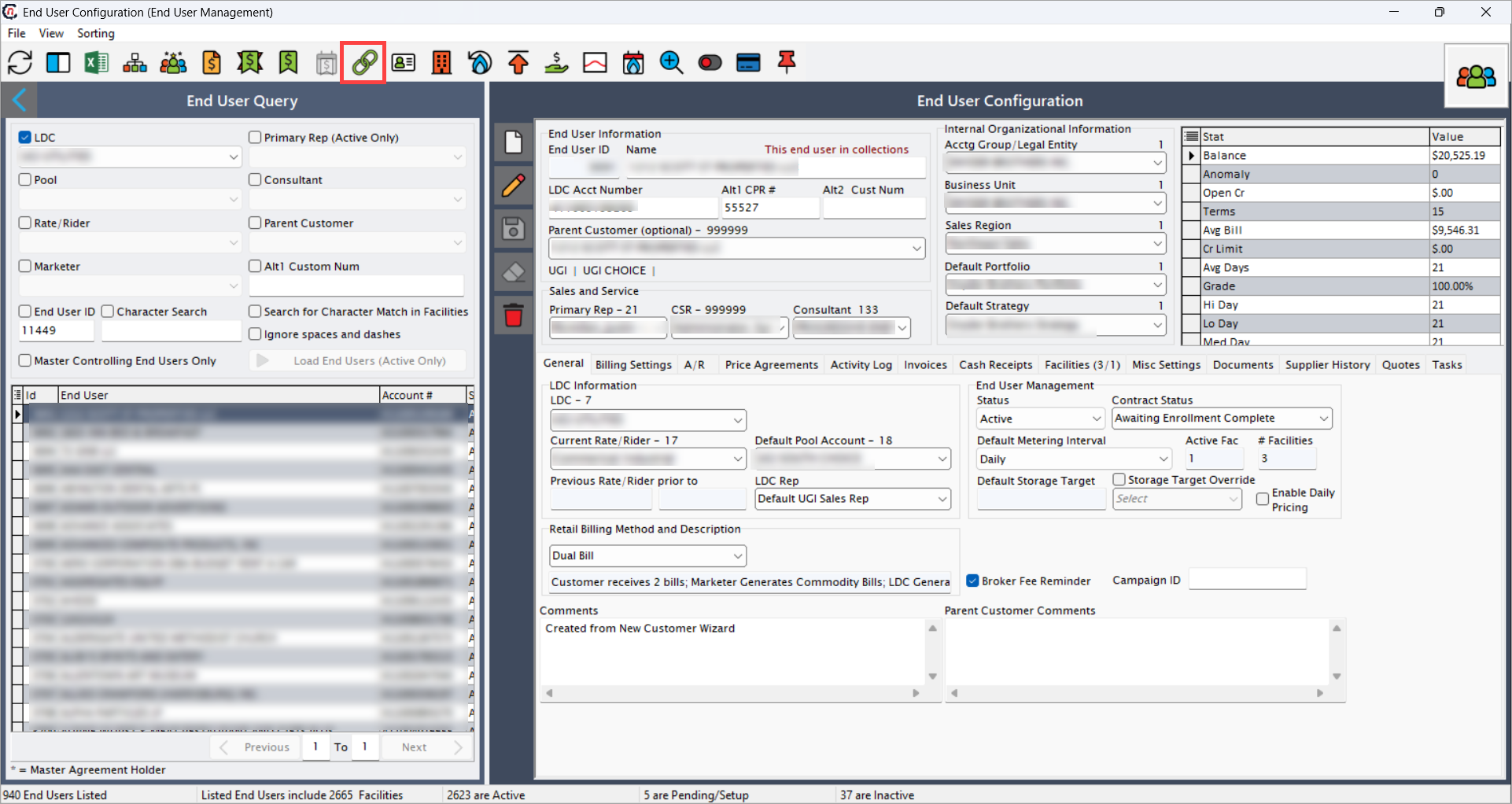
navigate via the End user screen. From this screen, select the desired end user from the list, and then click on the Manage market and supply links icon to access the View market tier and cost associations screen.
-
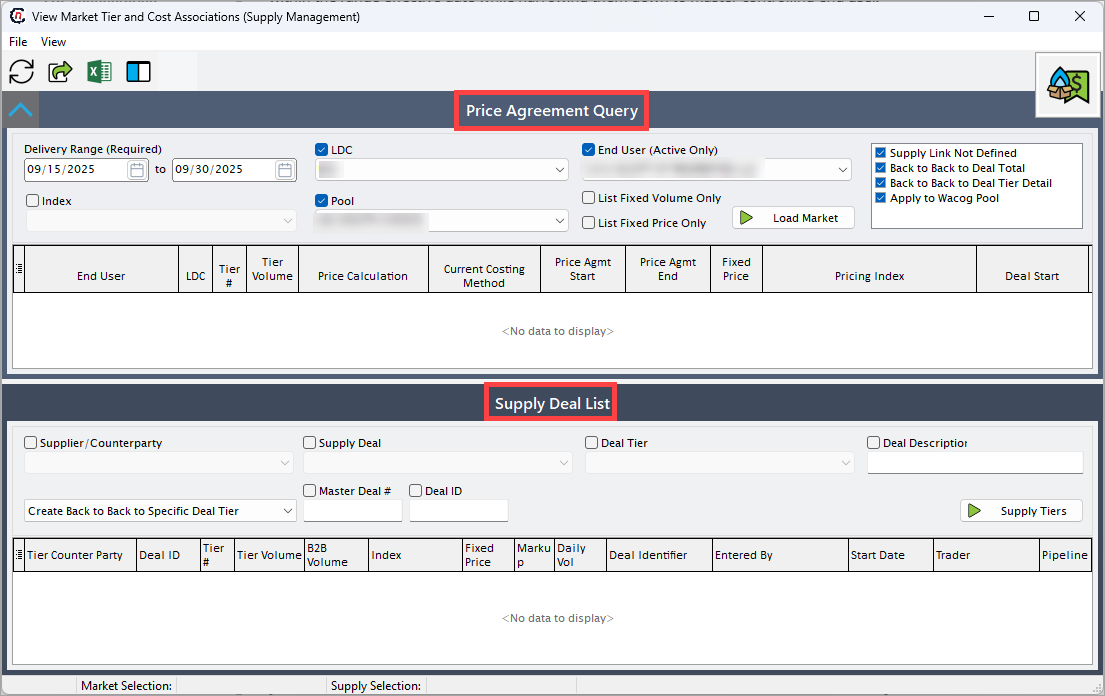
In View market tier and cost associations, there are two sections:
- Price agreement query: This section allows users to search and filter price agreements to view related market tiers by delivery dates and key contract details.
- Supply deal list: This section provides options to narrow and load the associated supply deals before displaying the matching records
Step 2: Execute price agreement query
-
Enable the following fields to filter price agreements and display the relevant results in the record section:
Field Description Delivery range (from and to) (required) Specify the date range to filter price agreements by their delivery period. LDC Select the Local Distribution Company associated with the price agreement. End user (Active only) Select the end user associated with the price agreement. Index Select the index checkbox to specify market price index or benchmark tied to the agreement. List fixed volume only Select this checkbox to display agreements with a specified fixed supply volume. List fixed price only Select this checkbox to display agreements with a fixed price structure. Supply link not defined When enabled, displays price agreements that are not yet linked to any supply deal. Back to back to deal total When enabled, creates a back-to-back link between the price agreement and the total volume of the supply deal. Back to back deal tier details When enabled, establishes a back-to-back link at the individual tier level between price and supply deals. Apply to Wacog pool When enabled, links the selected price agreement to a Weighted Average Cost of Gas (WACOG) pool for cost allocation. -
Click Load market button to display related market tiers for the selected agreements.
-
Upon query, market tier records will be displayed with each line item in the loaded tier record provides detailed information about the market tier, pricing, and related supply arrangements. The following fields provide key data for tracking price agreements and their associated supply deals:
Field Description End user Specifies the name of the end user associated with the price agreement. LDC Specifies the Local Distribution Company serving the end user. Tier # Specifies identifier for the market or pricing tier within the agreement. Tier volume Provides the contracted volume for the specified tier. Price calculation Specifies the method used to calculate the price (e.g., fixed, indexed, formula-based). Current costing method Specifies the costing approach currently applied to this agreement, such as weighted average or market-based. Price agreement start Specifies the start date of the price agreement. Price agreement end Specifies the end date of the price agreement. Fixed price Specifies the agreed-upon fixed rate, if applicable. Pricing index Specifies the market index or benchmark referenced for variable pricing. Deal start Specifies the start date of the related supply deal. Deal end Specifies the identifier for the associated market tier. End user (EU) ID Specifies the system-generated identifier for the end user. Cost method Defines the method used to allocate or calculate supply costs. Comm cost override Specifies custom commission or cost override applied to the agreement. Price ID Indicates system-generated identifier for the specific price record. Supply deal ID Specifies the identifier of the linked supply deal. Supply path ID Specifies the identifier for the physical supply path. Supply tier ID Specifies the identifier for the supply tier within the deal. WACOG pool ID Provides Weighted Average Cost of Gas (WACOG) pool identifier for cost tracking. Smonth Specifies the start month for pricing or cost allocation (numeric format). Syear Specifies the start year for pricing or cost allocation (numeric format). 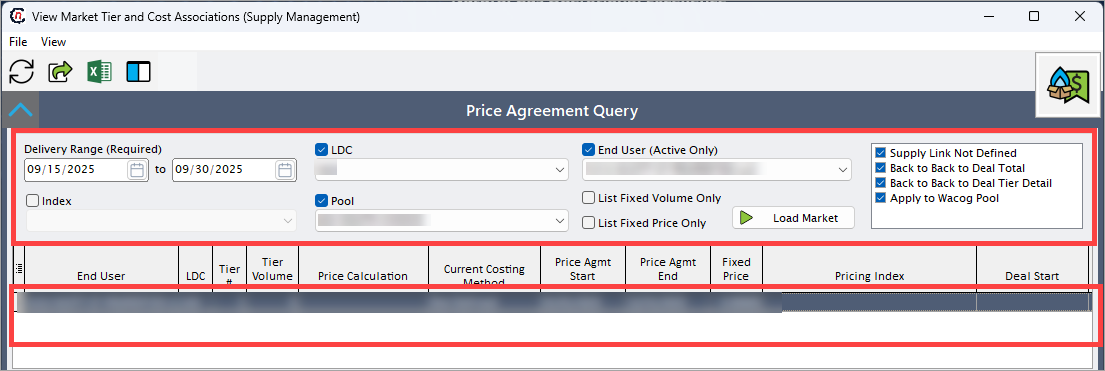
Step 3: Execute supply deal list query
-
Enable the following fields to filter supply deals and display the relevant results in the record section:
Fields Description Supplier/counterparty Select supplier/counterparty associated with the supply deal. Supply deal Choose the associated supply deal to retrieve. Deal tier Select the specific tier related to the supply deal. Deal description Provide deal description associated with specific supply deal. Dropdown Select the appropriate options from the given dropdown which includes remove costing link, create back to back to entire deal, create back to back to specific deal tier, create back to back to multi-month master, create link to a WACOG pool. Master deal # Provide master deal number of associated supply deal. Deal ID Provide deal ID of associated supply deal. -
Click Supply tiers button to display related market tiers for the selected deals.
-
Upon query, supply tiers records will be displayed with each line item in the loaded supply tier record shows detailed information about the counterparty, pricing, volumes, and related supply deal attributes. The following fields describe the key data available for each record:
Fields Description Tier counterparty Specifies the name of the counterparty or supplier associated with the specific tier. Deal ID Specifies the identifier for the supply deal linked to this tier. Tier # Specifies the numeric identifier of the tier within the supply deal. Tier volume Specifies the total contracted volume for this tier. B2B volume Specifies the volume committed for business-to-business transactions within the tier. Index Specifies the market index or benchmark used to price the tier. Fixed price Indicates the agreed fixed price for the tier, if applicable. Markup Indicates additional price markup applied to the tier. Daily volume Indicates daily contracted or scheduled volume for this tier. Deal identifier Specifies identifier for the associated supply deal. Entered by Specifies the user that created the record. Start date Specifies the effective start date of the tier. Trader Specifies the name of the trader responsible for the deal. Pipeline Indicates the pipeline or transport path used for delivering the commodity. End date Specifies the effective end date of the tier. Mo deal description Provides additional description about the associated deal. Date time created Specifies the date and timestamp when the record was created. Master deal ID Specifies the identifier of the master deal that this tier belongs to. Master tier # Specifies the identifier of the master tier under the master deal. Supply tier ID Indicates system-generated ID for this specific supply tier. Cost pool method Indicates the method used to allocate or calculate costs within the supply pool. Smonth Specifies the start month for the tier’s cost or volume allocation. Syear Specifies the start year for the tier’s cost or volume allocation. 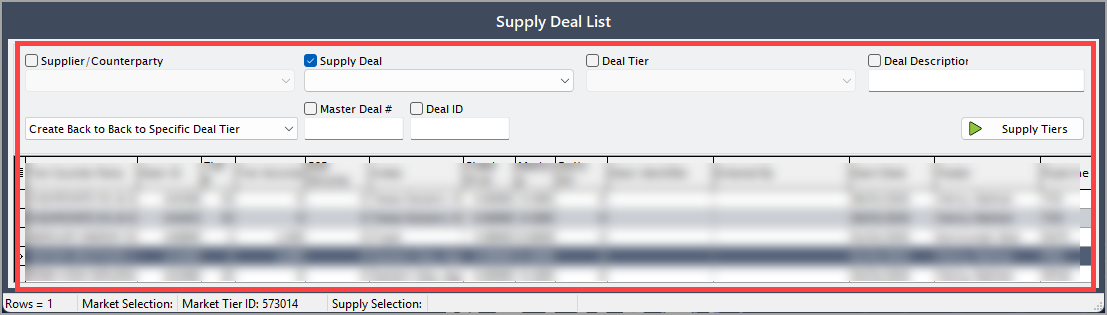
Summary
Managing detailed supply tier records and market tiers ensures that each end user’s contracted volumes, pricing, and supply sources are accurately tied to their parent agreements. This integrated approach supports consolidated billing, precise cost allocation, and effective market risk management within the End user configuration. As a result, downstream functions such as forecasting, reporting, and third-party integrations operate on consistent data, enabling scalable growth and advanced analytics across the organization.