Deal review lock configuration
The Deal review lock configuration feature in nGenue is used to lock deal records for a specific month or year to prevent further modifications.
This ensures data integrity for finalized deal periods and supports accurate reporting, auditing, and financial reconciliation.
Deal review lock configuration allows administrators or authorized users to lock deal data for selected months. Once a period is locked, no edits, updates, or changes can be made to any deals within that time frame.
How does Deal review lock configuration work?
- When a user selects a year and month and clicks Lock, all deals for that selected period become locked and cannot be edited.
- If December is selected, the system applies the lock to all months of that year.
- Locked periods can be manually unlocked if needed, depending on permissions.
It ensures that deal data for completed months remains unchanged and reliable for downstream processes such as invoicing, settlement, and reporting.
Prerequisites
Before working on the Deal review lock configuration screen, ensure the following prerequisites are met:
- Ensure the nGenue application is installed and use valid login credentials to log into the application.
- User permissions: Must configure security settings including User type, Security user, Security group, Security assign user, and Security assign permissions in their respective screens to ensure required access for Deal review lock configuration actions.
Procedure to configure deal review lock
Step 1: Navigate to the Deal review lock configuration screen
- Log in to the nGenue application.
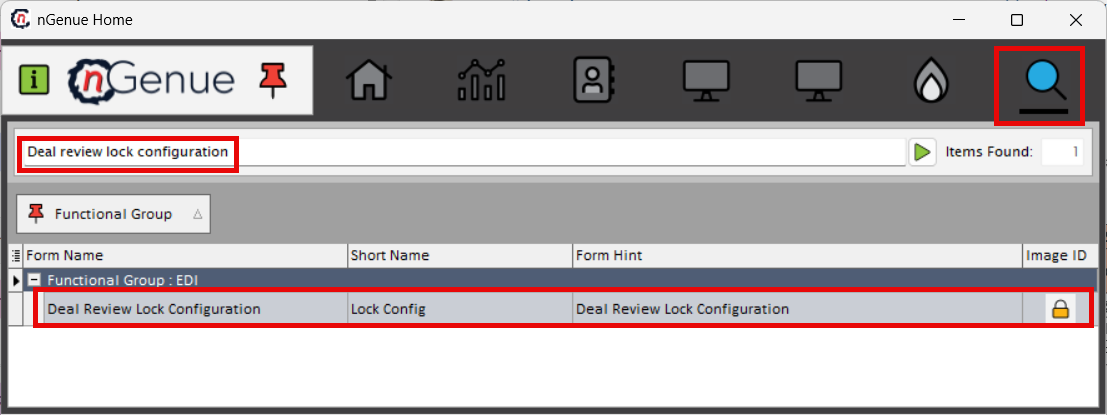
- Click the Search icon and enter deal review lock configuration.
- Double-click Deal review lock configuration to open the screen.
Step 2: Configure deal lock
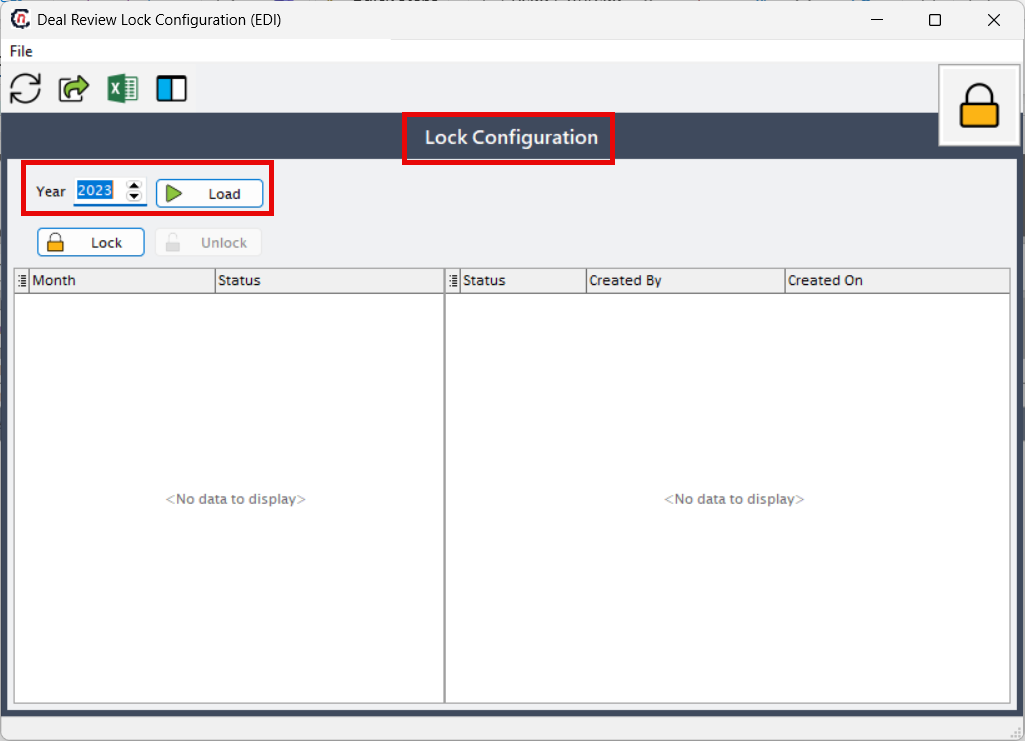
- In the Lock configuration screen, select the month you want to lock.
-
Click Load to display month-wise deal details in the right-hand grid.
-
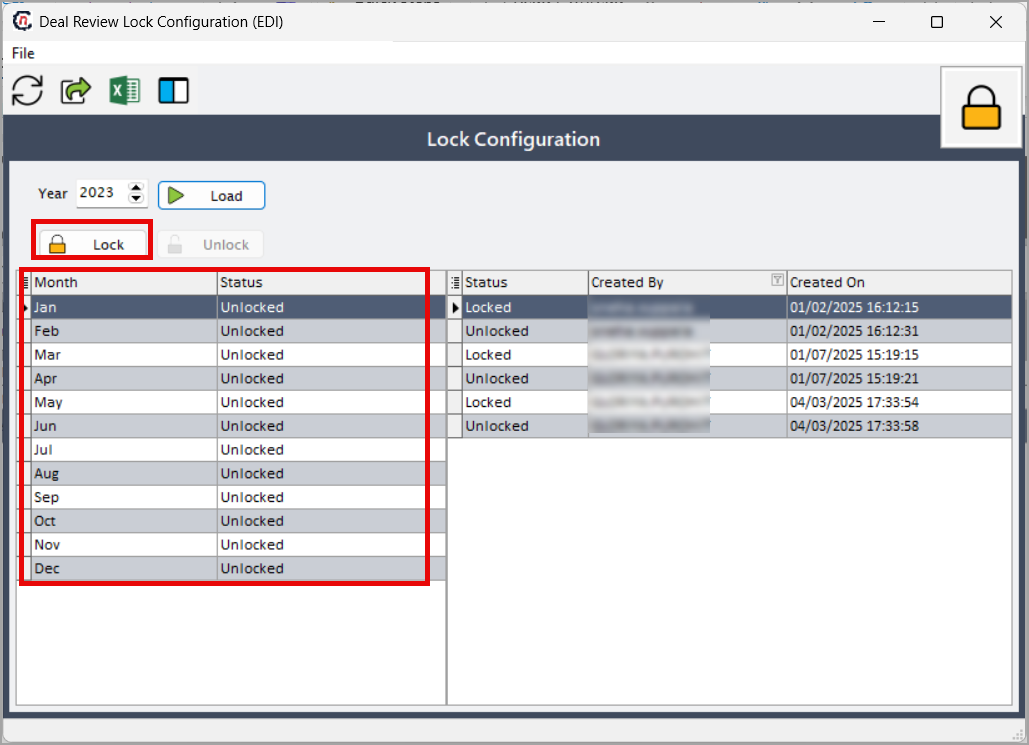
Select the month from the right-side grid and click Lock. All previous months (up to the selected month) will be locked automatically.
-
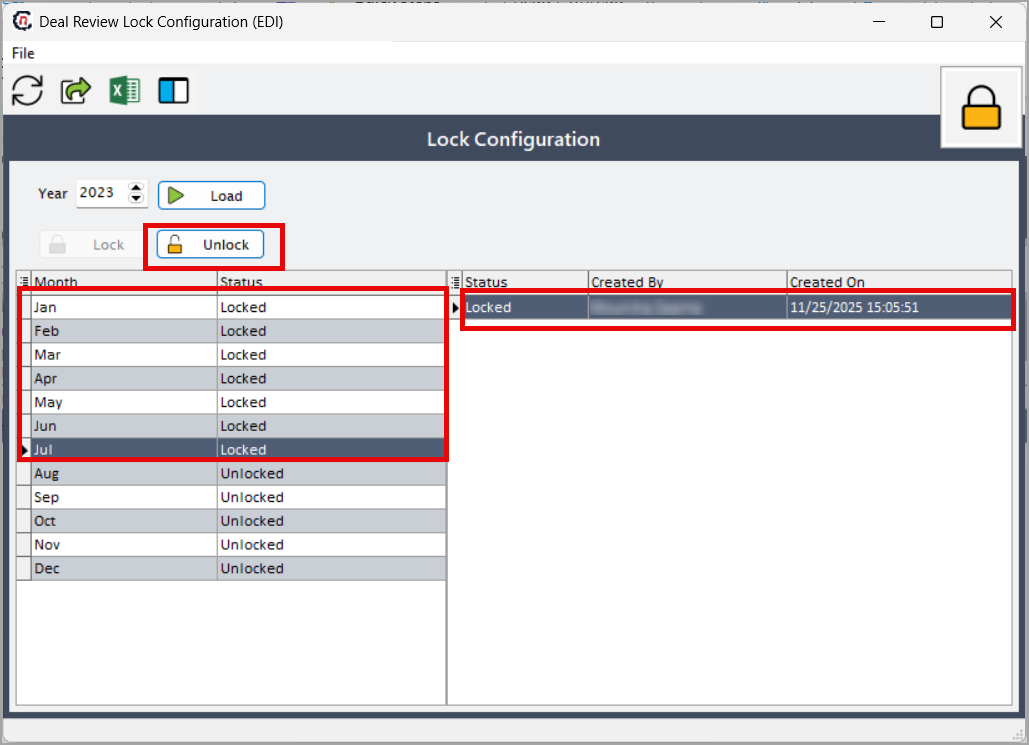
To unlock a locked period, select the month and click Unlock.
-
The lock and unlock history, including status, created by, and created on, is displayed in the left grid.
!
Note
When any month is locked in the Deal review lock configuration screen, the system automatically locks all earlier months, and no changes can be made to deals for any of those locked periods in the Deal management screen.
Summary
The Deal review lock configuration screen allows users to lock or unlock deal periods to ensure data stability and accuracy. By locking completed months, organizations maintain secure, consistent deal information that supports accurate settlement, reporting, and compliance across all downstream processes.