Master price agreement
A Master price agreement is a contract between a supplier and one or more end users that sets agreed prices, terms, and conditions for natural gas exchange over a defined period. Simplify contract management by consolidating multiple customer agreements into a single master agreement. By outlining effective dates, forecast periods, and profit margins, an master price agreement supports accurate supply and revenue planning while allowing flexibility to assign key customers and include special provisions. The result is better demand forecasting, consistent pricing across customers and timeframes, improved revenue control through predefined margins, and more efficient contract management with centralized tracking for updates, reporting, and audits.
This article provides a complete overview of the Master price agreement list feature in nGenue. It guides users through accessing the Master price agreement list screen, setting up prerequisites, creating and managing agreements, and reviewing associated end user and pricing data.
Prerequisites
Before configuring a Master price agreement list screen, ensure the following prerequisites are met:
- User permissions: You must configure the security settings including User type, Security user, Security group, Security assign user, and Security assign permissions in their respective screens to ensure you have the required access and permissions for Master price agreement screen actions.
- LDC: Create the relevant LDC in the application.
- End user: Configure the end user in the system before adding price agreement.
- Facility: Add the facility in the system to link it with the end user.
Procedure to add a master price agreement
Step 1: Navigate to Master price agreement screen
Access the Master price agreement screen in two ways:
-
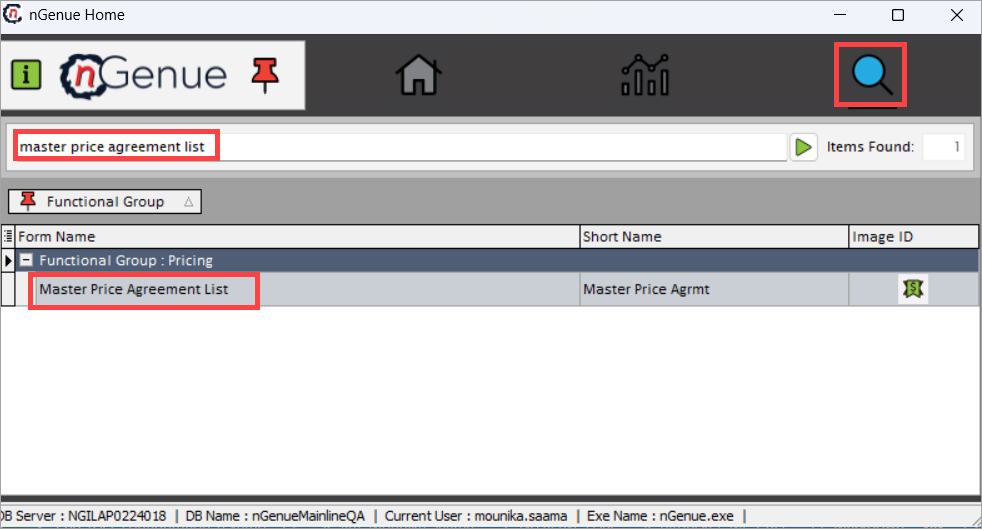
Search for the master price agreement from the nGenue homepage and select Master price agreement from the result.
-
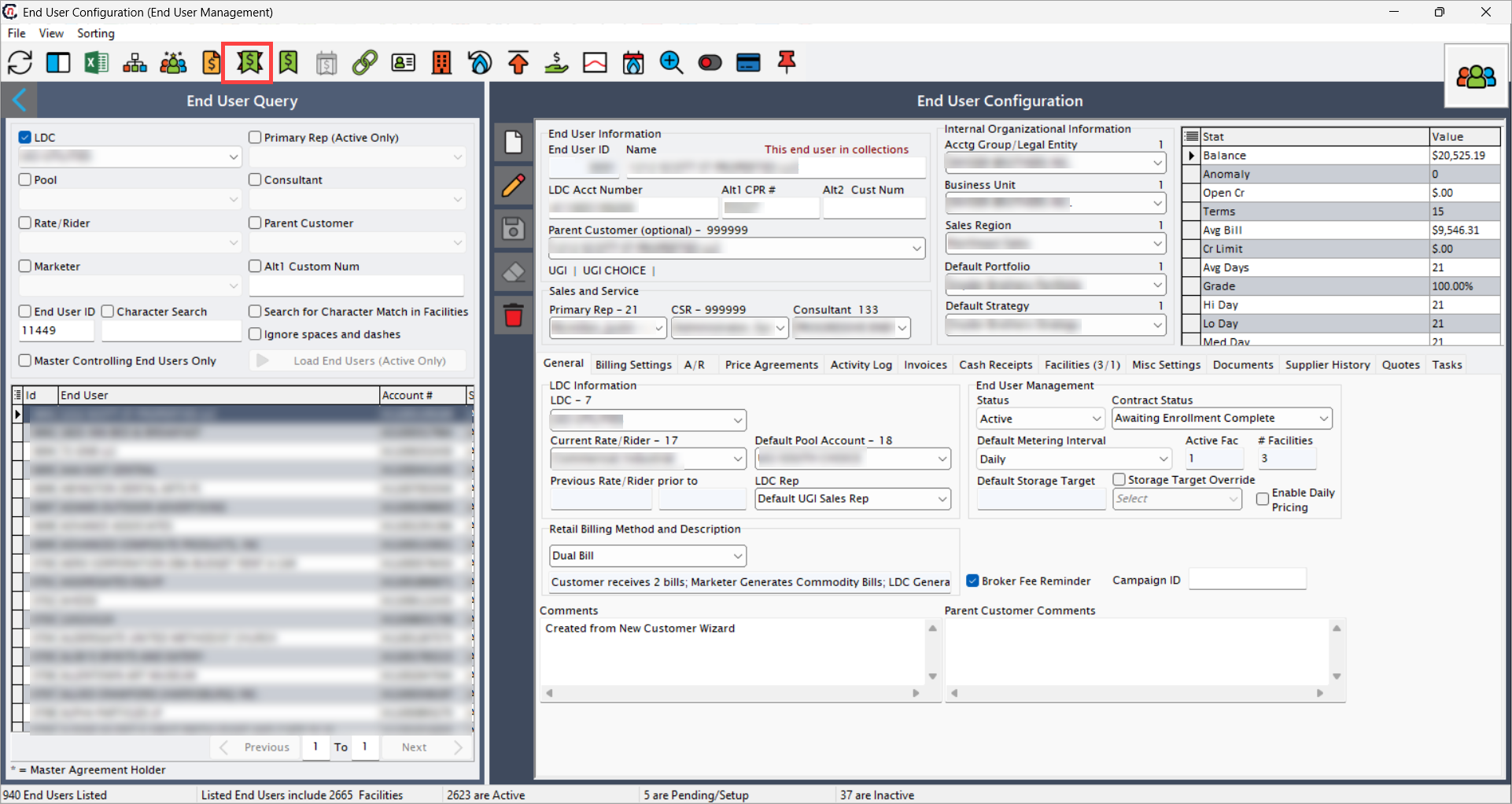
Navigate via the End user screen. From this screen, select the desired end user from the list, and then click on the Master price agreement icon to access the Master price agreement list screen.
-
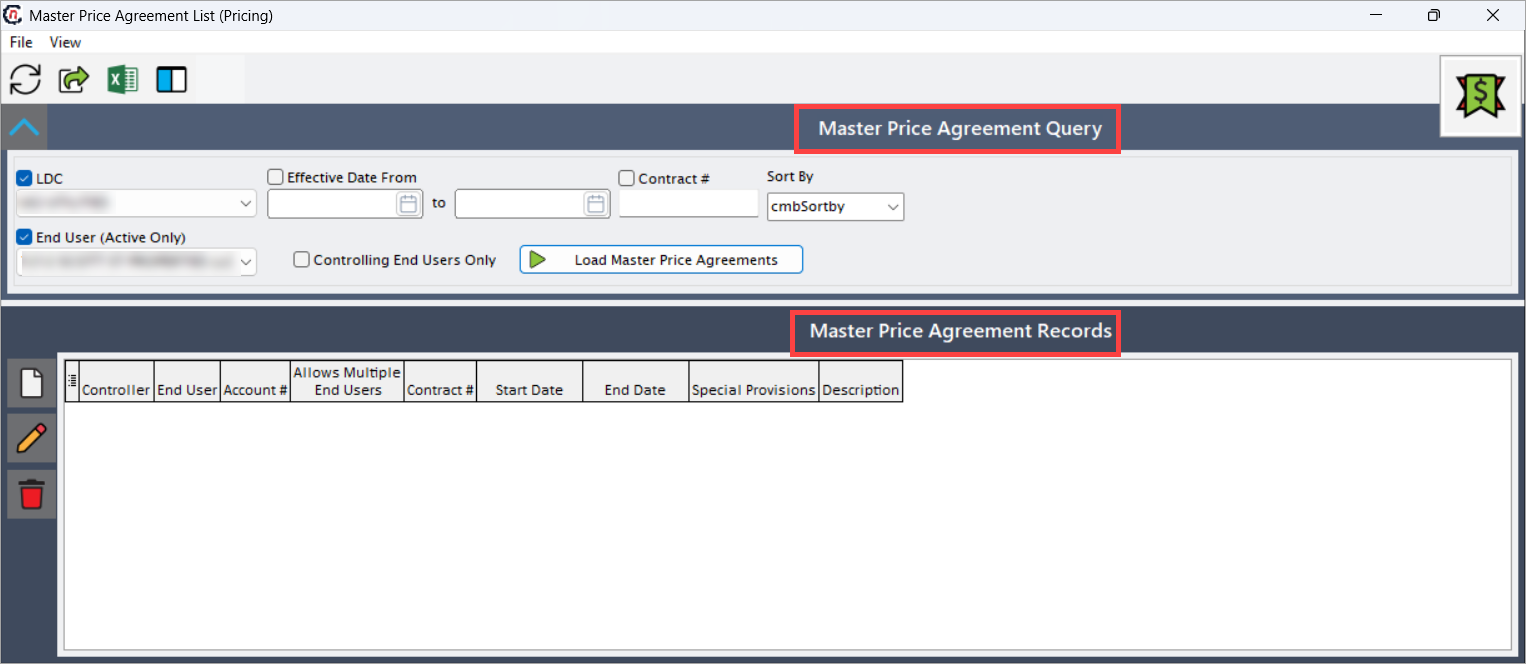
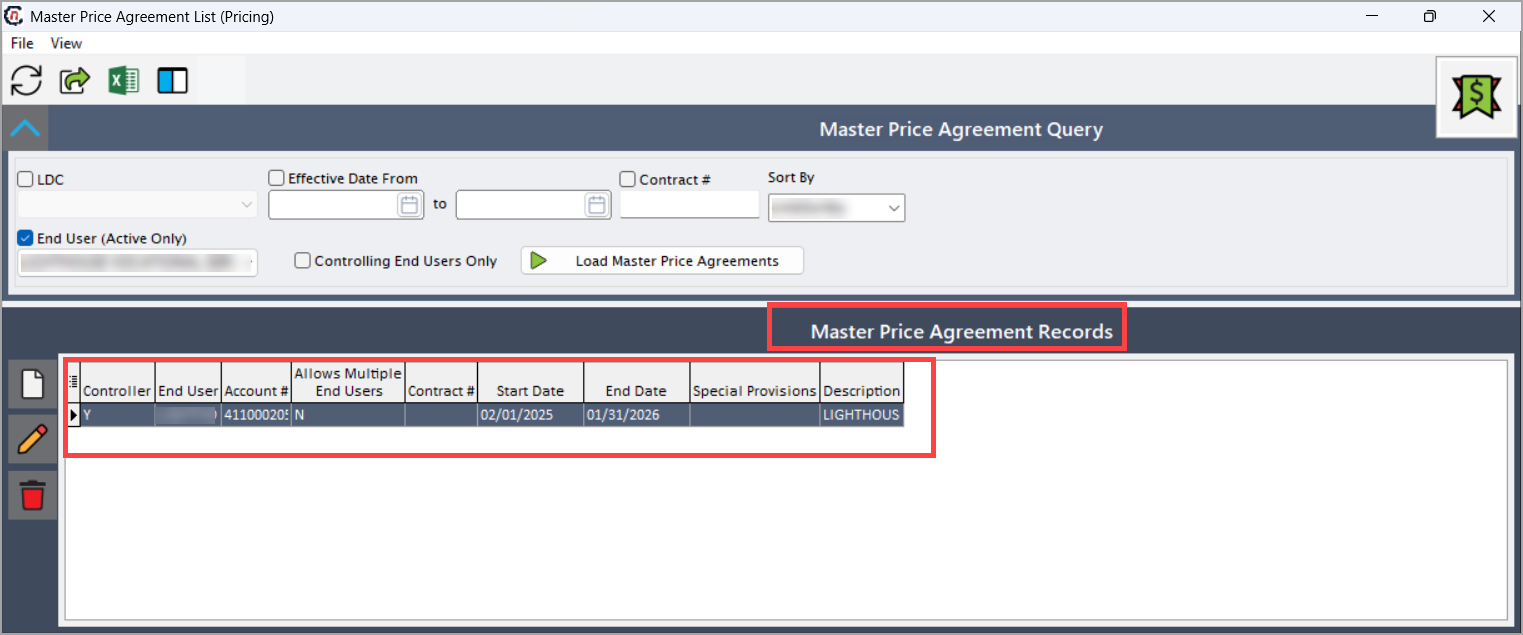
The Master price agreement list screen includes two main sections:
- Master price agreement query: Used to search and filter existing master price agreements.
- Master price agreement records: Displays the results based on your selected filters.
Master price agreement query
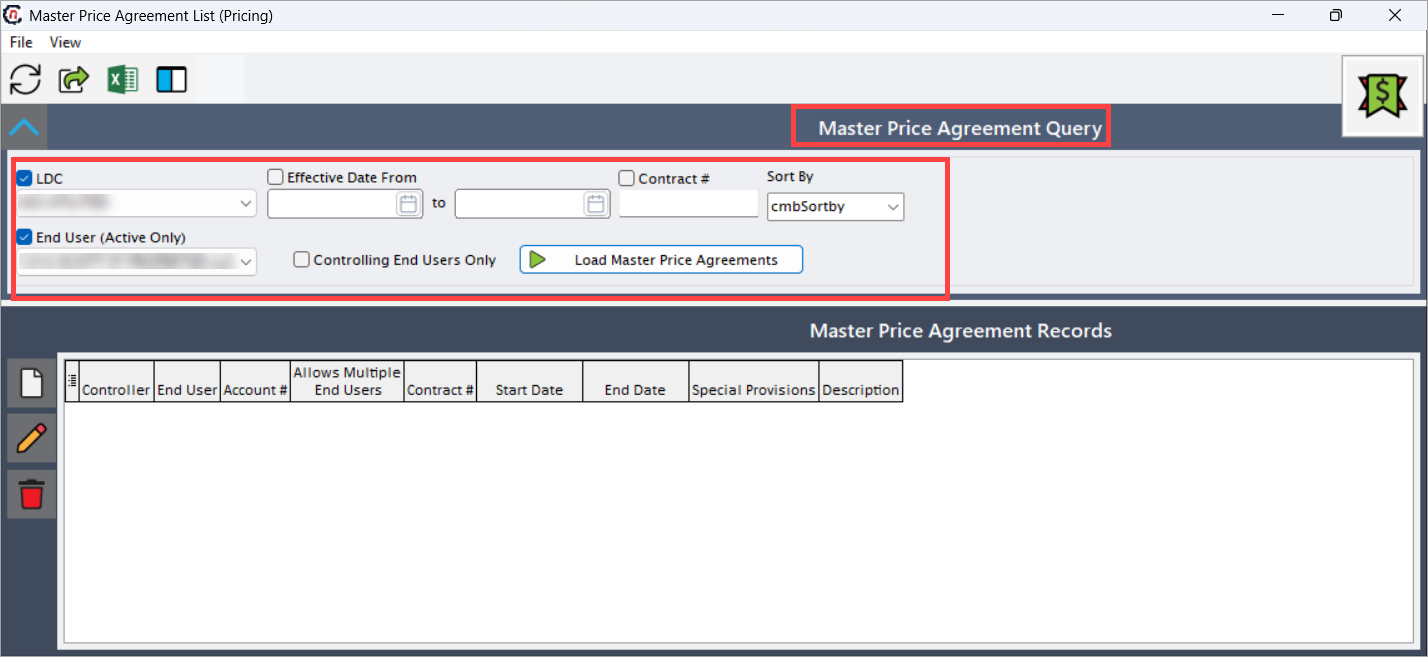
This section allows filtering and querying of existing master price agreements based on specific criteria to help users quickly locate relevant records. The following table provides searchable and filterable fields must be enabled to display related master price agreements.
| Fields | Description |
|---|---|
| LDC | Select the Local Distribution Company (LDC) associated with the master agreement. |
| Effective date from and to | Specify the date range to search agreements by their effective start and end dates. |
| Contract # | Provide contract number associated with the master agreement. |
| End user (active only) | Select the end user associated with master agreement. |
| Controlling end users only | Select the controlling end users only checkbox to display only those end users designated as controlling within master price agreements, central for pricing rules. |
After applying filters, click on the Load master price agreements to execute the query and load matching price agreement records.
Master price agreement records
This section displays all the master price agreements related to a specific end user or Ldc within the range effective date while narrowing them down to master controlling end user.
| Fields | Description |
|---|---|
| Controller | Specifies the end user designated as controlling, whose terms define pricing for all related participants in the agreement. |
| End user | Specifies the name of the end user receiving the pricing under the master agreement. |
| Account # | Specifies the billing account of the end user associated with the master agreement. |
| Allows multiple end users | Indicates if the agreement supports multiple end users under the same master price agreement. |
| Contract # | Specifies the reference number assigned to contract associated with master agreement. |
| Start date | Specifies the start date of the effective period for the selected master agreement. |
| End date | Specifies the end date of the validity period for the master agreement. |
| Description | Describes the details or special terms of the master price agreement. |
| Special provisions | Indicates specific contractual terms or exceptions applicable to the master agreement. |
After applying filters, click Load master price agreements to display the matching master price agreements.
Step 2: Add a new master price agreement
- click Add a new master price agreement icon.
-
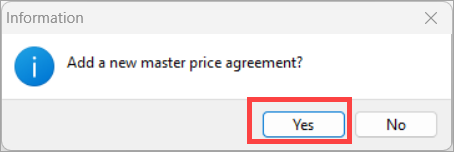
Click Yes in the confirmation window to add a new master price agreement.
-
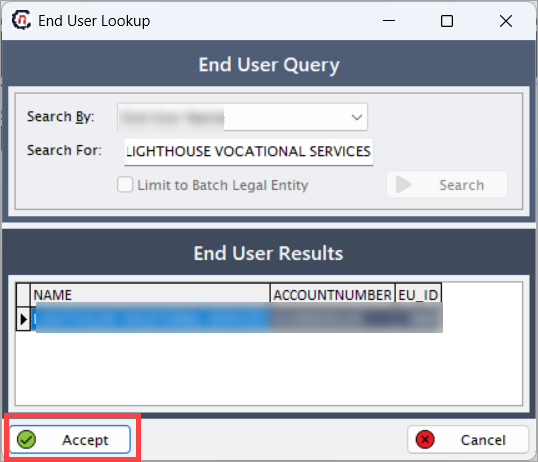
In the End user lookup window, search for and select the required end user, then click Accept.
-
The Master price agreement screen opens. Complete the fields in the Details tab and click Save master agreement.
Fields Description Contract # Provide the contract number associated with master agreement. Billing point Choose the billing point from available options such as city gate or receipt point. Start date Specify the date on which the master price agreement becomes effective. End date Specify the end date of master price agreement validity period. Master agreement description Provide a description for the master agreement for identification and quick additional reference. -
Use the Covered end users tab to assign, remove, or set controlling end users within the master agreement.
Icons name Description Refresh participating end user list Provide the contract number associated with master agreement. Add another end user to this master agreement Choose the billing point from available options such as city gate or receipt point. Make the selected end user controller of this master agreement Specify the date on which the master price agreement becomes effective. Remove end user from master agreement Specify the end date of master price agreement validity period. 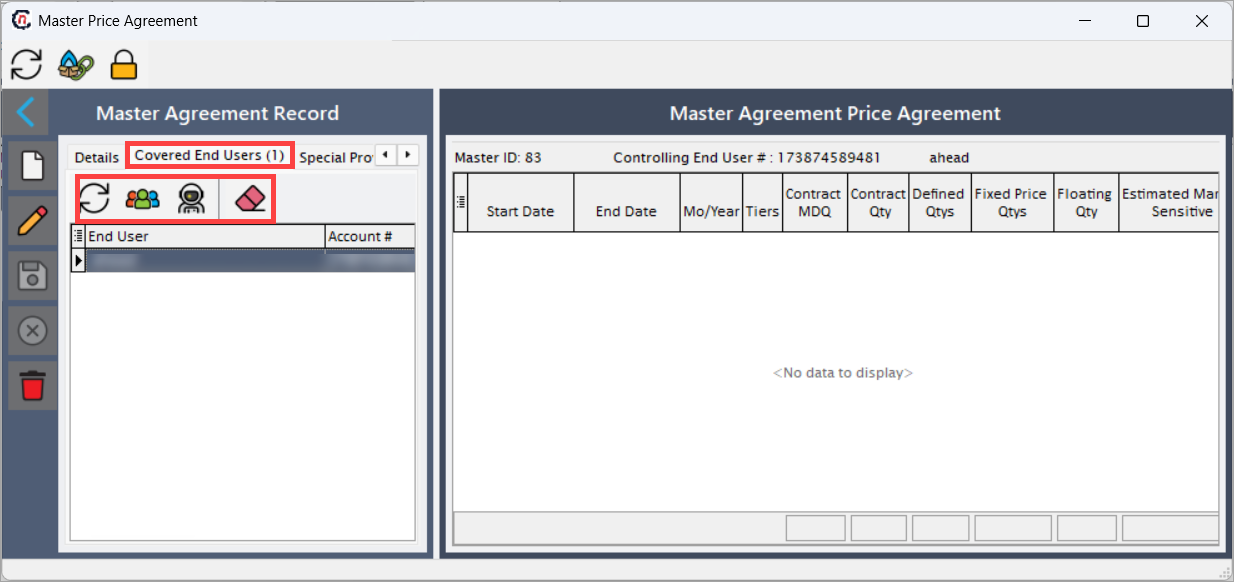
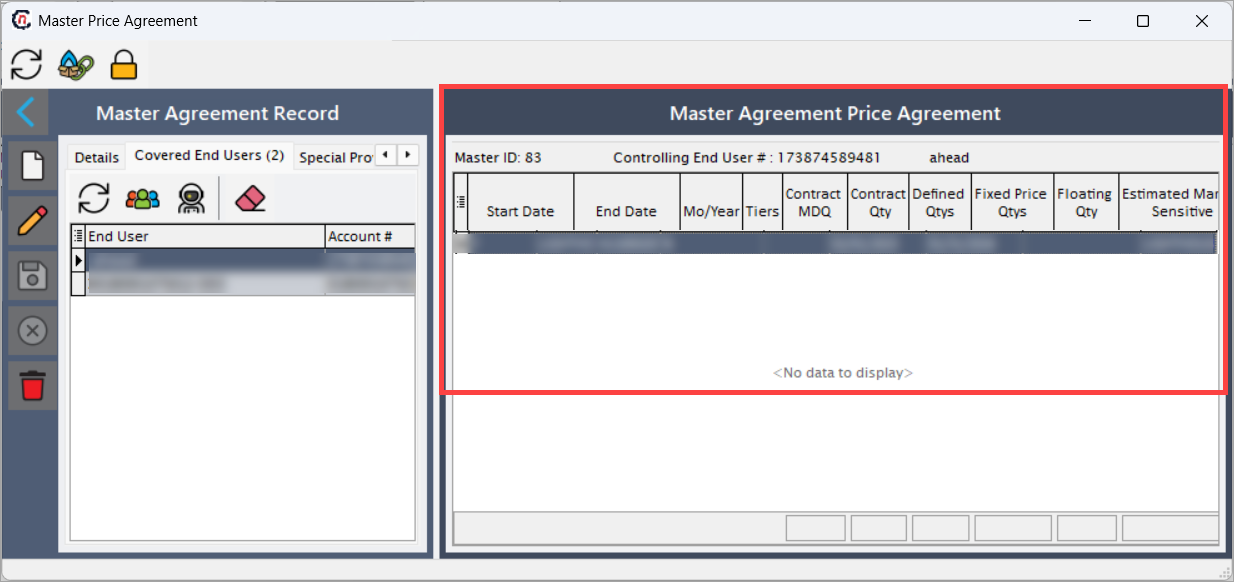
Step 3: Review master price agreement details
The Master price agreement section displays master ID, controlling end-user number, and end-user name. The following fields describe each record in detail:
| Fields | Description |
|---|---|
| Start date | Specifies the start date of the effective period for this price agreement. |
| End date | Specifies the end date of the validity period for this agreement. |
| Mo/Year | Specifies the month and year of the pricing period. |
| Tiers | Indicates the level of the pricing volume and effective period that is specific to a tier. |
| Contract MDQ | Indicates maximum daily quantity defined in the contract related to the agreement. |
| Contract quantity | Indicates the total contracted volume or usage committed under the agreement. |
| Fixed price quantity | Indicates guaranteed or agreed quantity covered at the fixed rate for this tier. |
| Floating quantity | Indicates the quantity covered at the market-based or variable pricing. |
| Estimated market sensitive | Indicates the quantity subject to market price fluctuations. |
| Cashouts enabled | Indicates if the cash-out provision is allowed under this agreement. |
| WASP enabled | Indicates if the Weighted Average System Price (WASP) is applicable for this agreement. |
| Price agreement ID | Specifies the unique identifier for the price agreement associated with master agreement. |
| Master ID | Specifies the identifier that links to the parent master price associated with master agreement. |
| Contract quantity as pct | Specifies the proportion of contracted quantity relative to overall contract limits. |
Notes
- You can edit or update existing master agreements directly from the Master price agreement list screen.
- Always assign a controlling end user before saving the master agreement.
- Verify that the effective dates do not overlap with other agreements.
Summary
The Master price agreement is a contract between a supplier and one or more end users that defines agreed pricing, terms, and conditions over a specified period. It streamlines contract management by consolidating multiple agreements into a single master agreement, enabling better demand forecasting, consistent pricing, predefined profit margins, and centralized tracking for reporting and audits.