Review nominations
The Review Nominations screen provides a consolidated, read-only view of pipeline nomination volumes that have already been created and scheduled in the system. It allows operations, scheduling, and settlement users to review receipt and delivery quantities across pipelines, contracts, storage, meters, and zones over a selected date range.
This screen is primarily used for verification and reconciliation, ensuring that nomination data aligns with contractual agreements, operational expectations, and downstream processes such as actualization, imbalance analysis, and settlement.
The Review Nominations screen is designed to:
- Review scheduled nomination volumes before actualization.
- Validate receipt and delivery quantities by contract, point, meter, and zone.
- Analyze fuel impact on nominations.
- Verify nomination totals across a selected period.
- Support operational audits and reconciliation prior to settlement or accrual processing.
This screen does not allow edits; it serves as a controlled review and validation interface.
Prerequisites
Before reviewing nominations, ensure the following prerequisites are met:
- The user has the add or modify permissions for the Review Nominations screen.
- Pipelines are configured and active in nGenue.
- Transportation and storage contracts are created and effective for the selected period.
- Nominations have been created and scheduled through the nomination workflow.
- Receipt points, delivery points, meters, and zones are properly mapped.
Procedure to review nominations
Step 1: Navigate to the Review Nominations screen
- Log in to the nGenue application.
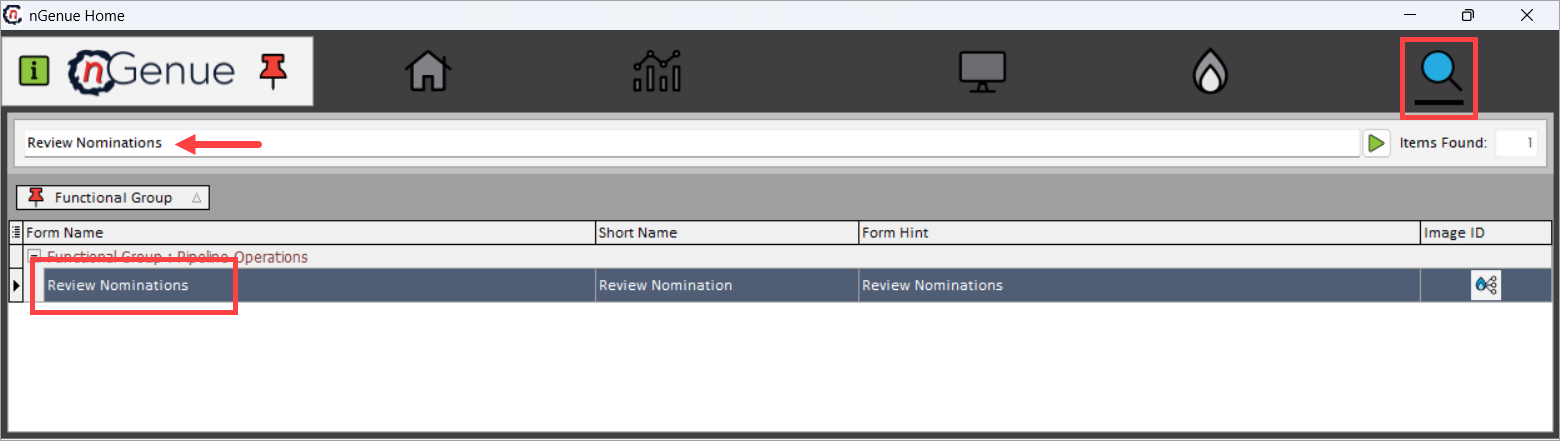
- Click the Search icon and enter Review Nominations in the search bar.
- Double-click Review Nominations to open the Review Nominations (Pipeline Operations) screen.
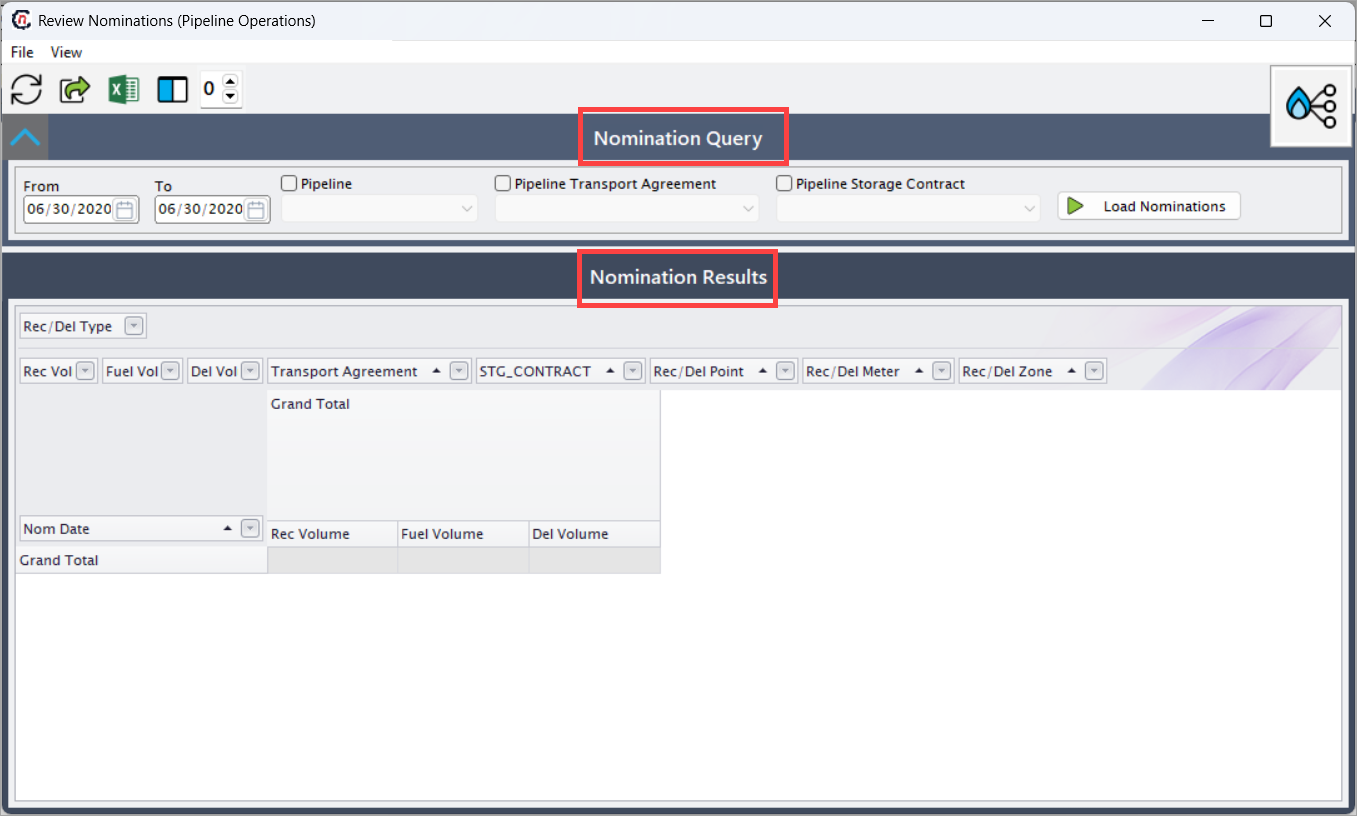
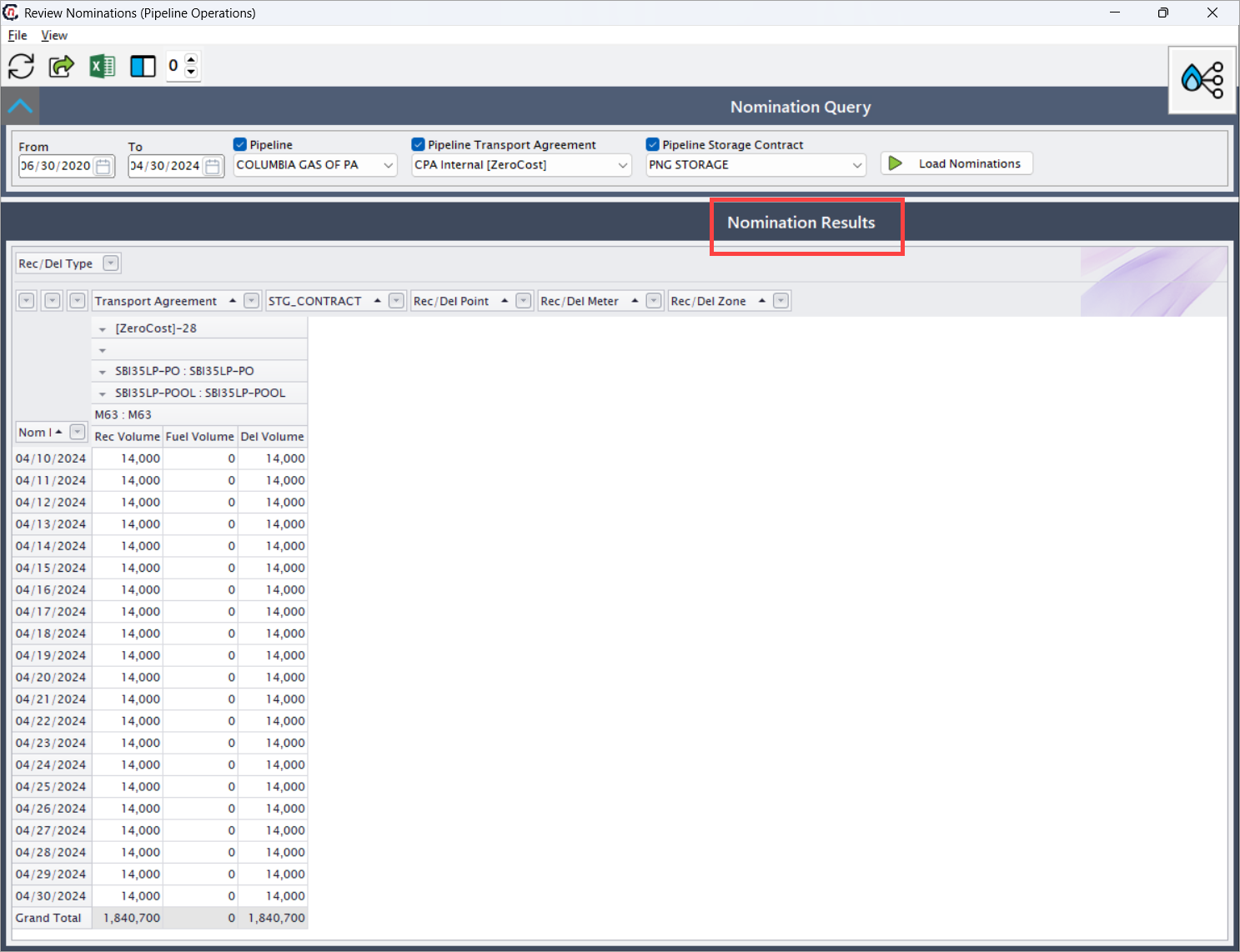
- The screen is divided into two sections:
- Nomination Query section: This section is used to filter nominations for review.
- Nomination Results: This section displays nominations in a hierarchical and expandable grid format, enabling users to analyze data at multiple levels.
Step 2: Define Nomination Query criteria
The Nomination Query section controls which nominations are displayed. It pulls data from:
- Pipeline Transport Agreements
- Pipeline Storage Contracts
- Scheduled nominations created through the nomination workflow.
The query does not modify data; it strictly controls visibility and scope of the review.
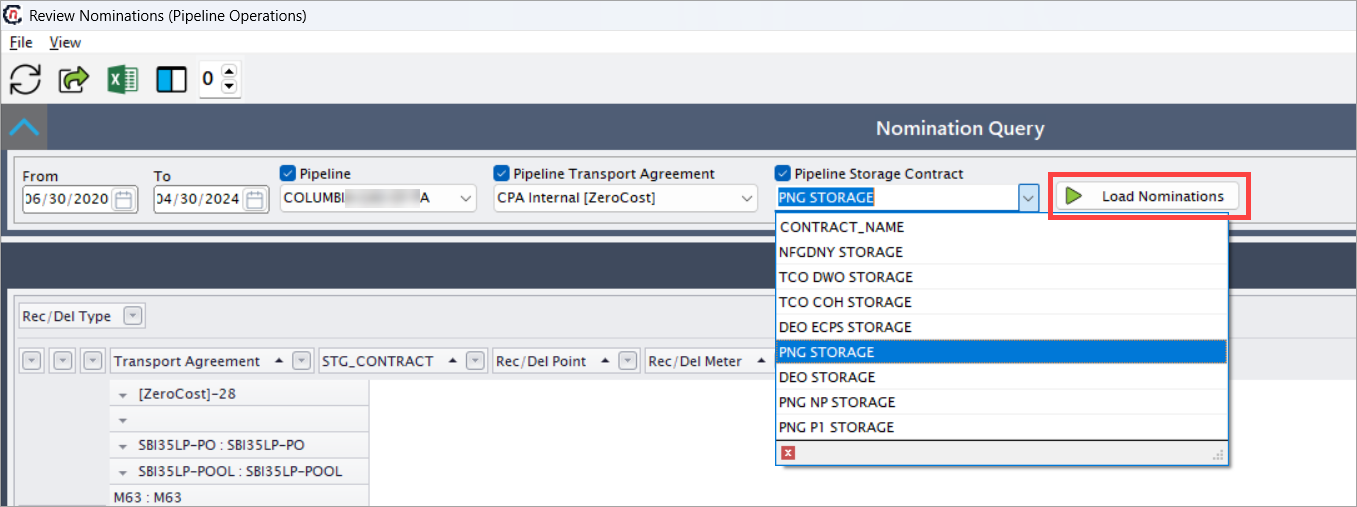
The key fields available are as follows:
- From: Enter the start date for the nomination review period.
- To: Enter the end date for the nomination review period.
- Pipeline: Select the pipeline for which nominations are reviewed.
- Pipeline Transport Agreement: Filter the nomination by a specific transportation agreement.
- Pipeline Storage Contract: Filter the nomination associated with a storage contract.
- Click Load Nominations to retrieve nominations matching the selected criteria.
Step 3: Understand Nomination Results layout
The Nomination Results section provides a read-only, drill-down view of nomination data:
- Supports hierarchical expansion for contracts, points, meters, and zones.
- Displays daily receipt, fuel, and delivery volumes.
- Enables quick identification of missing, duplicate, or unexpected nomination values.
This structure allows users to drill down from a high-level contract view to daily nomination volumes.
Step 4: Review nomination volume details
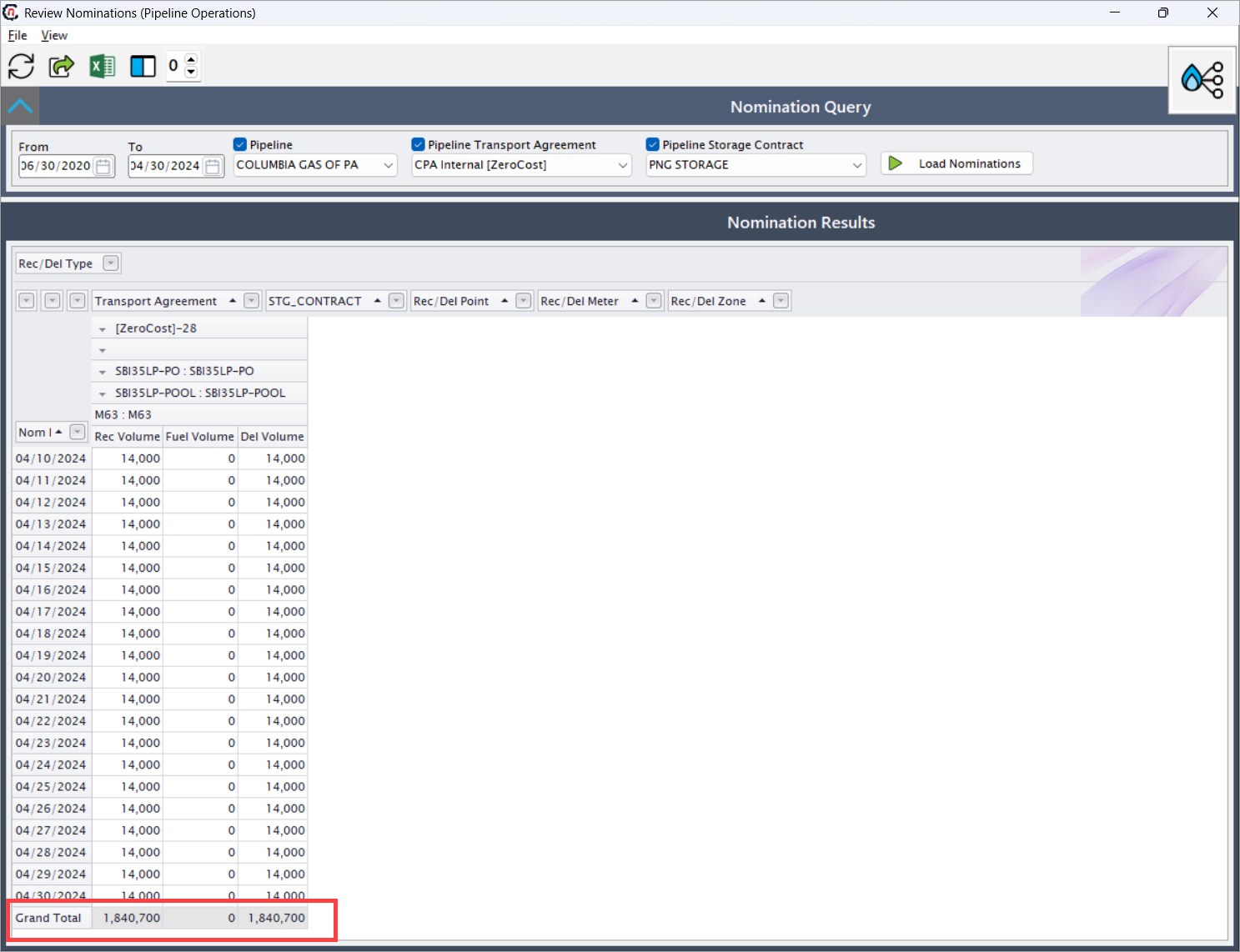
At the lowest level of the hierarchy, the grid displays daily nomination quantities.
- Nom Date: Number of days for which the nomination applies.
- Rec Volume: Scheduled receipt volume for the gas day.
- Fuel Volume: Fuel quantity deducted during transportation.
- Del Volume: Scheduled delivery volume after fuel deduction.
Each row represents a single gas day’s nomination, enabling precise day-by-day validation.
At the bottom of the grid, the system displays a Grand Total row:
- Aggregates receipt volumes across all displayed days.
- Aggregates delivery volumes for the same period.
- Helps confirm that monthly or period totals align with expectations from contracts and forecasts.
Key points
- This screen is read-only and does not allow updates.
- Data displayed is sourced from scheduled nominations.
- Fuel volumes directly impact delivery quantities.
- Hierarchical grouping enables efficient analysis at multiple operational levels.
- Grand totals assist in validating period-level nomination accuracy.
Summary
The Review Nominations screen serves as a critical validation checkpoint within pipeline operations. By providing a structured, hierarchical view of nomination data, it enables users to confidently verify receipt and delivery volumes before progressing to actualization, imbalance processing, or settlement.
This ensures operational accuracy, contractual compliance, and data integrity across the entire gas scheduling and settlement lifecycle.