Holiday set
A Holiday set in nGenue defines a collection of holidays and non-working days used to determine business schedules, availability, and operational calendars. Holiday sets help the system accurately calculate working days, skip non-working days, and ensure correct scheduling for transactions, services, and operational processes.
The Holiday set screen provides the following action icons for managing Holiday set records:
| Icons | Description |
|---|---|
 |
Add a record. |
 |
Edit current. |
 |
Save changes to current. |
 |
Cancel changes to record. |
 |
Delete current record. |
Prerequisites
Before working on the Holiday set screen, ensure the following prerequisites are met:
- Ensure the nGenue application is installed and use valid login credentials to log into the application.
- User permissions: Must configure the security settings including User type, Security user, Security group, Security assign user, and Security assign permissions in their respective screens to ensure the required access and permissions for Holiday set screen actions.
Procedure to Holiday set
Step 1: Navigate to Holiday set screen
- Log in to the nGenue application.
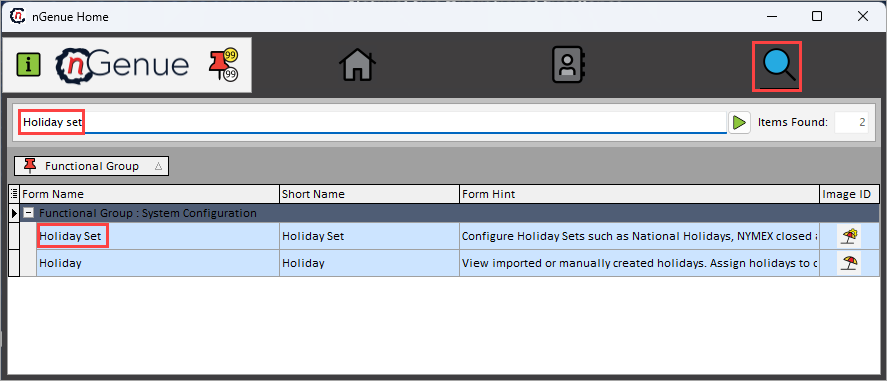
- Click the Search icon and enter Holiday set in the search bar.
-
Double-click the Holiday set from the search results to open respective screen.
-
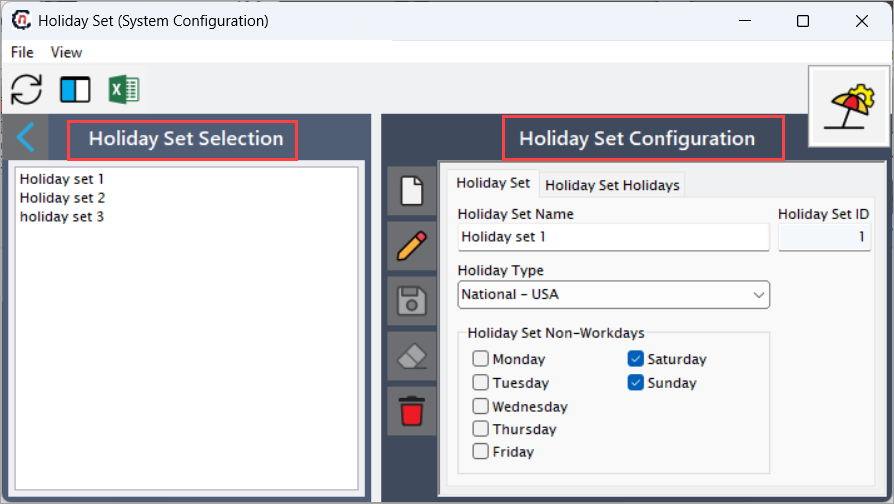
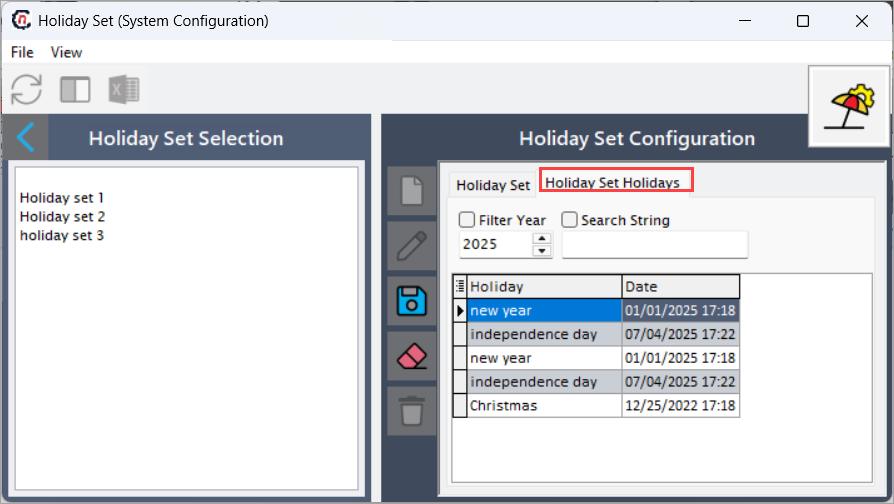
The Holiday set screen contains two main sections:
- Holiday set selction: Displays a list of existing holiday sets.
-
holiday set configuration: Allows you to create, edit, save, and delete holiday set records. This section includes two tabs:
- holiday set: Create and configure holiday set details.
-
holiday set holidays: View and manage holidays based on year and search string filters.
### Step 2: Create holiday set
-
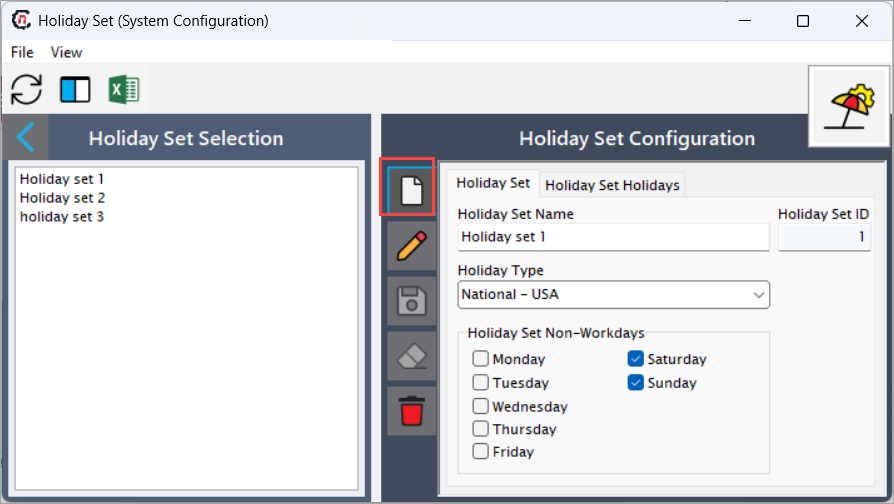
In the Holiday set tab, click Add a record icon.
-
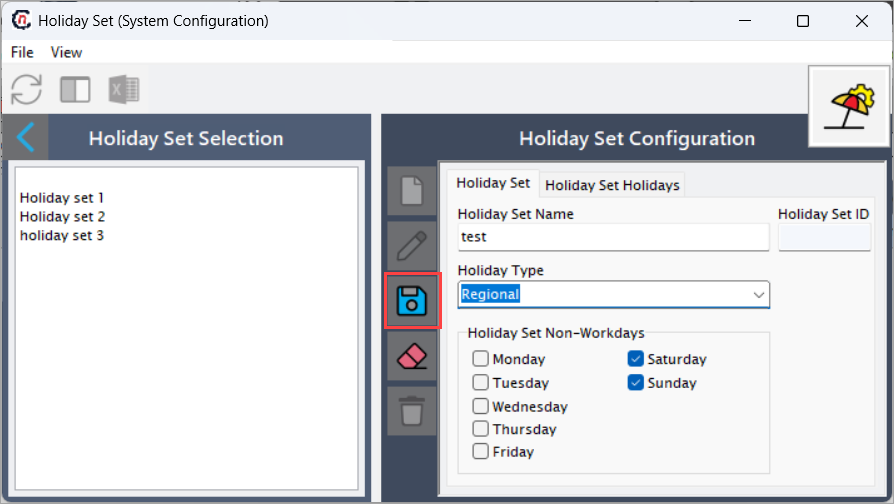
Enter the required details:
- Holiday set name: Enter a descriptive name to identify the holiday set (for example, US Federal Holidays or Regional Office Calendar).
- HOliday set ID: Auto-generated unique identifier used internally by the system.
- Holiday type: Select the appropriate holiday type from the drop-down list.
- Holiday set non-workdays: Select the days of the week that should be treated as non-working days (for example, Saturday and Sunday).
-
Click Save changes to current to store the holiday set.
-
Open the Holiday set holidays tab to view or search holidays:
-
Filter holidays by Year.
-
Use the Search string to quickly locate specific holidays.
-
Summary
The Holiday set feature in nGenue enables organizations to define standardized holiday calendars and non-working days. By configuring holiday sets, businesses ensure accurate scheduling, correct working-day calculations, and consistent application of holidays across operational processes, services, and system workflows.