Configuring security group permissions
The Security group - assign permission screen in nGenue allows administrators to manage and control access to application screens by assigning them to security groups. By configuring permissions at the group level, administrators can efficiently control user access based on roles, ensuring users have the appropriate privileges. This screen provides a clear matrix view where screens can be added or removed from specific security groups.
This outlines the prerequisites, step-by-step procedure to assign permissions, and guidance on saving and managing these configurations effectively.
Prerequisites
Before working on the Security group - assign permission screen, ensure the following prerequisites are met:
- Ensure the nGenue application is installed and use valid login credentials to log into the application.
- Security users and Security groups are configured before assigning permissions to screens.
Procedure to configure security group permission
Step 1: Navigate to the Security group - assign permission screen
- Log in to the nGenue application.
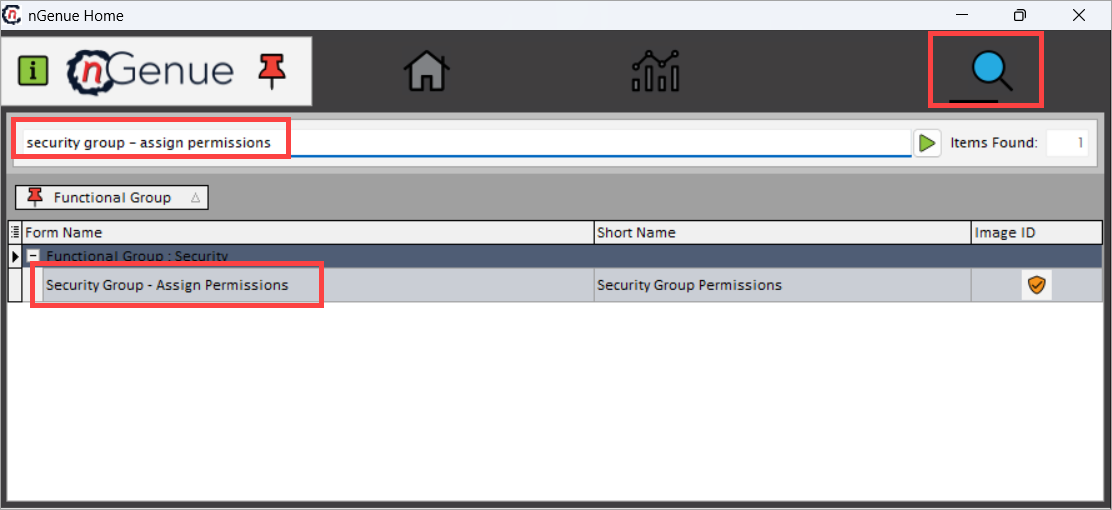
- Click the Search icon and enter security group - assign permission in the search bar.
-
Double-click Security group - assign permission to open the screen.
Step 2: Assign screens to security groups
-
In the screen:
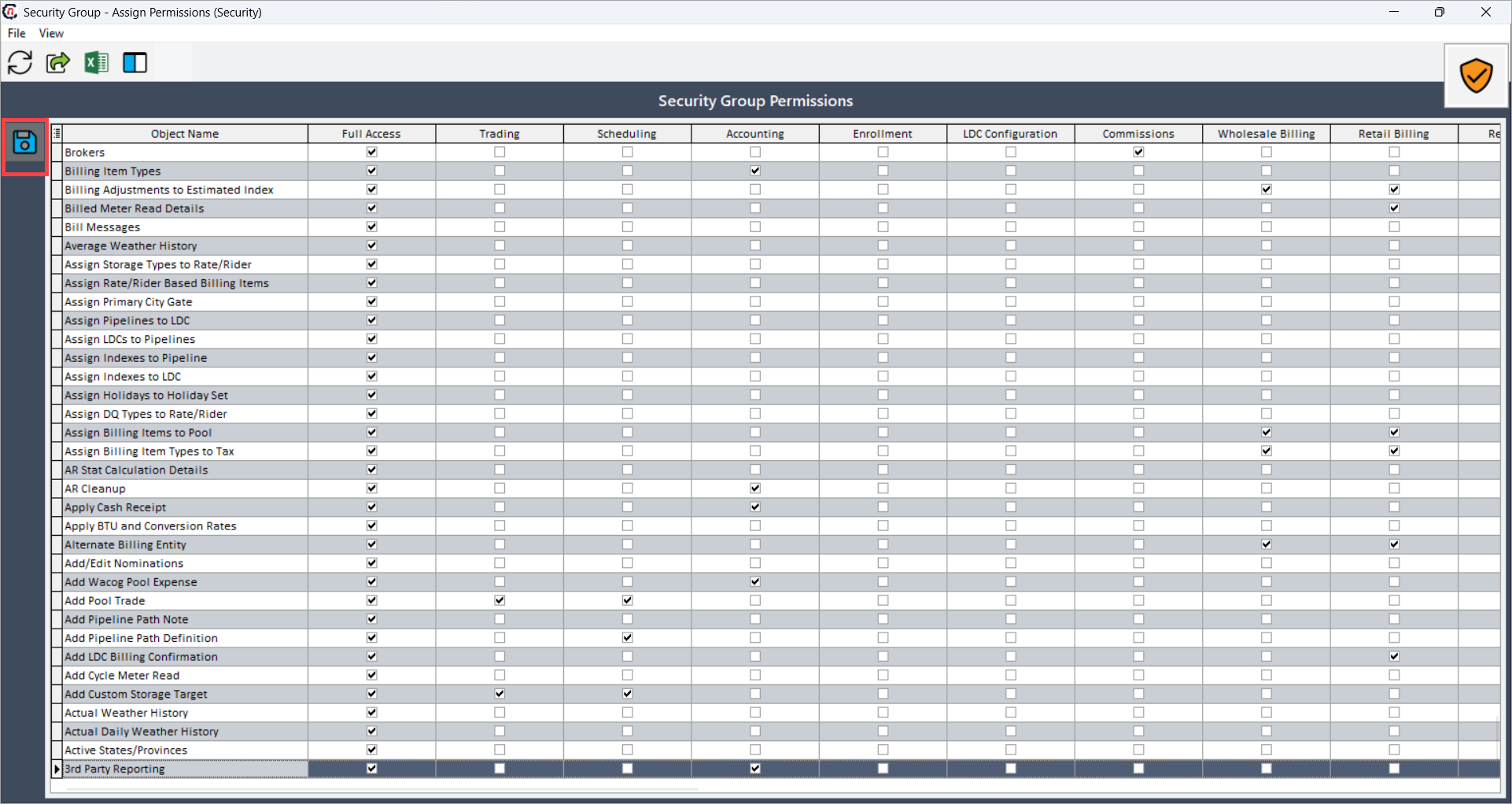
- Rows display screen names (for example, End user, Contract, LDC, and Billing screen).
- Columns display security groups.
-
Select the checkbox to assign a screen to a security group.
- Deselect the checkbox to remove a screen from a security group.
-
Click the Save group permission icon to save your changes.
Note
Assigning a screen to the Full access security group gives all members complete permissions to view, create, modify, and delete on that screen.
Summary
The Security group - assign permission screen enables administrators to efficiently manage access to application screens by assigning or revoking permissions for specific security groups. It ensures that users automatically inherit the appropriate permissions based on their group membership, simplifying access management by controlling permissions at the group level rather than individually. By following this procedure, administrators can maintain secure and organized access control within nGenue, ensuring users have access only to the screens necessary for their roles.