Review pipeline cashouts
The Pipeline Cashouts screen is used to record, review, and manage cashout transactions generated due to imbalances between scheduled and actual gas volumes on a pipeline. Cashouts represent the financial settlement of excess or deficient gas volumes at a defined price when physical balancing cannot be achieved.
This screen allows pipeline operations and settlement teams to manually enter or review pipeline cashout records that are later used in downstream settlement, accounting, and invoicing processes.
The Pipeline Cashouts screen enables users to:
- Capture pipeline cashout volumes and prices.
- Associate cashouts with pipelines, locations, and contracts.
- Record cashout reasons and circumstances for audit tracking.
- Support imbalance resolution and financial settlement workflows.
- Provide traceability for manual cashout adjustments.
Prerequisites
Before working with the Pipeline Cashouts screen, ensure the following prerequisites are met::
- The user has the add or modify permissions for the Pipeline Cashouts screen.
- The pipeline is configured and active in nGenue.
- Locations are defined and associated with the pipeline.
- Transport agreements and/or storage contracts exist (if applicable).
- Imbalances have been identified through nomination or actual volume processes.
Procedure to view pipeline cashouts
Step 1: Navigate to the Pipeline Cashouts screen
- Log in to the nGenue application.
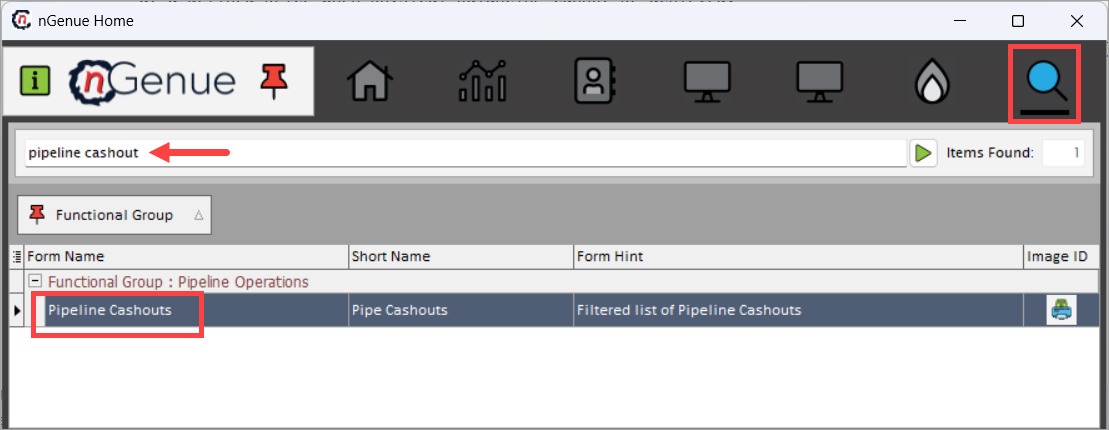
- Click the Search icon and enter pipeline cashout in the search bar.
- Double-click Pipeline Cashouts to open the Pipeline Cashouts (Pipeline Operations) screen.
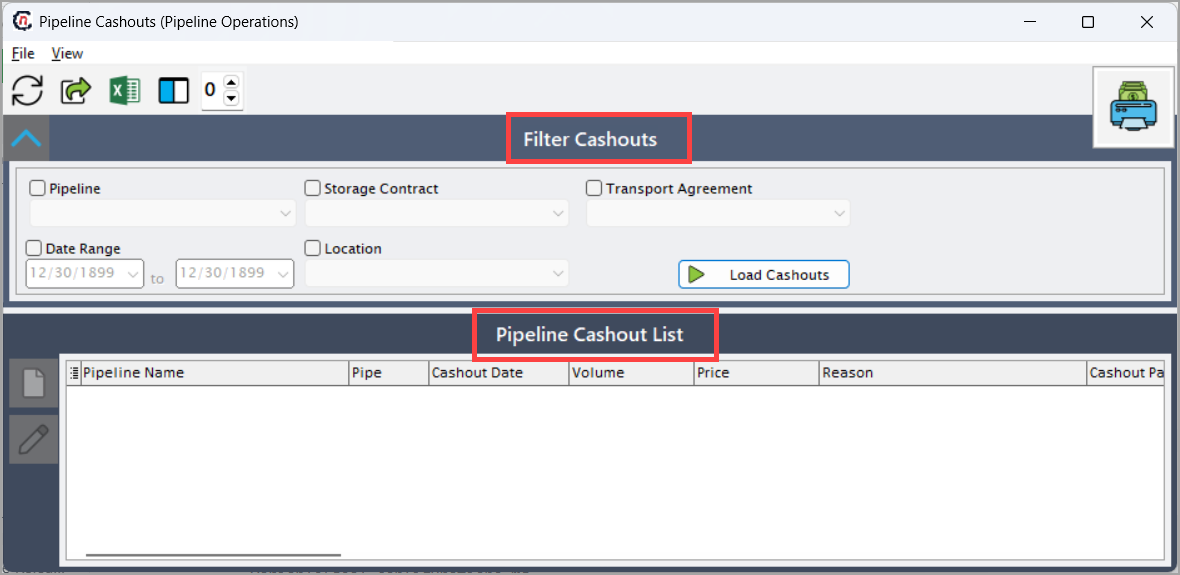
- The screen is divided into two sections:
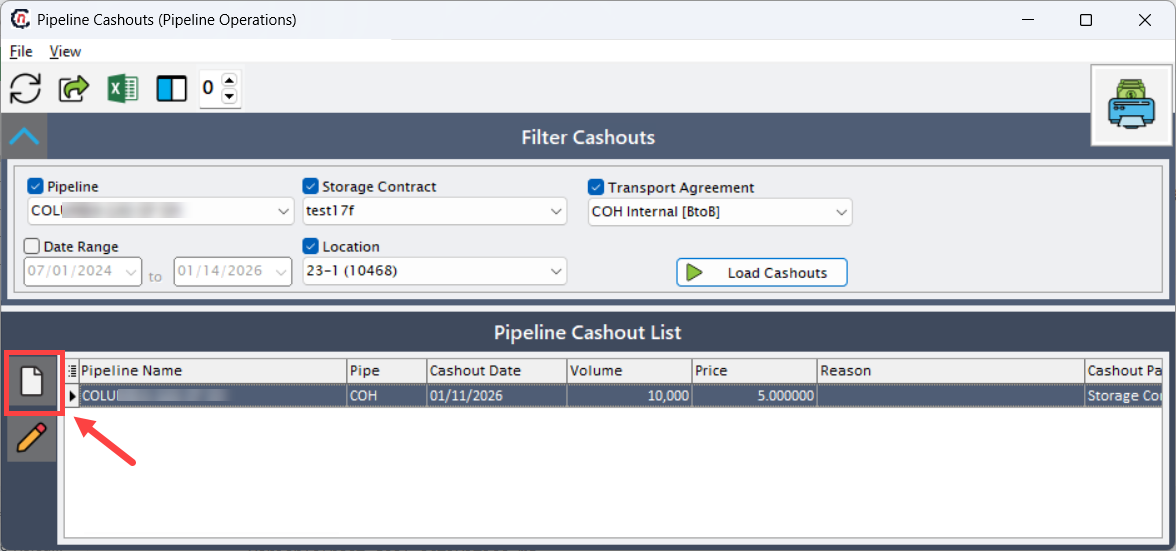
- Filter Cashouts section: This section allows users to narrow down existing cashout records.
- Pipeline Cashout List: This section displays all cashout records that match the selected criteria, including cashout date, volume, price, and reason.
Step 2: Define Filter Cashouts criteria
-
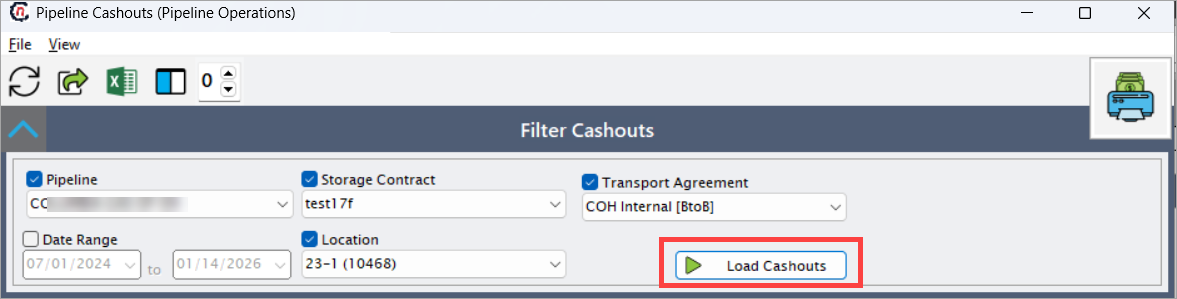
In the Filter Cashouts section, select the required criteria such as:
- Pipeline: Select the pipeline for which cashouts are recorded.
- Storage Contract: This filters cashouts linked to a specific storage contract.
- Transport Agreement: This filters cashouts linked to a transport agreement.
- Date Range: Limits cashouts to a specific date range.
- Location: Filters cashouts by pipeline location.
-
Click Load Cashouts.
-
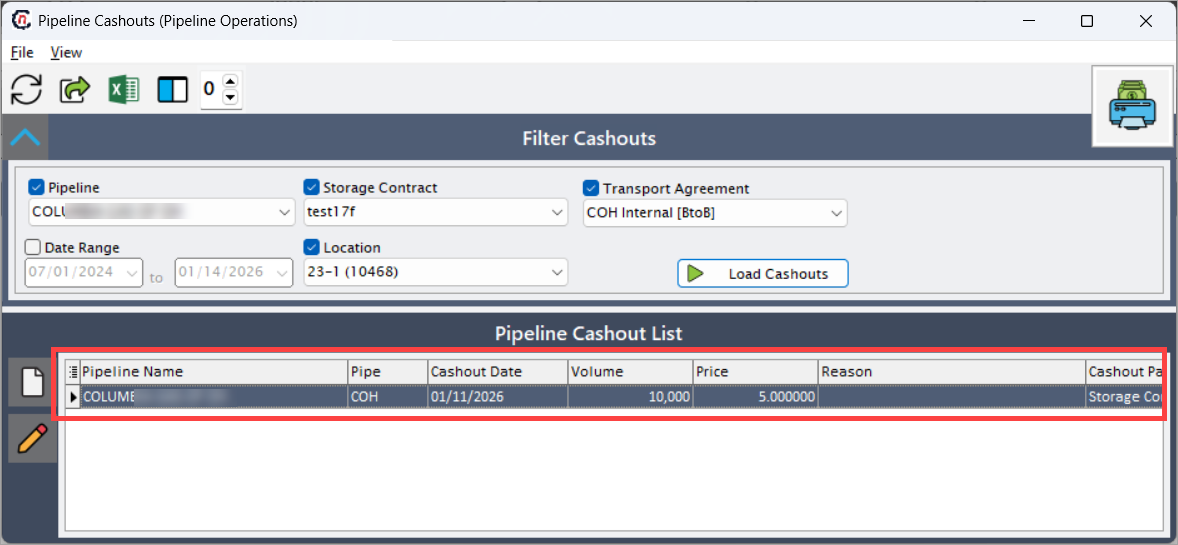
The Pipeline Cashout List displays all cashout records that match the selected criteria, including cashout date, volume, price, and reason.
Step 3: Add a new cashout record
To create a new pipeline cashout:
- Click on Add a New Cashout button.
-
The Pipeline Cashout Details window opens.
-
Enter the required information as shown in the table below:
Fields Description ID System-generated unique identifier for the cashout. Pipeline Pipeline on which the cashout is applied. Location Location where the imbalance occurred. Storage Contract Associated storage contract (if applicable). Transportation Agreement Associated transport agreement (if applicable). Tier Pricing tier applicable to the cashout (if tiered pricing applies). Cashout Date Effective date of the cashout. Cashout Volume Volume being cashed out due to imbalance. Price Price applied to the cashout volume. Cashout Circumstance / Note Free-text field to document the reason for the cashout, such as operational imbalance, scheduling variance, or pipeline-mandated adjustment. Calculation Information Indicates how the cashout was calculated. In this case, values are manually entered using volume and price. Created Timestamp when the cashout was created. Created By User who created the cashout. Last Updated Timestamp of the most recent update. Updated By User who last updated the record. -
Review the entered details.
- Click Accept to save the cashout record.
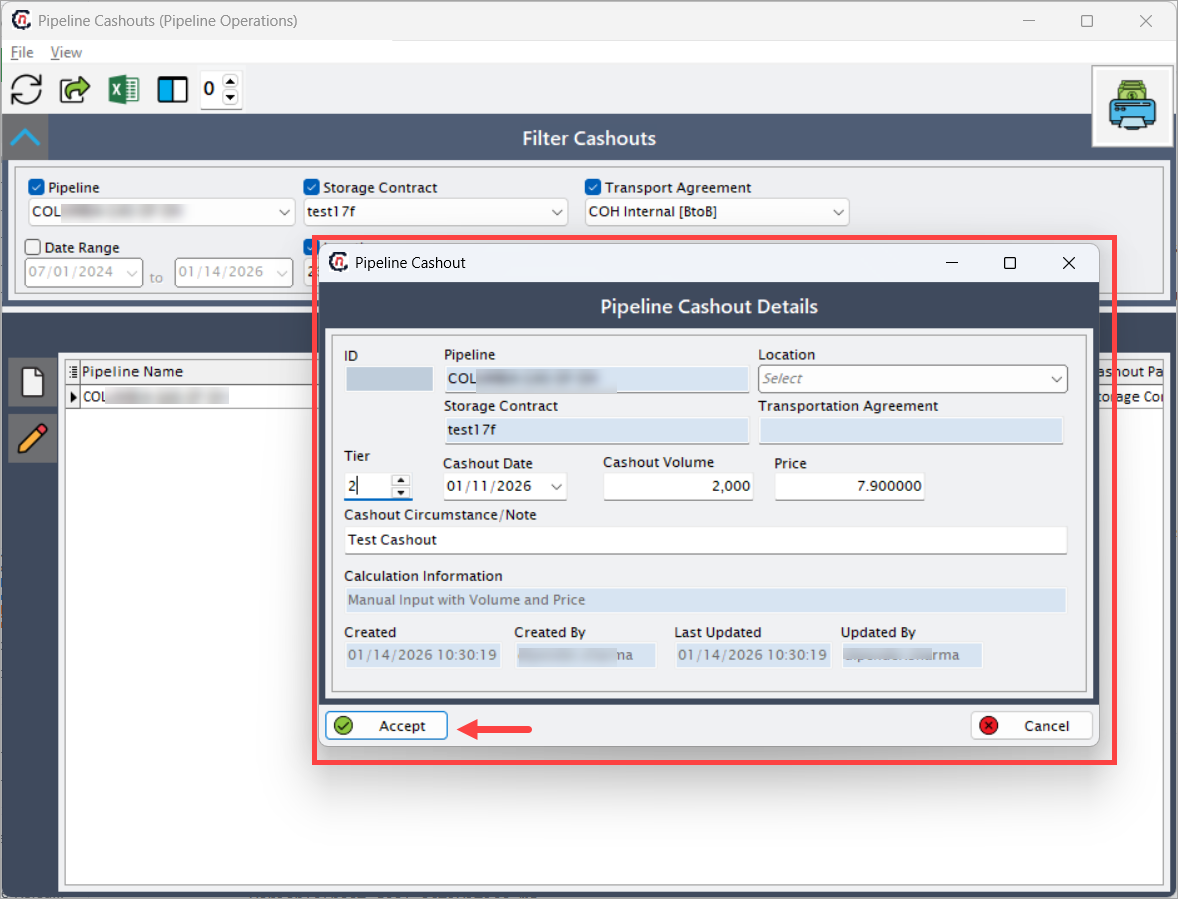
The newly created cashout appears in the Pipeline Cashout List and becomes available for downstream settlement and financial processes.
Data flow and downstream impact
Pipeline cashout records are used in the following downstream processes:
- Pipeline imbalance settlement
- Financial accruals
- Invoice generation
- Audit and reconciliation reporting
Once saved, cashouts become part of the pipeline’s financial position for the selected gas day.
Summary
The Pipeline Cashouts screen plays a vital role in resolving pipeline imbalances that cannot be physically balanced. By allowing controlled, auditable entry of cashout volumes and prices, it ensures financial accuracy, regulatory compliance, and operational transparency across pipeline operations and settlements.