Configuring retail cashout definition
The Retail cashout definition in nGenue specifies the rules and tolerances for reconciling end-user gas consumption against contracted quantities. It determines how over-usage or under-usage (swings) are handled, whether through penalties or allowances, and defines the formulas used for billing adjustments.
Retail cashout definitions are applied in both the LDC Pricing Product and Price Agreement screens, ensuring consistency and accuracy in cashout calculations across pricing setups and customer contracts.
Commonly used retail cashout definitions include:
- 0% swing: No deviation from the contracted quantity is allowed. Penalties apply immediately when usage differs.
- 10% swing: Allows up to 10% deviation before penalties or billing adjustments are triggered.
The following table lists the icons available on the Retail cashout definition screen and their respective functions:
| Icons | Icon name | Description |
|---|---|---|
 |
Add a retail cashout definition | Opens a new record form to create a retail cashout definition entry. |
 |
Edit current retail cashout definition | Opens the selected record for editing. |
 |
Save changes to current retail cashout definition | Saves the modifications made to the current record. |
 |
Cancel changes to current record | Discards unsaved changes made to the record. |
 |
Delete retail cashout definition | Permanently removes the selected retail cashout definition. |
 |
Copy this definition | Creates a duplicate of the selected retail price definition for reuse or modification. |
Prerequisites
Before working on the Retail cashout definition screen, ensure the following prerequisites are met:
- Ensure the nGenue application is installed and use valid login credentials to log into the application.
- User permissions: Configure security settings including User type, Security user, Security group, Security assign user, and Security assign permissions in their respective screens to ensure the required access and permissions for Retail cashout definition actions.
Procedure to configure retail cashout definition
Step 1: Navigate to the Retail cashout definition screen
- Log in to the nGenue application.
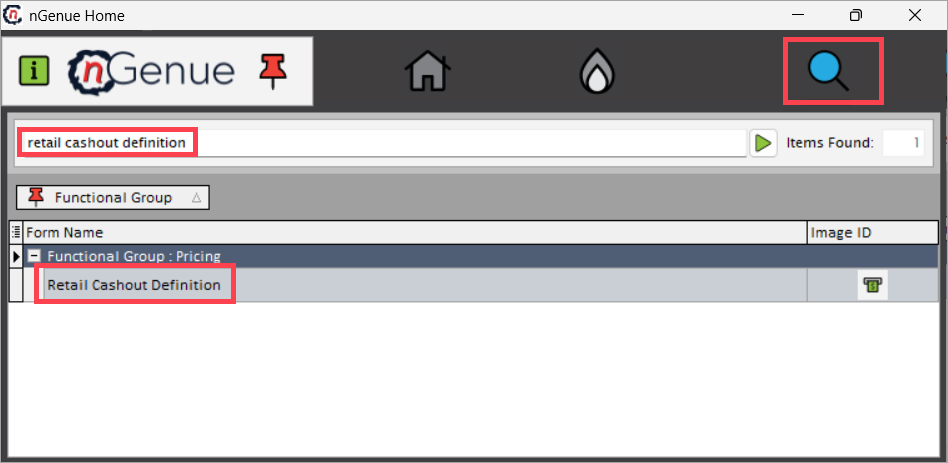
- Click the Search icon and enter retail cashout definition in the search bar.
-
Double-click Retail cashout definition to open the screen.
-
The screen is divided into two sections:
- Cashout definition list: Displays all existing retail cashout definition records configured in the system.
- Cashout definition details: Enables users to add, modify, or delete retail cashout definition records. This section includes two tabs that manage cashout-specific configurations:
- General info: Allows configuration of retail cashout formulas, tolerances, and billing display rules.
-
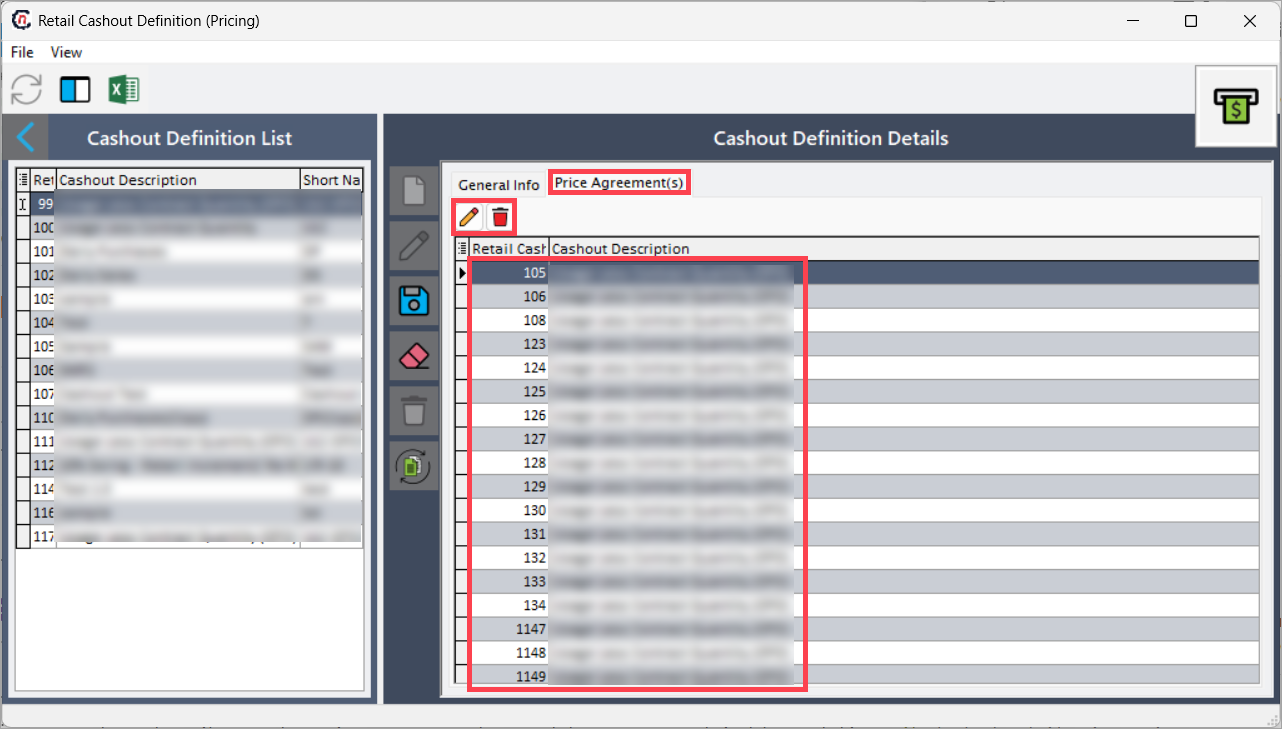
Price agreement(s): Displays and manages all price agreements linked to the selected cashout definition. Updates made in the definition automatically reflect in associated agreements.

Step 2: Create a retail cashout definition record
- In the Cashout definition details section, under the General info tab, click the Add a retail cashout definition icon.
-
Enter the details as shown in the table below:
Fields Description ID System-generated unique identifier for each retail cashout definition. Description Enter a descriptive label to easily identify the cashout definition. Short name Provide a short or abbreviated name for quick reference. Billing item type Select the billing item category associated with this cashout definition. Tiering rule Defines the applicable tiering logic for calculating cashout charges. Retail cashout formula Specifies the formula used to calculate over/under usage adjustments. Tier tolerance % Defines the allowable percentage swing before cashout adjustments apply. OFO handling Determines how Operational Flow Order (OFO) events are managed under this definition. Bill display order Sets the order in which the cashout item appears on invoices. Cashout description formula builder Allows configuration of formulas used to dynamically generate cashout descriptions on billing statements. 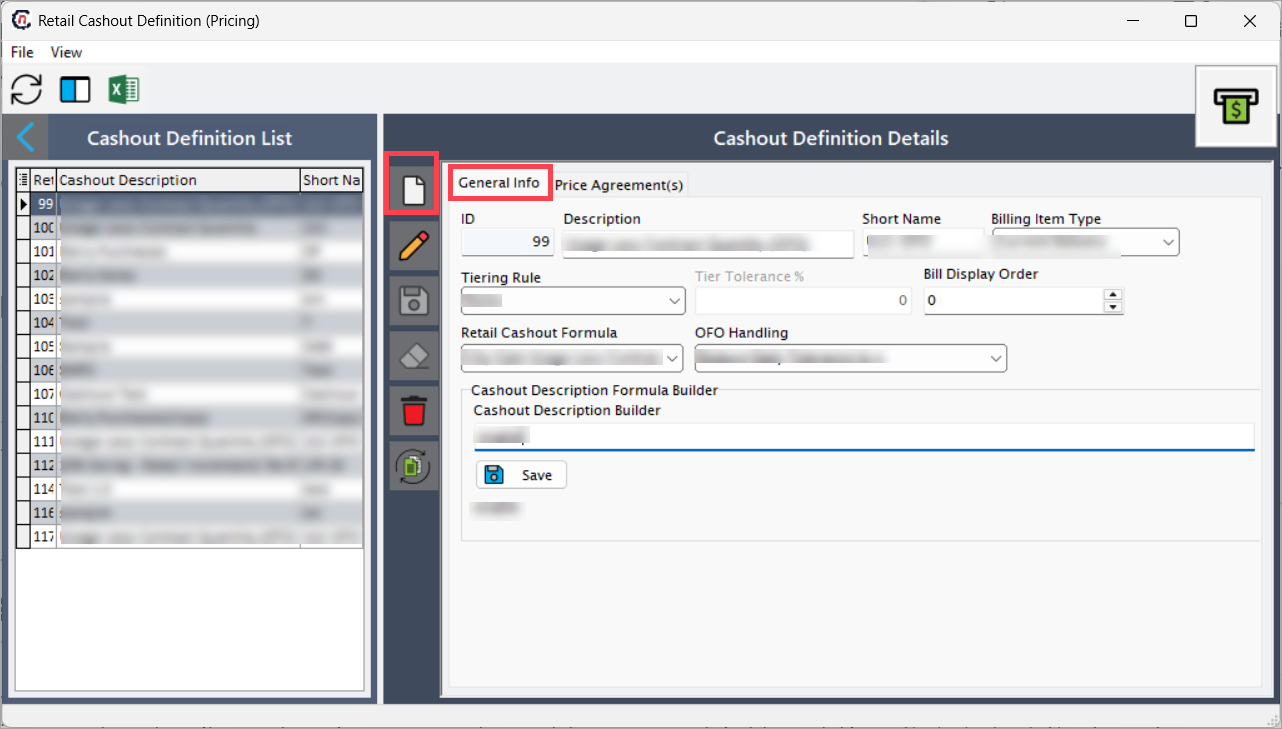
-
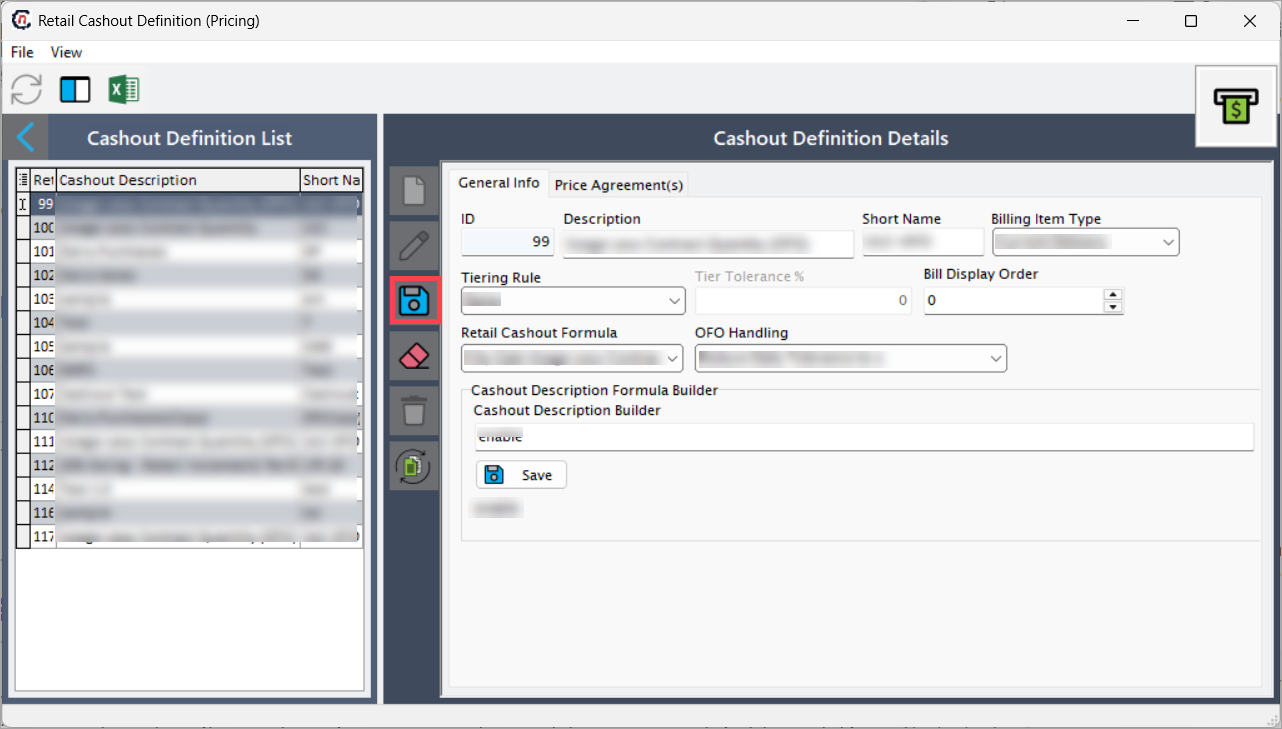
Click the Save changes to current record icon to save the configuration.
Step 3: Edit an existing retail cashout definition
- To modify an existing record, select the retail cashout definition from the Cashout definition list.
- In the Price agreement(s) tab, click the Edit current retail cashout icon to open the associated record.
-
The system redirects you to the Retail cashout screen. For detailed steps to update or review cashout settings at the price agreement level, refer to the Retail cashouts tab section in the LDC Pricing Product documentation.
Summary
The Retail cashout definition screen in nGenue allows users to define and maintain cashout calculation rules for managing consumption deviations at the end-user level. These definitions ensure that over- and under-usage are accurately billed according to contractual tolerances and pricing structures.
Proper configuration of retail cashout definitions ensures consistent and transparent reconciliation across LDC pricing products and price agreements, supporting precise billing, reporting, and compliance with contract terms.