Pricing rollover
Pricing rollover is the process of extending or duplicating existing pricing agreements that are nearing expiration into a new contract period. It enables efficient continuation of pricing terms, rate structures, and volume tiers from expiring agreements without the need to manually recreate them. This process is commonly performed at the end of a contract term when a customer’s existing pricing agreement is due for renewal, ensuring uninterrupted pricing and billing continuity for recurring accounts.
When a pricing rollover occurs, the newly rolled-over agreements directly influence the billing calculations for the upcoming period. Any changes to fixed or indexed prices, volume tiers, or agreement terms are automatically reflected in subsequent billing runs. When an agreement is rolled over, the system creates a new pricing record that inherits or modifies parameters (such as term, rate, and index price) from the expiring agreement. Configuration options control how fixed prices or volumes are handled, whether they are copied, adjusted, or replaced and define the new term length for the rolled-over agreement.
Prerequisites
Before working on the Pricing rollover (Pricing) screen, ensure the following prerequisites are met:
- Ensure the nGenue application is installed and use valid login credentials to log into the application.
- Configure the user permissions including User type, Security user, Security group, Security assign user, and Security assign permissions in their respective screens to enable access to the Pricing rollover (Pricing) screen.
- Ensure the Local Distribution Company (LDC), Pool, Representative, Legal entity.
- Ensure the Index curve definition, pricing tiers, rate schedules and basis definition are properly configured and updated to rollover execution.
- Ensure the existing pricing agreements should have valid expiration dates.
Procedure to manage roll over pricing agreements
Step 1: Navigate to Pricing rollover (Pricing) screen
- Log in to the nGenue application.
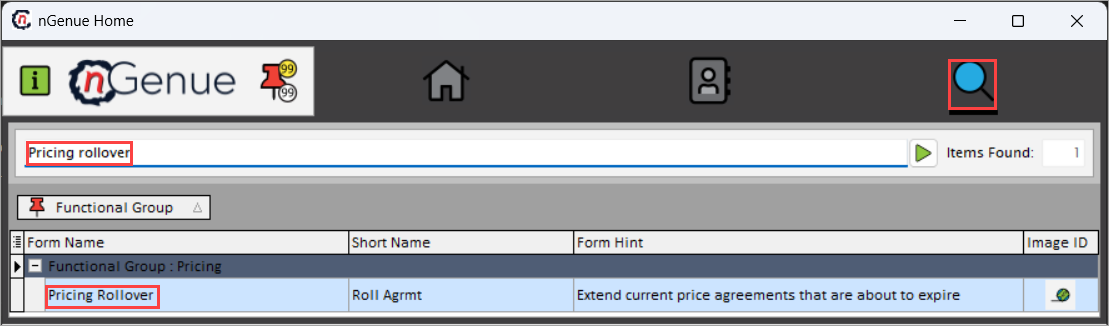
- Click the Search icon and enter Pricing rollover in the search bar.
-
Double-click the Pricing rollover from the search result to open respective screen.
-
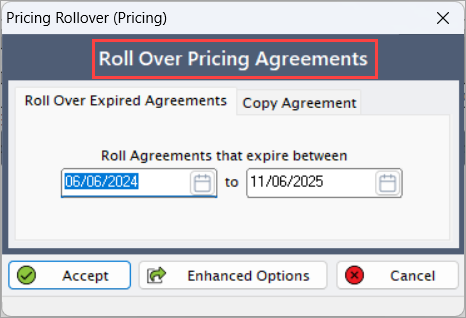
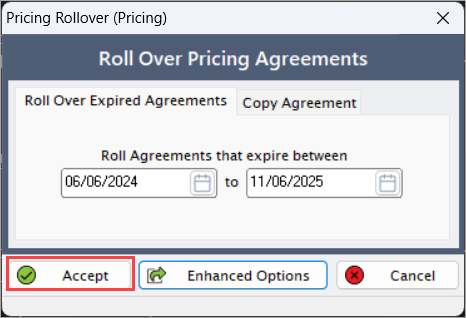
Pricing rollover (Pricing) screen has two tabs
- Roll over expired agreements
-
Copy agreement
Step 2: Manage roll over pricing agreements
- Specify the Roll agreement that expire between (to) the selected dates.
-
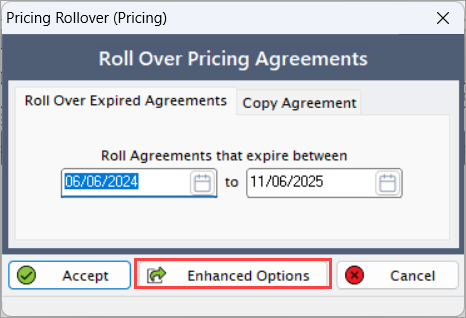
Click Enhanced options to open Roll pricing agreements screen.
-
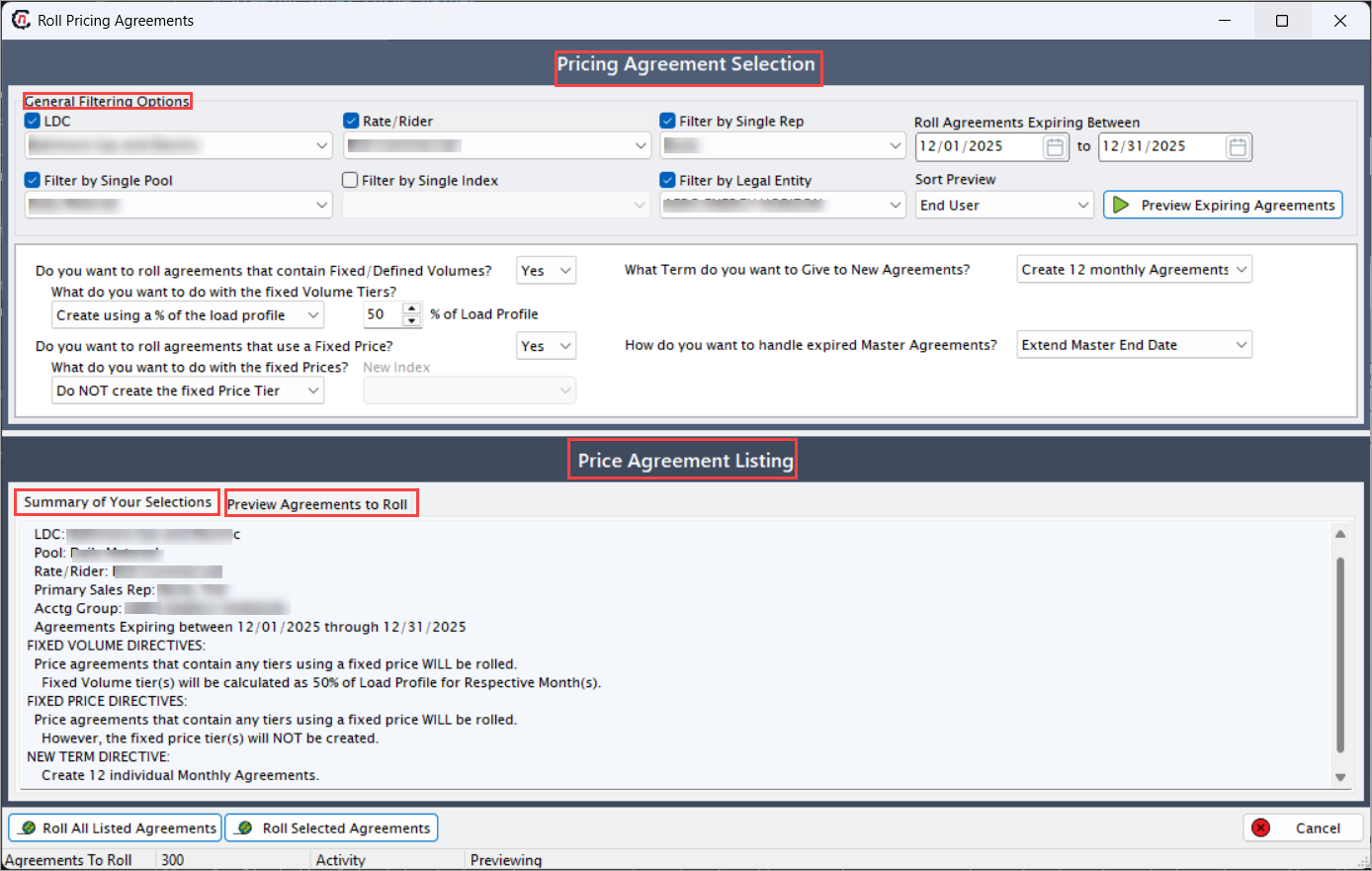
Roll pricing agreements screen has two sections:
- Pricing agreement selection: Allows identification and selection of existing pricing agreements for review, modification, or rollover, ensuring accurate and consistent application of pricing across contracts and settlements.
-
Price agreement listing: Displays a list of available pricing agreements that can be viewed, selected, or prepared for rollover.
- Summary of your selections: Provides an overview of the parameters defined for the rollover of pricing agreements, ensuring that all settings and configurations are accurate before confirmation.
-
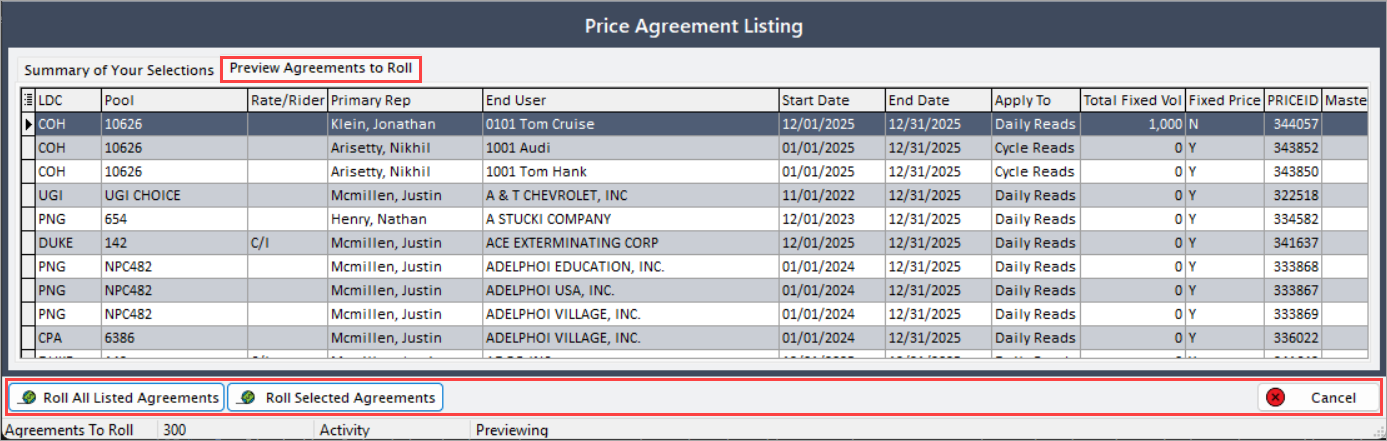
Preview agreements to roll: Allows review of the selected agreements before executing the rollover process
-
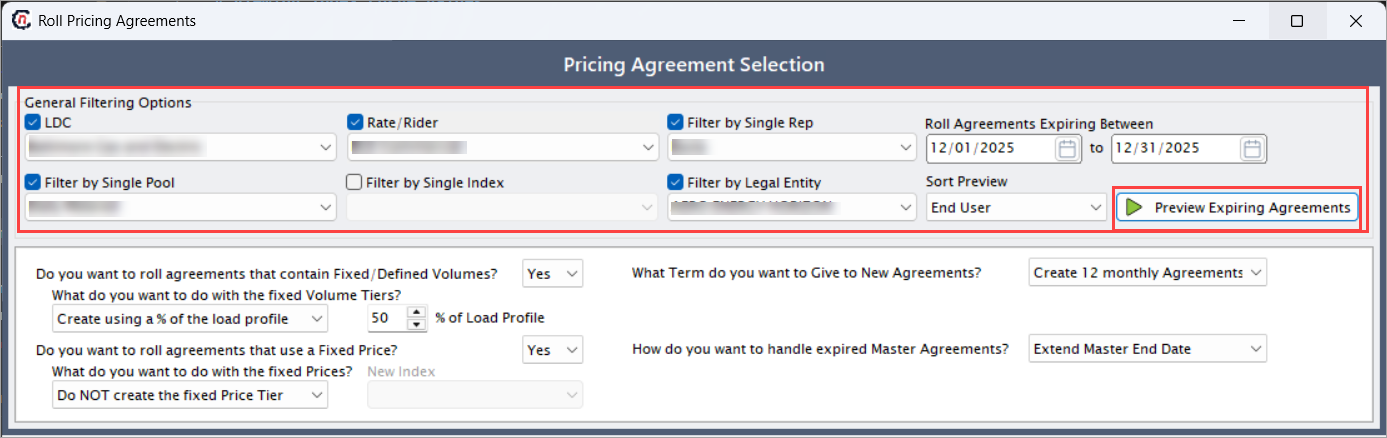
Enable and select the fields available in the General filtering options grid within the Pricing agreement selection section.
Fields Description LDC Select the Local Distribution Company associated with the agreement. Filter by single pool Limits the search to agreements within a specific pool. Rate/rider Filters agreements based on applicable rate or rider category. Filter by single index Restricts results to agreements linked to a single index. Filter by single rep Allows filtering by assigned sales representative. Filter by legal entity Filters agreements by associated legal entity. Roll agreements expiring between (to) Defines the date range for identifying expiring agreements. Sort preview Determines the sorting order of agreements in the preview list. -
Click Preview expiring agreements to load all pricing agreements that expire within the selected period.
-
Specify the following fields available in the grid within Pricing agreement selection section.
Fields Description Do you want to roll agreements that contain fixed/defined volumes? Select Yes or No to include or exclude fixed-volume agreements. What do you want to do fixed volume tiers? Available options: Do not create the fixed volume tier, Replace with a single fixed volume, Create using a % of load profile, Copy the existing fixed volume. % of Load profile Enter the percentage of load profile to apply when creating fixed volume tiers. Do you want to roll agreements that use a fixed price? Select Yes or No to include fixed-price agreements. What do you want to do with the fixed prices? Available options: Do not create the fixed price tier, Convert to an index price, Copy the existing fixed price, Create but leave fixed price as zero, Use the last used index price. What term do you want to give to new agreements? Available options: Copy the old term, Change to 1 month, Change to 1 year, Create 12 monthly agreements. How do you want to handle expired master agreements? Options include: Extend master end date, End the master agreement, Do not roll agreements. 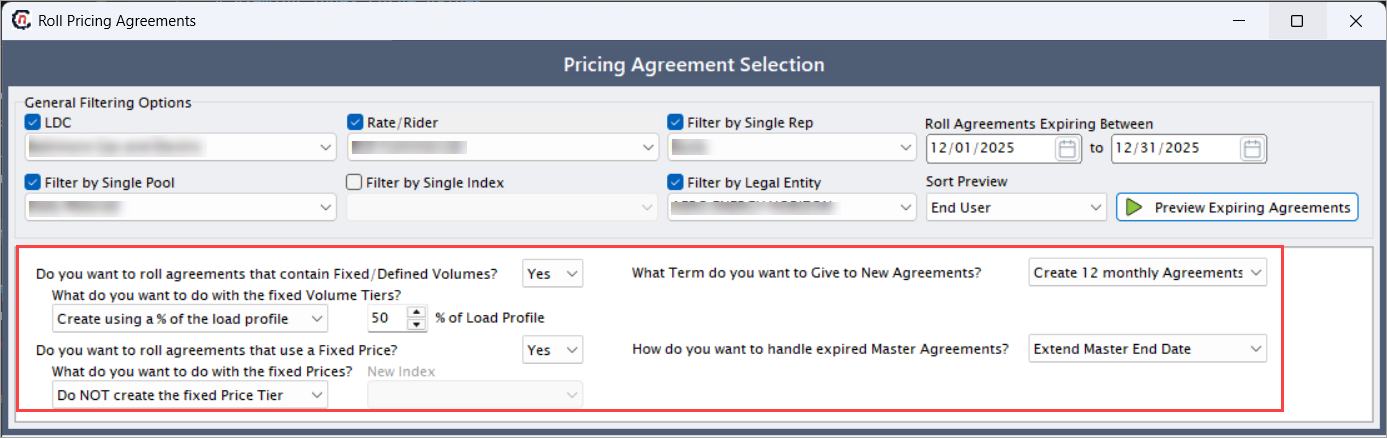
-
In Summary of your selections tab, chosen options can be reviewed and validated.
-
In the Preview agreements to roll tab, select one or more agreements to roll over.
- Click Roll all listed agreements to roll over all loaded records.
- Click Roll selected agreements to roll over only the selected records.
-
Click Cancel to return to the Pricing rollover screen.
Step 3: Copy agreement
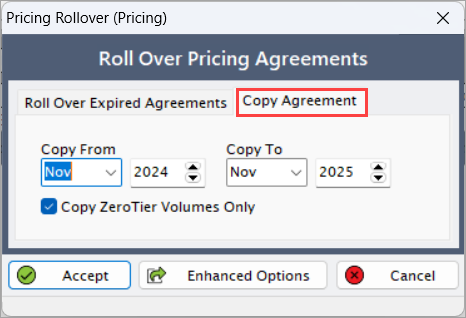
- In the Copy agreement tab, select the month and year to specify Copy from and Copy to periods.
-
Enable the Copy zero tier volumes only checkbox if you wish to copy only zero-tier volume agreements.
Step 4: Accept the changes
- Click Accept to finalize and roll over the selected pricing agreements within the defined period.
-
Click Cancel to close the screen without saving changes.
Summary
The pricing rollover functionality streamlines the renewal of expiring pricing agreements by automating the replication or modification of existing contract details. This ensures consistent and accurate pricing continuity across billing cycles while minimizing manual intervention and potential data-entry errors.