Configure collection agency
A collection agency in nGenue represents an external organization responsible for handling overdue customer balances and delinquent accounts. Collection agencies are used when customer accounts require formal third-party collection efforts. By configuring collection agencies in the system, you make them available for assignment within customer credit workflows, overdue receivable management, and related billing processes.
Prerequisites
Before working on the Collection agency screen, ensure the following prerequisites are met:
- Ensure the nGenue application is installed and use valid login credentials to log into the application.
- Configure the user permissions including User type, Security user, Security group, Security assign user, and Security assign permissions in their respective screens to enable access to the Collection agency screen.
Procedure to configure collection agency
Step 1: Navigate to Collection agency screen
- Log in to the nGenue application.
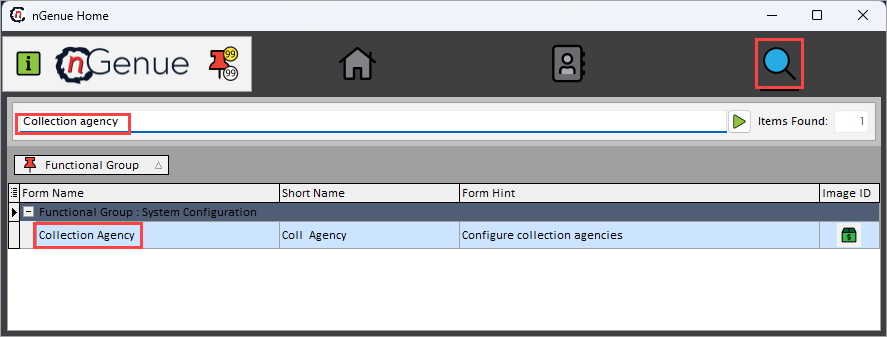
- Click the Search icon and enter Collection agency in the search bar.
-
Double-click the Collection agency from the search results to open respective screen.
-
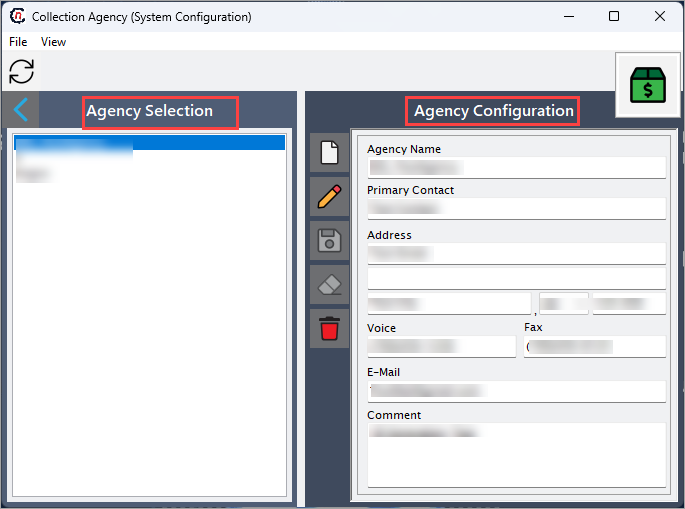
Collection agency (System configuration) screen has two sections:
- Agency selection
-
Agency configuration
Step 2: Configure collection agency
The following table lists the icons available on the Demand pool configuration section and their respective functions:
| Icons | Icon name | Description |
|---|---|---|
 |
Add a collection agency record | Opens a new record form to create a retail cashout definition entry. |
 |
Edit current collection agent | Opens the selected record for editing. |
 |
Save changes to current collection agent | Saves the modifications made to the current record. |
 |
Cancel changes to current collection agent record | Discards unsaved changes made to the record. |
 |
Delete current collection agent record | Permanently removes the selected retail cashout definition. |
Step 2.1 : Add a collection agency
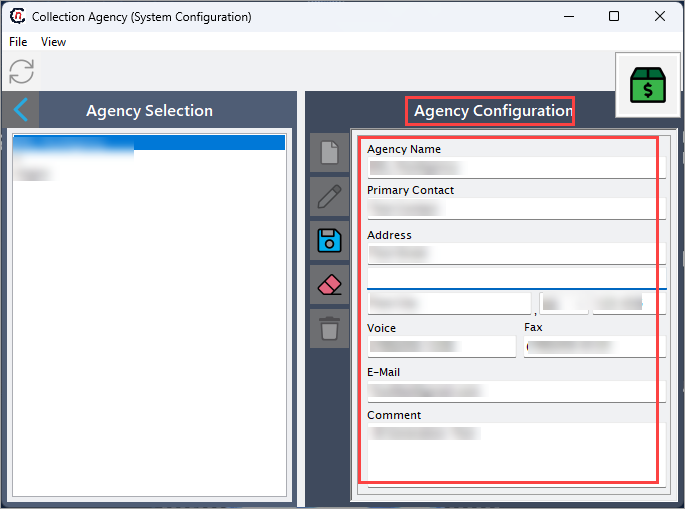
- In the Agency configuration, click the Add a collection agency record icon to create a new collection agency record.
-
Complete required fields available in the Agency configuration section that are listed in the table below:
Fields Description Agency name Specifies the official name or description of the facility. Primary contact Specifies the date and timestamp when the activity logged. Address Describes the action or event. Voice Specifies the name of the user who logged the activity. Fax Specifies the source where the activity logged from. E-mail It is a unique identifier for the activity record. Comment Specifies the official name or description of the facility. -
Click Save changes to current collection agent to store the configuration.
Step 2.2 : Edit a collection agency
- Click the Edit a collection agency record icon to modify the selected collection agency.
- Update necessary details and click Save changes to current collection agent to apply changes.
Step 2.3 : Delete a collection agency
- Select the collection agency record and click the Delete current collection agent record icon to permanently remove the demand pool record.
- Confirm the deletion to permanently remove the status (only allowed if it is not in active use).
Summary
Configuring a collection agency in nGenue allows your organization to integrate third-party collection services into billing and receivable workflows. The setup ensures accurate agency information, enables assignment of accounts for external collection, and supports communication and tracking through the system.